
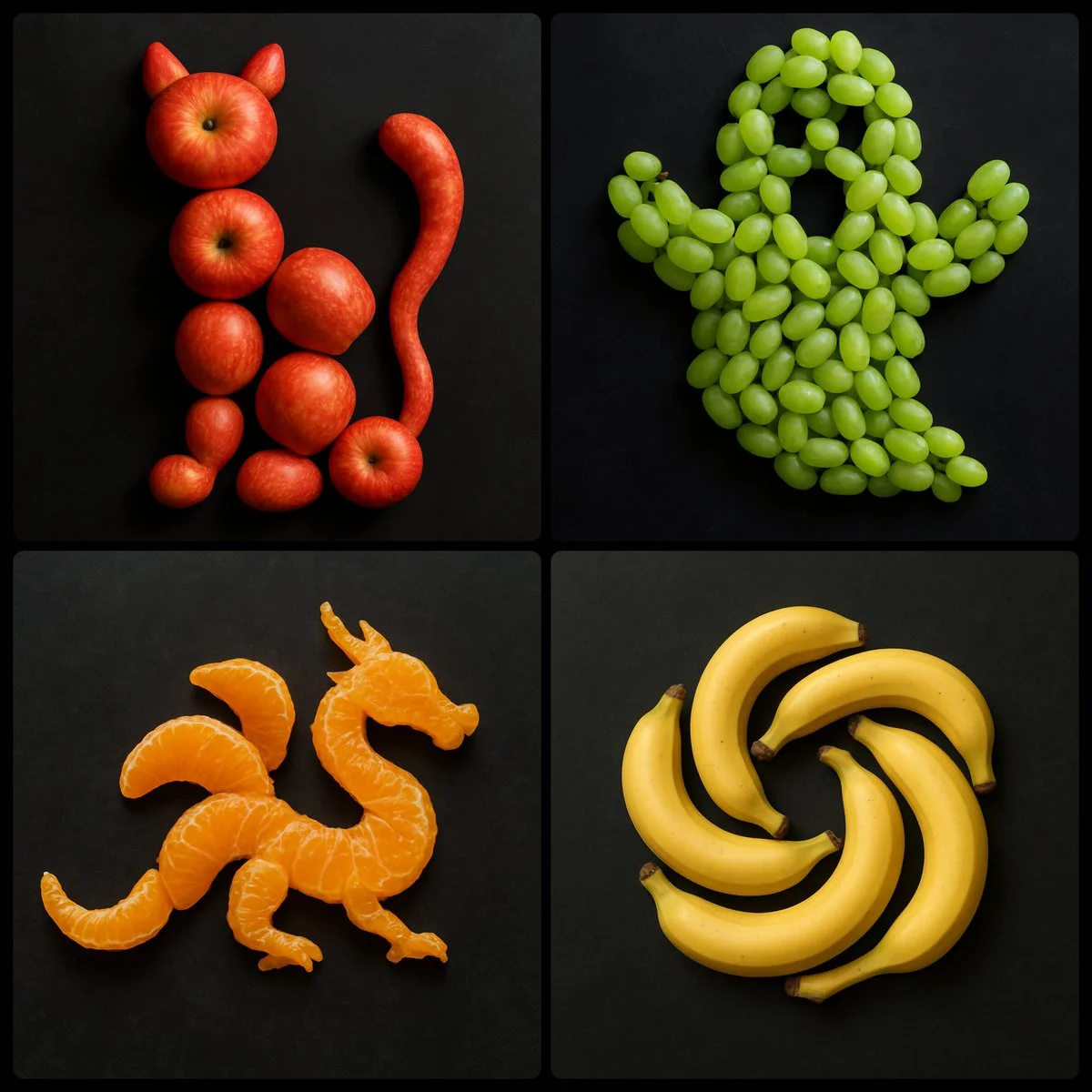
Verifizierter Prompt
Create an image by arranging [NUMBER/AGGREGATE] of [FRUIT] strategically on a dark surface to form the shape of [OBJECT/EMOJI/LOGO]
Create an image by arranging [NUMBER/AGGREGATE] of [FRUIT] strategically on a dark surface to form the shape of [OBJECT/EMOJI/LOGO]
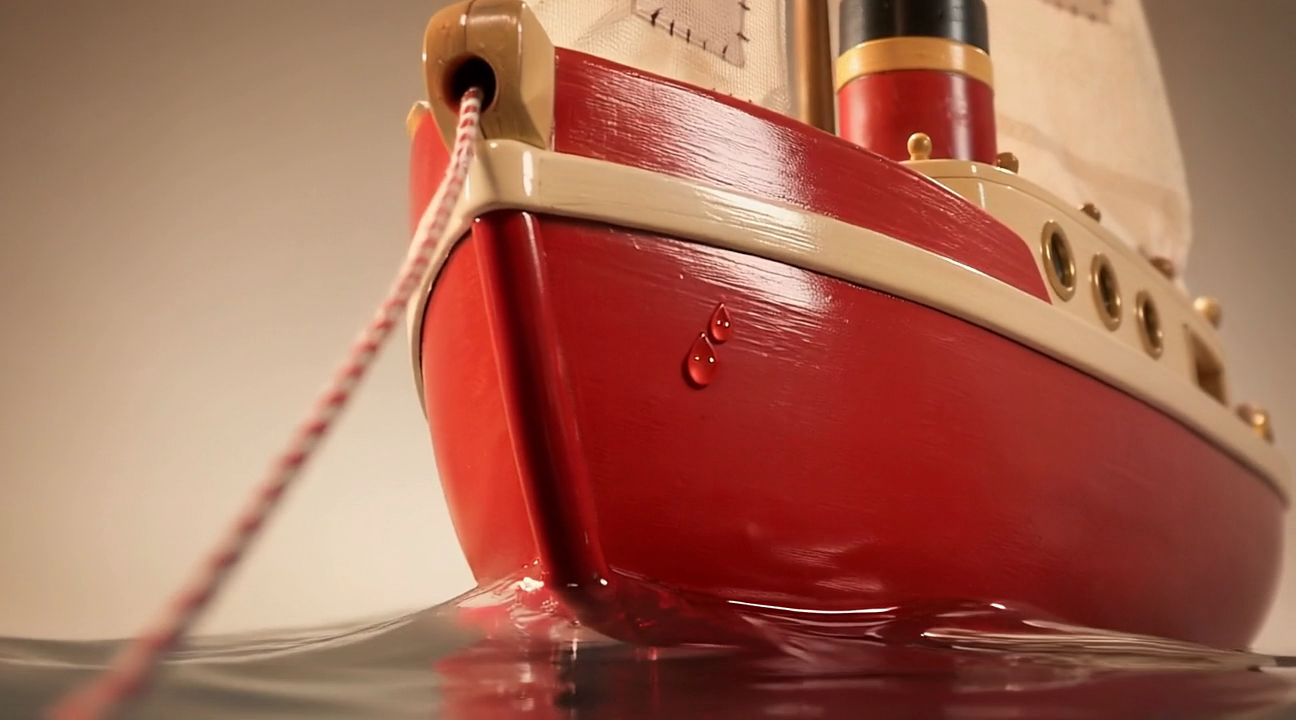
Verifizierter Prompt
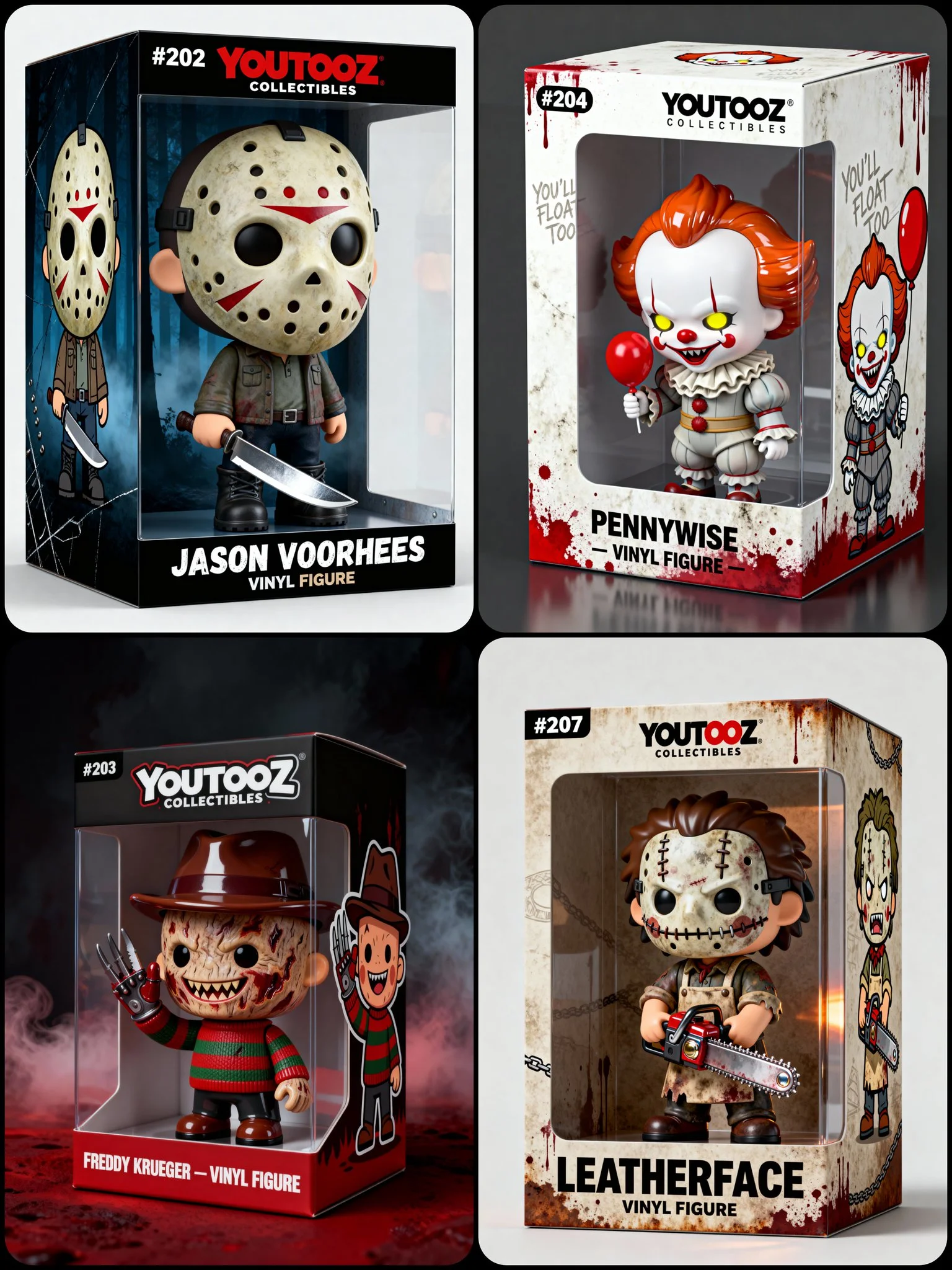
Verifizierter Prompt
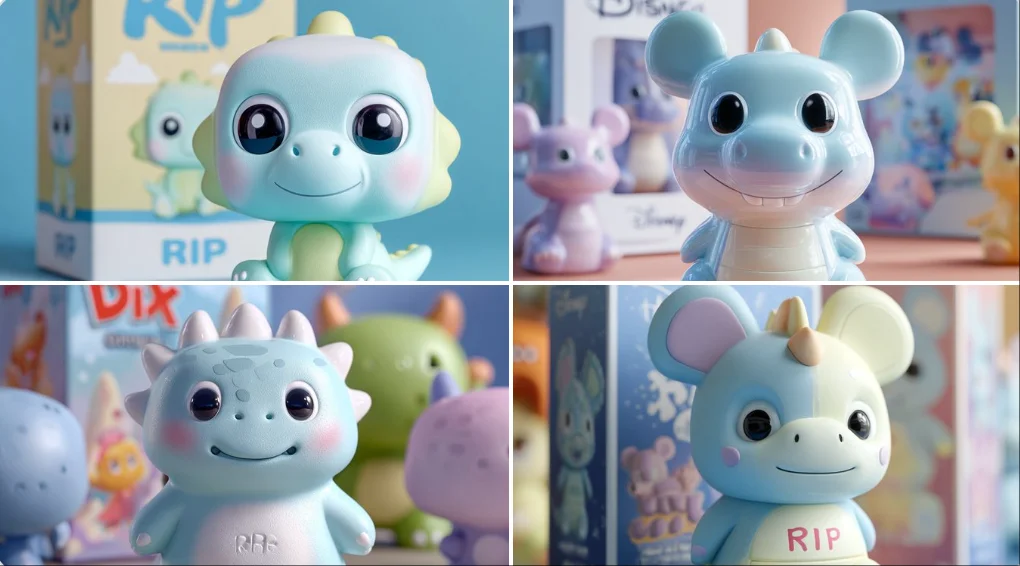
A 3D chibi-style vinyl collectible figure of [CHARACTER NAME] Big head, small body, cartoon proportion, Standing inside a Youtooz-style packaging box with: Transparent front window "YOUTOOZ COLLECTIBLES" logo on the top Number label ([#XXX]) on the top-left Bottom front text: “[CHARACTER NAME]” and lower with smaller font “VINYL FIGURE” Cartoon 2D illustration of [CHARACTER NAME] on the side of the box ([ILLUSTRATION DESCRIPTION]) Background/theme: [BOX COLORS + TEXTURES + ICONIC MOTIFS RELATED TO CHARACTER] [Figure POSE OR GESTURE] [Outfit DESCRIPTION + SIGNATURE ITEMS] Face details: The facial features (mouth/eyes/details) must be fully 3D sculpted, not flat or printed. Lighting: clean product photography look, minimal soft shadows Style: vinyl-toy aesthetic with a mix of matte + glossy accents depending on costume, Composition: 3/4 product shot view, full box visible. The entire packaging box must be fully visible inside the frame with a clean margin around all edges.
A 3D chibi-style vinyl collectible figure of [CHARACTER NAME] Big head, small body, cartoon proportion, Standing inside a Youtooz-style packaging box with: Transparent front window "YOUTOOZ COLLECTIBLES" logo on the top Number label ([#XXX]) on the top-left Bottom front text: “[CHARACTER NAME]” and lower with smaller font “VINYL FIGURE” Cartoon 2D illustration of [CHARACTER NAME] on the side of the box ([ILLUSTRATION DESCRIPTION]) Background/theme: [BOX COLORS + TEXTURES + ICONIC MOTIFS RELATED TO CHARACTER] [Figure POSE OR GESTURE] [Outfit DESCRIPTION + SIGNATURE ITEMS] Face details: The facial features (mouth/eyes/details) must be fully 3D sculpted, not flat or printed. Lighting: clean product photography look, minimal soft shadows Style: vinyl-toy aesthetic with a mix of matte + glossy accents depending on costume, Composition: 3/4 product shot view, full box visible. The entire packaging box must be fully visible inside the frame with a clean margin around all edges.
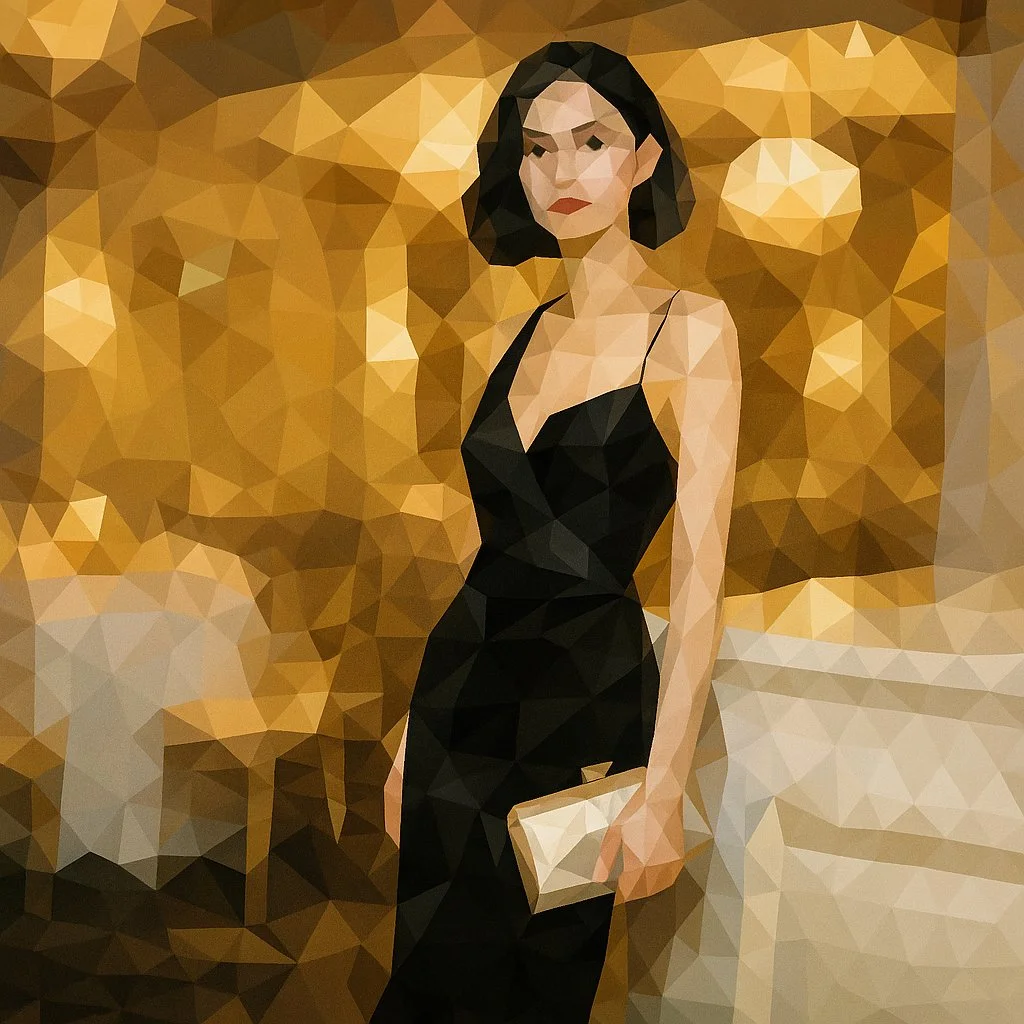
Verifizierter Prompt
Transform this image into a refined low-poly mosaic style. Preserve the original structure and recognizable details, especially facial features and contours. Use small, high-density polygons to maintain clarity and identity while creating a crystalline, faceted look. Keep the original color palette for a harmonious and natural aesthetic. Avoid altering or adding new elements.
Transform this image into a refined low-poly mosaic style. Preserve the original structure and recognizable details, especially facial features and contours. Use small, high-density polygons to maintain clarity and identity while creating a crystalline, faceted look. Keep the original color palette for a harmonious and natural aesthetic. Avoid altering or adding new elements.
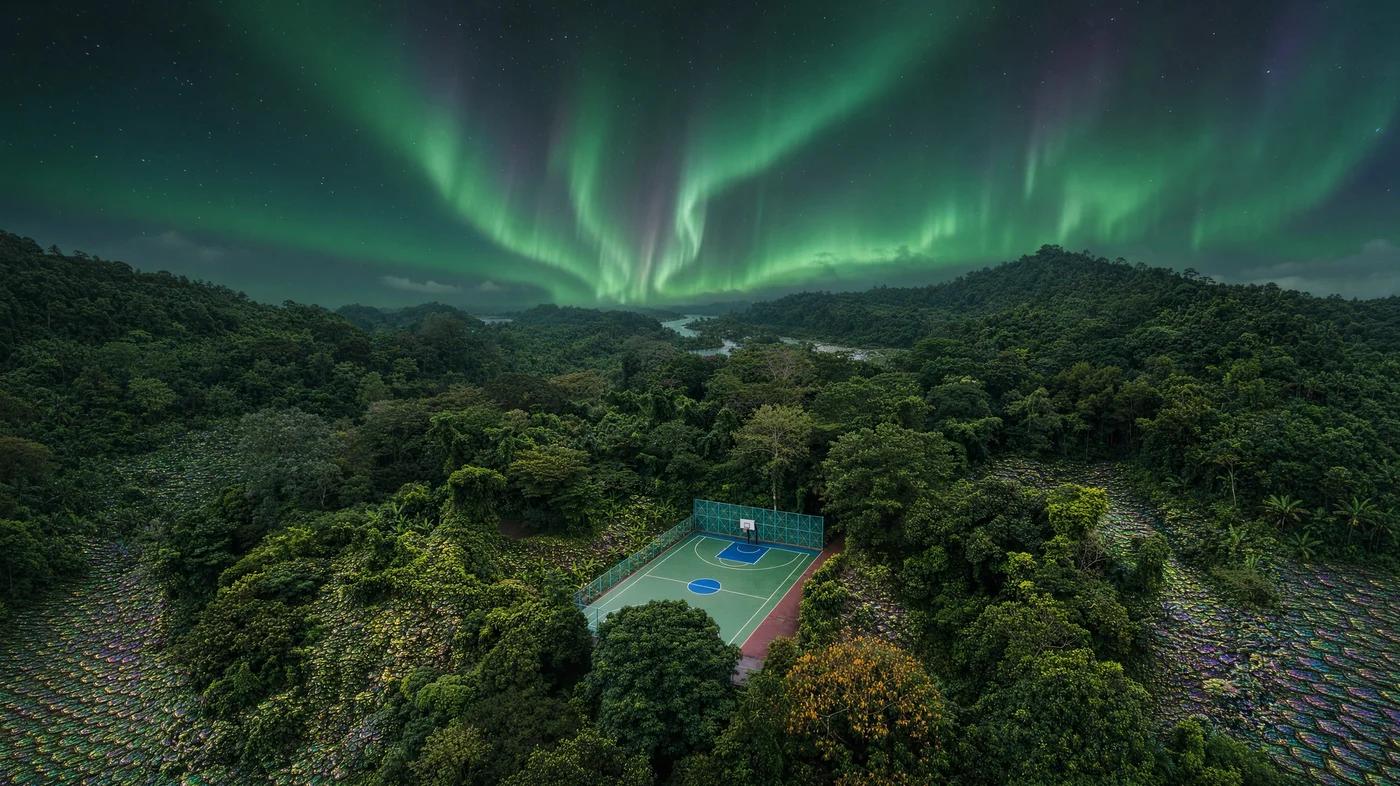
Verifizierter Prompt
Verifizierter Prompt
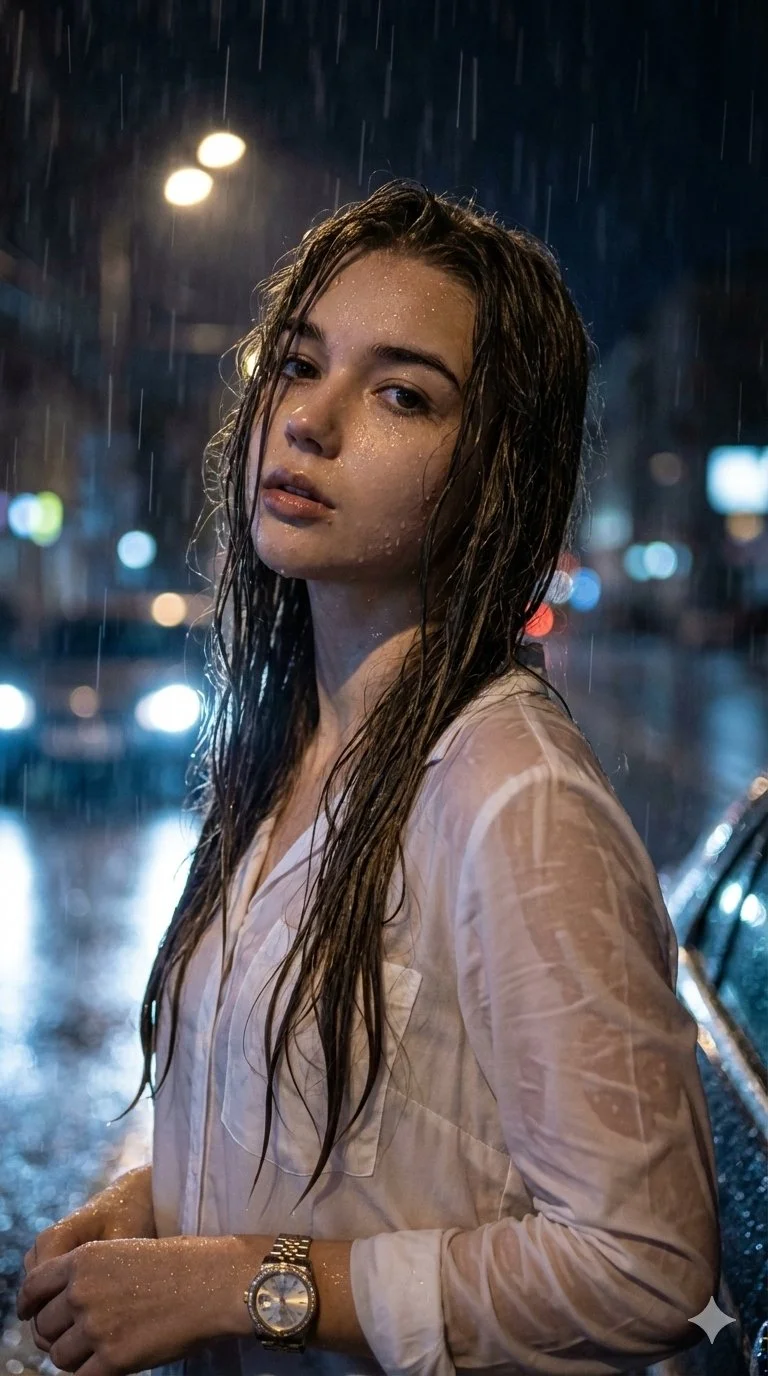
Hyper-realistic cinematic night portrait. Aspect ratio 9:16. Female standing outdoors in the rain at night, head tilted slightly upward, gaze looking upward feeling the rain. Intense, emotional, contemplative expression. Wet and tousled hair with strongly backlit glowing halo effect. Raindrops glistening on face with natural skin texture. Soaked white button-up shirt clinging naturally to the body with luxury wristwatch. Outdoor urban environment at night with heavy rain and moody dramatic cinematic atmosphere. Dramatic low-key lighting with deep shadows and strong highlights on water droplets. Water droplets frozen in motion with subtle rain streaks and cinematic depth of field. Eye-level to slightly low camera angle with sharp focus on face and upper body. High resolution ultra-photorealistic with extreme detail in skin, fabric, water, and lighting.
Hyper-realistic cinematic night portrait. Aspect ratio 9:16. Female standing outdoors in the rain at night, head tilted slightly upward, gaze looking upward feeling the rain. Intense, emotional, contemplative expression. Wet and tousled hair with strongly backlit glowing halo effect. Raindrops glistening on face with natural skin texture. Soaked white button-up shirt clinging naturally to the body with luxury wristwatch. Outdoor urban environment at night with heavy rain and moody dramatic cinematic atmosphere. Dramatic low-key lighting with deep shadows and strong highlights on water droplets. Water droplets frozen in motion with subtle rain streaks and cinematic depth of field. Eye-level to slightly low camera angle with sharp focus on face and upper body. High resolution ultra-photorealistic with extreme detail in skin, fabric, water, and lighting.
Verifizierter Prompt
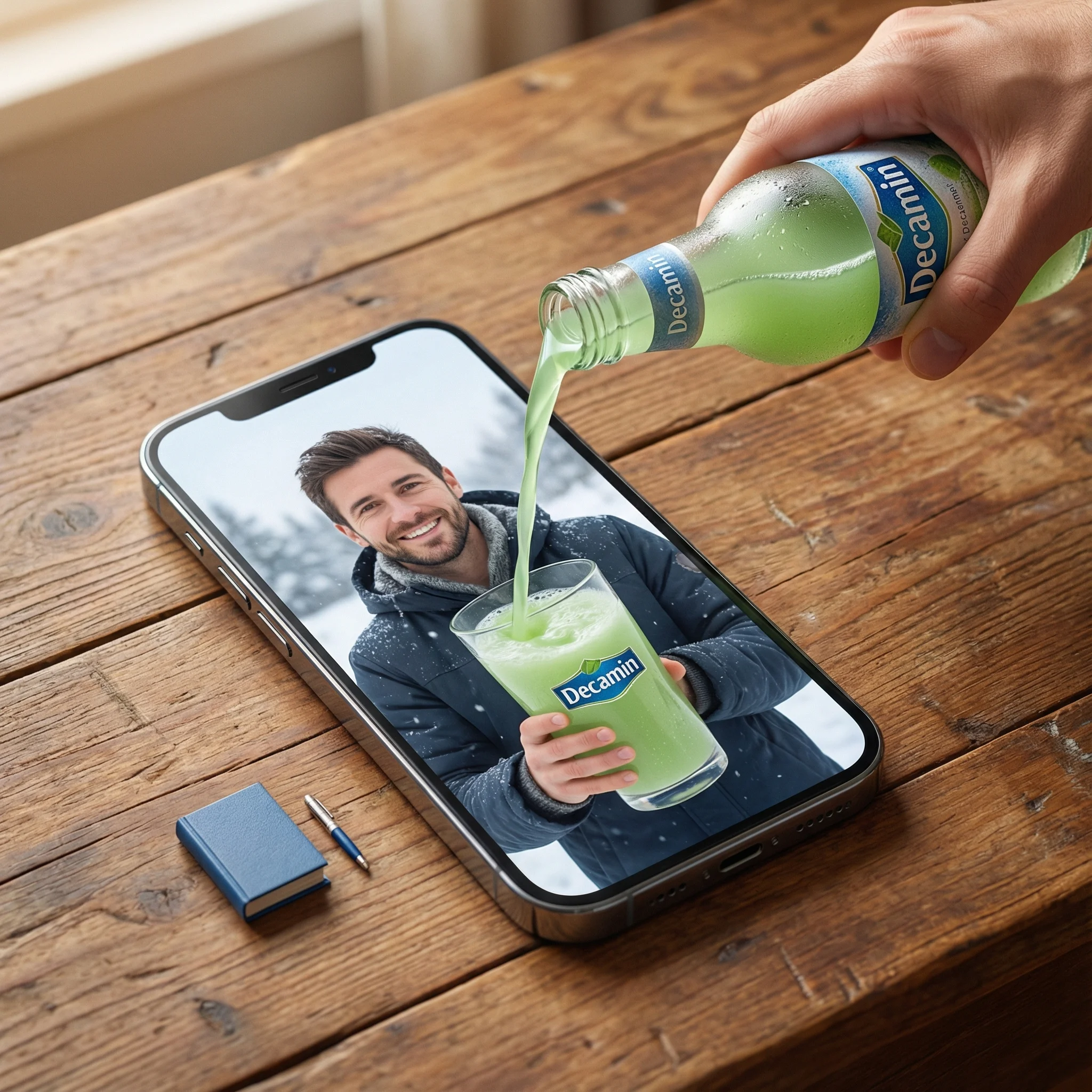
a] Type: Creative Brief. Genre: Hyper-realistic Surrealism. Composition Style: Composite Portrait. Aspect Ratio: Portrait (implied by 'portrait' description). [Scene Architecture] Viewpoint: [Type] Photographic. [Angle] High-angle / Looking down. [Framing] Tight on central subject.. Dimensional Hierarchy: [Rule] Scale disparity for surreal effect. [Dominant Element] iPhone 17 Pro Max (Super-scaled). [Subordinate Elements] Blue Book (Miniature), Pen (Miniature).. [Realm Physical] Description: The real-world environment surrounding the device.. Environment: [Surface] Wooden table. [Texture Attributes] rich grain, tactile, worn.. Lighting Global: [Source] Natural light. [Temperature] Warm. [Shadow Quality] Soft, diffused, volumetric.. Active Agent: [Identity] Human Hand (Real). [Action] Pouring. [Position] Entering frame laterally.. Held Object: [Item] Bottle. [State] Chilled (visible condensation). [Branding] Logo Text: Decamin. Placement: Visible on label. [Contents] Substance: Water. Color: Light Green. State: Liquid flow.. Static Props: [Item] Book. [Color] Blue. [Scale Notes] Significantly smaller than phone., [Item] Pen. [Type] Ballpoint/Ink. [Scale Notes] Significantly smaller than phone.. [Realm Digital] Description: The content displayed on the screen.. Container Device: [Model] iPhone 17 Pro Max. [State] Screen ON. [Orientation] Flat on physical surface.. Screen Content: [Subject Identity] mqn (Reference ID). [Subject Scale] Close-up (filling screen). [Expression] Happy / Smiling. [Attire] Winter clothing (matching reference). [Setting] Winter landscape / snowy backdrop. [Held Object Digital] Item: Drinking Glass. Branding: [Logo Text] Decamin. [Visibility] Clear.. Initial State: Empty (waiting for pour).. [Surreal Bridge Event] Description: The interaction connecting the physical and digital realms.. Action Type: Trans-dimensional Fluid Dynamics. Source: realm_physical.held_object.contents (Light Green Water). Interaction Point: realm_digital.container_device.screen_surface. Destination: realm_digital.screen_content.held_object_digital (The Glass). Physics Violation Rules: [Rule 1] Liquid does not splash off the glass screen surface.. [Rule 2] Screen surface acts as a permeable membrane solely for this liquid.. [Rule 3] Physical liquid transitions seamlessly into digital representation upon contact... Visual Details: Sharp liquid simulation, No surface tension on screen glass, Fluid physically filling digital cup. [Rendering Specifications] Visual Fidelity: Hyper-realistic. Texture Focus: Sharp fluid details, Glass pixels, Wood grain, Skin texture (hand and subject). Mood: Cinematic, warm, magical. Resolution Target: 8K / Highly detailed.
a] Type: Creative Brief. Genre: Hyper-realistic Surrealism. Composition Style: Composite Portrait. Aspect Ratio: Portrait (implied by 'portrait' description). [Scene Architecture] Viewpoint: [Type] Photographic. [Angle] High-angle / Looking down. [Framing] Tight on central subject.. Dimensional Hierarchy: [Rule] Scale disparity for surreal effect. [Dominant Element] iPhone 17 Pro Max (Super-scaled). [Subordinate Elements] Blue Book (Miniature), Pen (Miniature).. [Realm Physical] Description: The real-world environment surrounding the device.. Environment: [Surface] Wooden table. [Texture Attributes] rich grain, tactile, worn.. Lighting Global: [Source] Natural light. [Temperature] Warm. [Shadow Quality] Soft, diffused, volumetric.. Active Agent: [Identity] Human Hand (Real). [Action] Pouring. [Position] Entering frame laterally.. Held Object: [Item] Bottle. [State] Chilled (visible condensation). [Branding] Logo Text: Decamin. Placement: Visible on label. [Contents] Substance: Water. Color: Light Green. State: Liquid flow.. Static Props: [Item] Book. [Color] Blue. [Scale Notes] Significantly smaller than phone., [Item] Pen. [Type] Ballpoint/Ink. [Scale Notes] Significantly smaller than phone.. [Realm Digital] Description: The content displayed on the screen.. Container Device: [Model] iPhone 17 Pro Max. [State] Screen ON. [Orientation] Flat on physical surface.. Screen Content: [Subject Identity] mqn (Reference ID). [Subject Scale] Close-up (filling screen). [Expression] Happy / Smiling. [Attire] Winter clothing (matching reference). [Setting] Winter landscape / snowy backdrop. [Held Object Digital] Item: Drinking Glass. Branding: [Logo Text] Decamin. [Visibility] Clear.. Initial State: Empty (waiting for pour).. [Surreal Bridge Event] Description: The interaction connecting the physical and digital realms.. Action Type: Trans-dimensional Fluid Dynamics. Source: realm_physical.held_object.contents (Light Green Water). Interaction Point: realm_digital.container_device.screen_surface. Destination: realm_digital.screen_content.held_object_digital (The Glass). Physics Violation Rules: [Rule 1] Liquid does not splash off the glass screen surface.. [Rule 2] Screen surface acts as a permeable membrane solely for this liquid.. [Rule 3] Physical liquid transitions seamlessly into digital representation upon contact... Visual Details: Sharp liquid simulation, No surface tension on screen glass, Fluid physically filling digital cup. [Rendering Specifications] Visual Fidelity: Hyper-realistic. Texture Focus: Sharp fluid details, Glass pixels, Wood grain, Skin texture (hand and subject). Mood: Cinematic, warm, magical. Resolution Target: 8K / Highly detailed.
Verifizierter Prompt
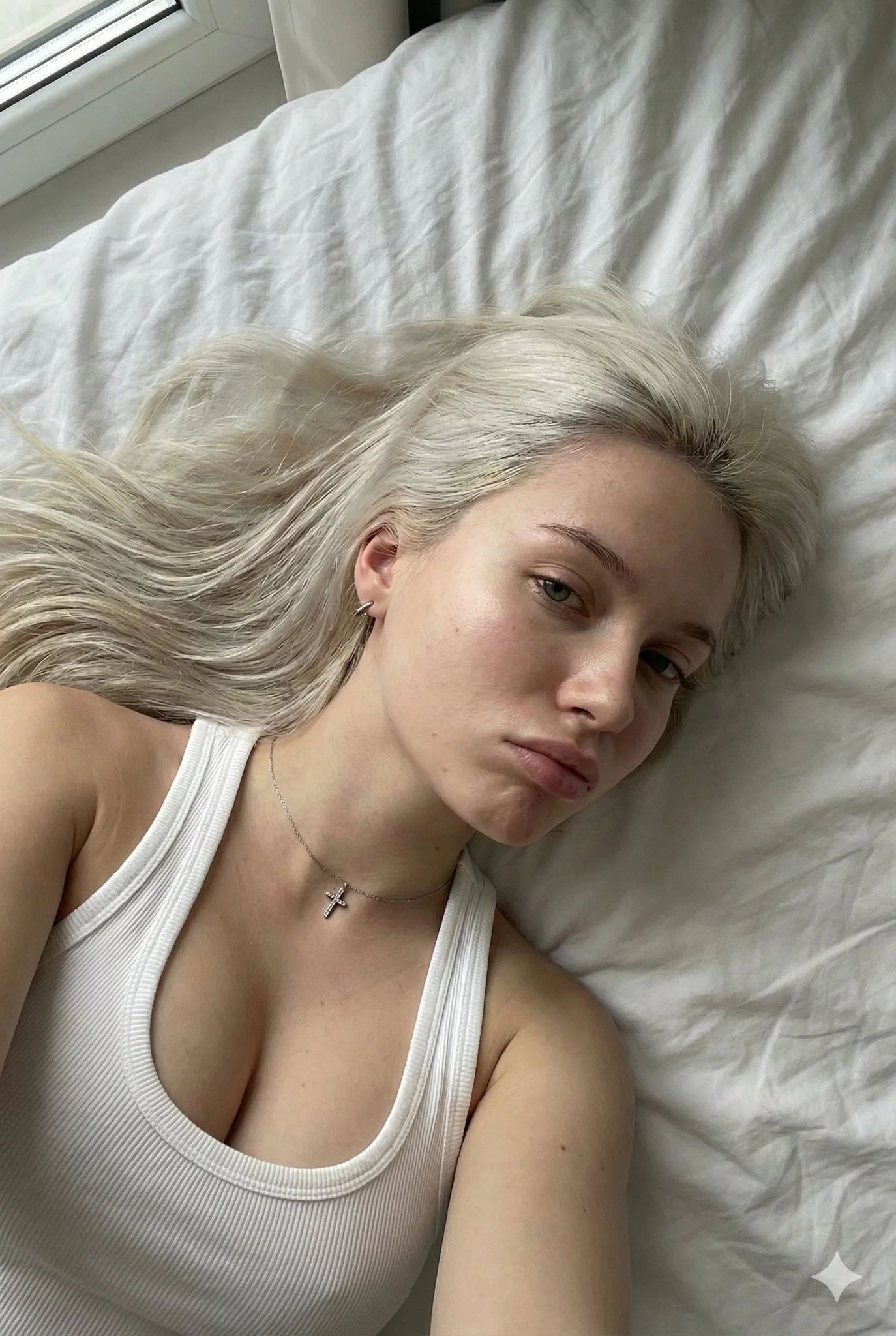
Ultra-Photorealistic Image Generation. Young woman, roughly 20s. Platinum blonde hair, long, straight to slightly wavy, loose and fanned out on the bed. Fair/Pale skin with warm undertones, high fidelity skin texture, visible pores, natural skin sheen. Light blue or grey eyes with long defined eyelashes. Full, natural pink lips with slight gloss. White ribbed tank top/camisole, tight-fitting. Thin silver chain necklace with a small cross pendant. Lying down on back (supine), high-angle selfie perspective, close-up on face and upper torso. White bed sheets/duvet background with soft folds. Soft diffused indoor light or window light, gentle highlights. Y2K selfie, girl next door, candid, intimate aesthetic. Smartphone photography style, 8k, RAW photo, ultra-detailed.
Ultra-Photorealistic Image Generation. Young woman, roughly 20s. Platinum blonde hair, long, straight to slightly wavy, loose and fanned out on the bed. Fair/Pale skin with warm undertones, high fidelity skin texture, visible pores, natural skin sheen. Light blue or grey eyes with long defined eyelashes. Full, natural pink lips with slight gloss. White ribbed tank top/camisole, tight-fitting. Thin silver chain necklace with a small cross pendant. Lying down on back (supine), high-angle selfie perspective, close-up on face and upper torso. White bed sheets/duvet background with soft folds. Soft diffused indoor light or window light, gentle highlights. Y2K selfie, girl next door, candid, intimate aesthetic. Smartphone photography style, 8k, RAW photo, ultra-detailed.
Verifizierter Prompt
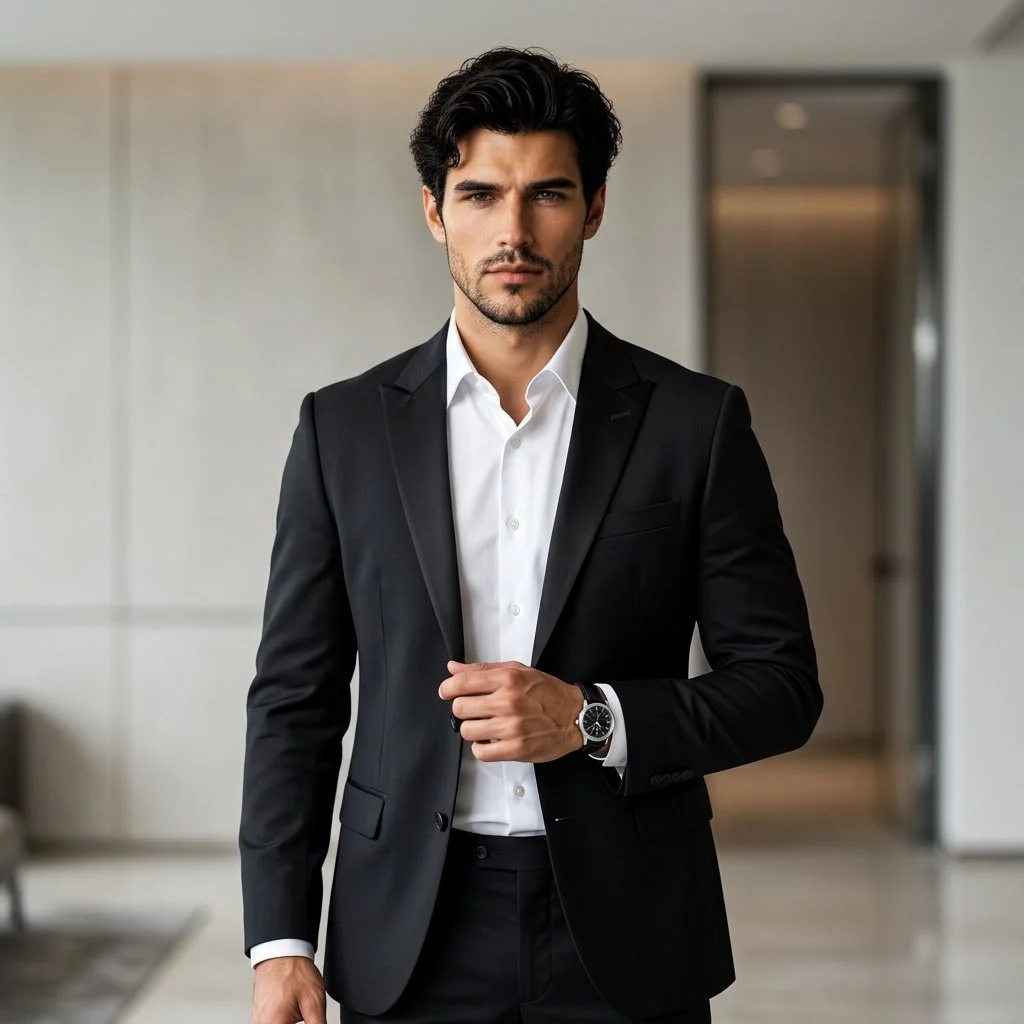
Using an uploaded adult portrait as the identity reference, create a professional fashion photograph in a modern interior. Dress the subject in a fitted black suit and crisp white shirt, with understated accessories. Pose them standing confidently with relaxed shoulders, one hand near the jacket and a natural direct gaze. Preserve the reference facial structure, skin tone and age. Use soft directional lighting, gentle background blur and subtle architectural details. Keep the eyes sharp and the fabric, hair and skin realistic for a refined formal portrait.
Using an uploaded adult portrait as the identity reference, create a professional fashion photograph in a modern interior. Dress the subject in a fitted black suit and crisp white shirt, with understated accessories. Pose them standing confidently with relaxed shoulders, one hand near the jacket and a natural direct gaze. Preserve the reference facial structure, skin tone and age. Use soft directional lighting, gentle background blur and subtle architectural details. Keep the eyes sharp and the fabric, hair and skin realistic for a refined formal portrait.
Verifizierter Prompt
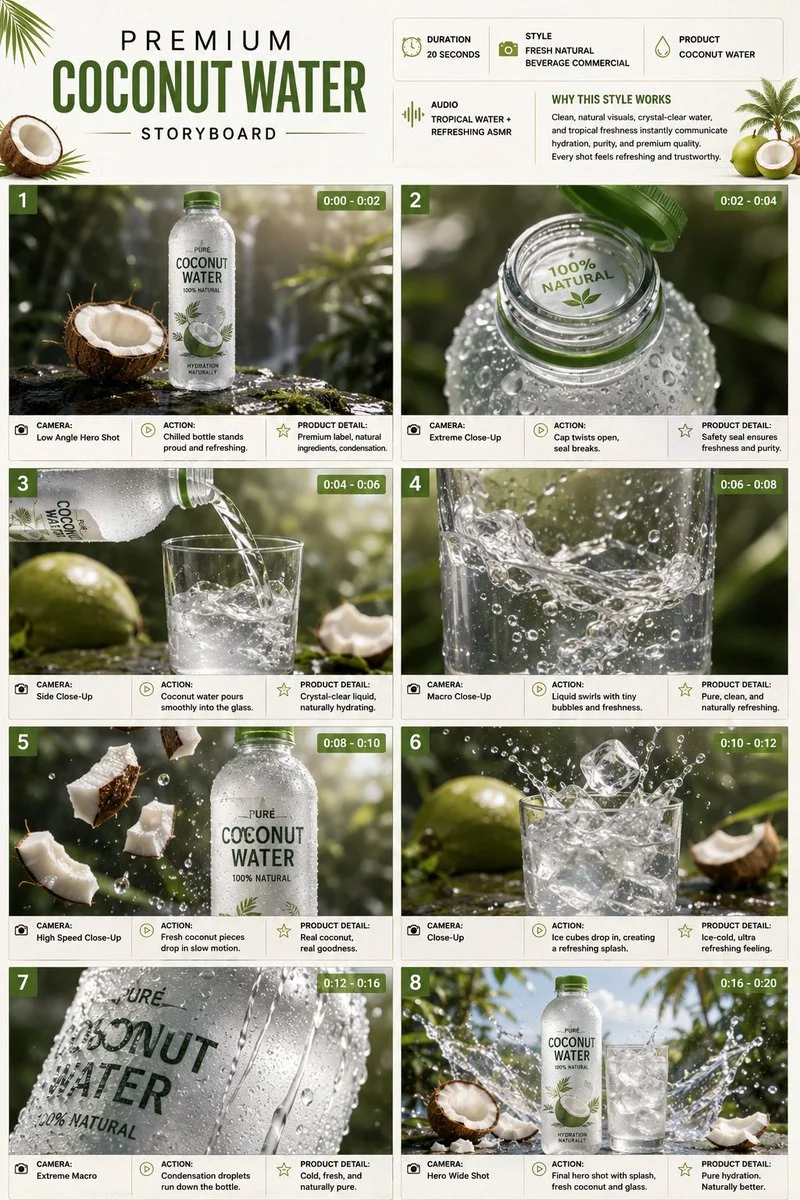
Design a single-page premium 3:4 portrait storyboard for a twenty-second coconut-water commercial. Header with duration, fresh-natural beverage style, product name, tropical water ASMR audio, and a why-this-works note in white, coconut-green, and beige. Eight cinematic product scenes: a chilled bottle on wet stone with condensation; the cap opening; a pour into a glass; liquid swirling with tiny bubbles; coconut pieces dropping in slow motion; ice cubes creating a controlled splash; extreme-macro condensation droplets; a final hero bottle and glass with a frozen splash. Each panel includes scene number, duration badge, camera direction, visual, action, and product detail. Ultra-realistic beverage advertising, high-speed liquid photography, 8K, product remains the hero.
Design a single-page premium 3:4 portrait storyboard for a twenty-second coconut-water commercial. Header with duration, fresh-natural beverage style, product name, tropical water ASMR audio, and a why-this-works note in white, coconut-green, and beige. Eight cinematic product scenes: a chilled bottle on wet stone with condensation; the cap opening; a pour into a glass; liquid swirling with tiny bubbles; coconut pieces dropping in slow motion; ice cubes creating a controlled splash; extreme-macro condensation droplets; a final hero bottle and glass with a frozen splash. Each panel includes scene number, duration badge, camera direction, visual, action, and product detail. Ultra-realistic beverage advertising, high-speed liquid photography, 8K, product remains the hero.
Verifizierter Prompt
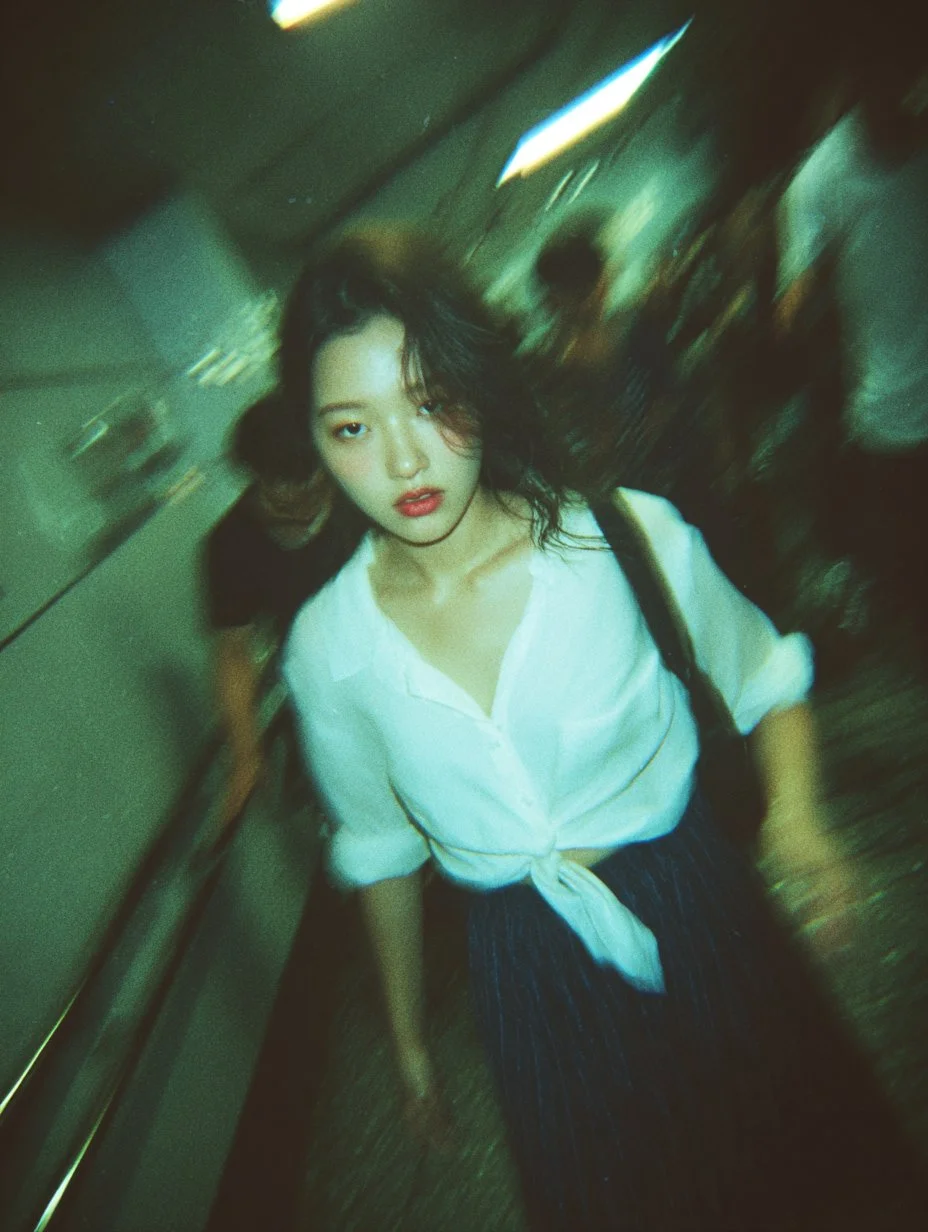
A blurry, high-grain snapshot taken in a Tokyo subway stairwell, charged with motion, humidity, and raw urban energy. The air feels thick and fluorescent, lit by overhead tube lights that cast a cold green-blue tint across the frame. The film grain, chromatic aberration, and lens distortion add a tactile sense of chaos — a fleeting instant suspended mid-run. At the center, a young woman in a tied white shirt and short plaid skirt is caught mid-step, descending the stairs. Her movement blurs, skirt flaring slightly, hair swept by motion. The focus drifts between her and the background, giving the shot a dreamlike disorientation, as if seen through memory or adrenaline. Her expression holds the entire frame together — eyes open, lips slightly parted, cheeks flushed, as if between alertness and vulnerability. There’s no posed awareness, only instinct — a moment stolen from time. Around her, commuters blur into silhouettes, the hallway tight and echoing, the walls reflecting harsh fluorescent glare. The composition feels accidental yet perfect: tilted, urgent, intimate. The atmosphere is electric and nostalgic, a mix of youth, motion, and fleeting emotion, like a fragment from a fever dream or an afterimage burned into film — not cinematic, but hyper-real, the kind of moment only disposable-camera photography captures: alive, imperfect, and painfully real.
A blurry, high-grain snapshot taken in a Tokyo subway stairwell, charged with motion, humidity, and raw urban energy. The air feels thick and fluorescent, lit by overhead tube lights that cast a cold green-blue tint across the frame. The film grain, chromatic aberration, and lens distortion add a tactile sense of chaos — a fleeting instant suspended mid-run. At the center, a young woman in a tied white shirt and short plaid skirt is caught mid-step, descending the stairs. Her movement blurs, skirt flaring slightly, hair swept by motion. The focus drifts between her and the background, giving the shot a dreamlike disorientation, as if seen through memory or adrenaline. Her expression holds the entire frame together — eyes open, lips slightly parted, cheeks flushed, as if between alertness and vulnerability. There’s no posed awareness, only instinct — a moment stolen from time. Around her, commuters blur into silhouettes, the hallway tight and echoing, the walls reflecting harsh fluorescent glare. The composition feels accidental yet perfect: tilted, urgent, intimate. The atmosphere is electric and nostalgic, a mix of youth, motion, and fleeting emotion, like a fragment from a fever dream or an afterimage burned into film — not cinematic, but hyper-real, the kind of moment only disposable-camera photography captures: alive, imperfect, and painfully real.
Verifizierter Prompt
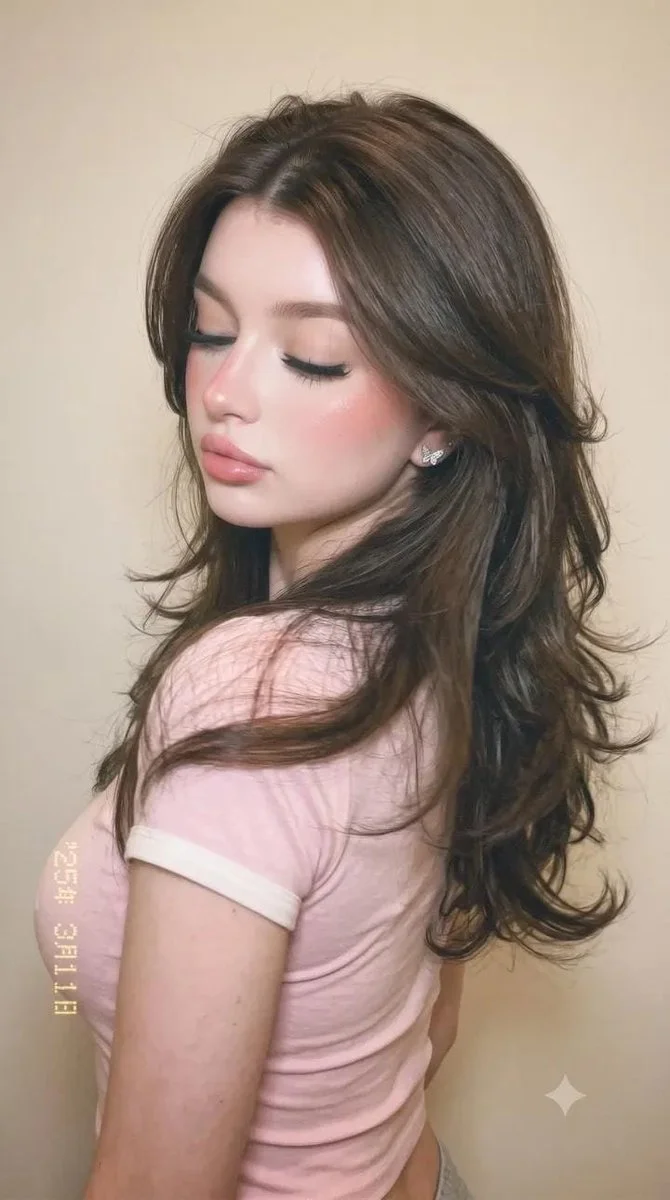
Create a natural vertical smartphone-style portrait of an adult woman wearing a fitted pastel pink T-shirt with white trim. Show her in a relaxed side pose with her upper body turned away and her face gently angled back and downward. Let long, softly waved brown hair fall across her back and shoulder. Use subtle pink makeup and realistic skin texture. Place her against an uncluttered warm beige interior with soft, diffused light. Keep the framing around the head and upper torso, the expression quiet and the overall result casual and believable.
Create a natural vertical smartphone-style portrait of an adult woman wearing a fitted pastel pink T-shirt with white trim. Show her in a relaxed side pose with her upper body turned away and her face gently angled back and downward. Let long, softly waved brown hair fall across her back and shoulder. Use subtle pink makeup and realistic skin texture. Place her against an uncluttered warm beige interior with soft, diffused light. Keep the framing around the head and upper torso, the expression quiet and the overall result casual and believable.
Entdecke FLUX-Bild-Workflows
Erstelle ein Visual aus Text, verfeinere eine unterstützte Bildreferenz oder studiere veröffentlichte Bilder in der Prompt Showcase.
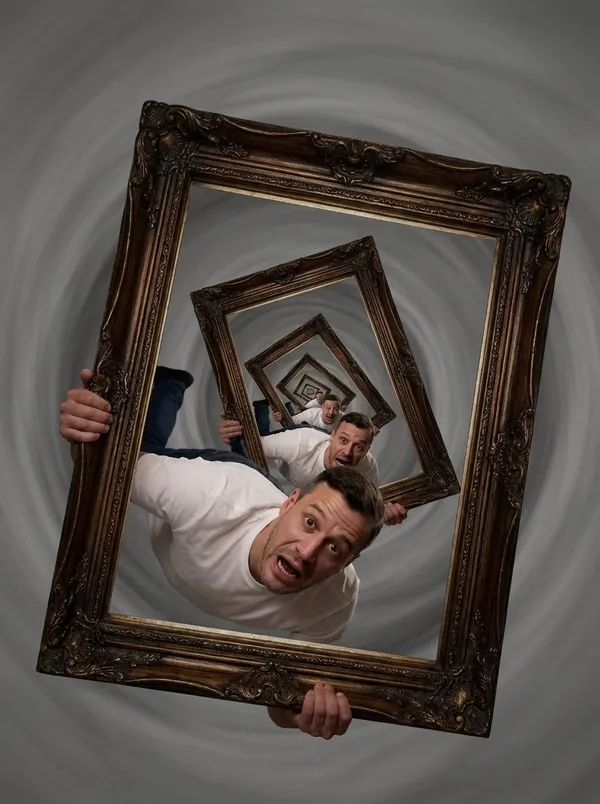
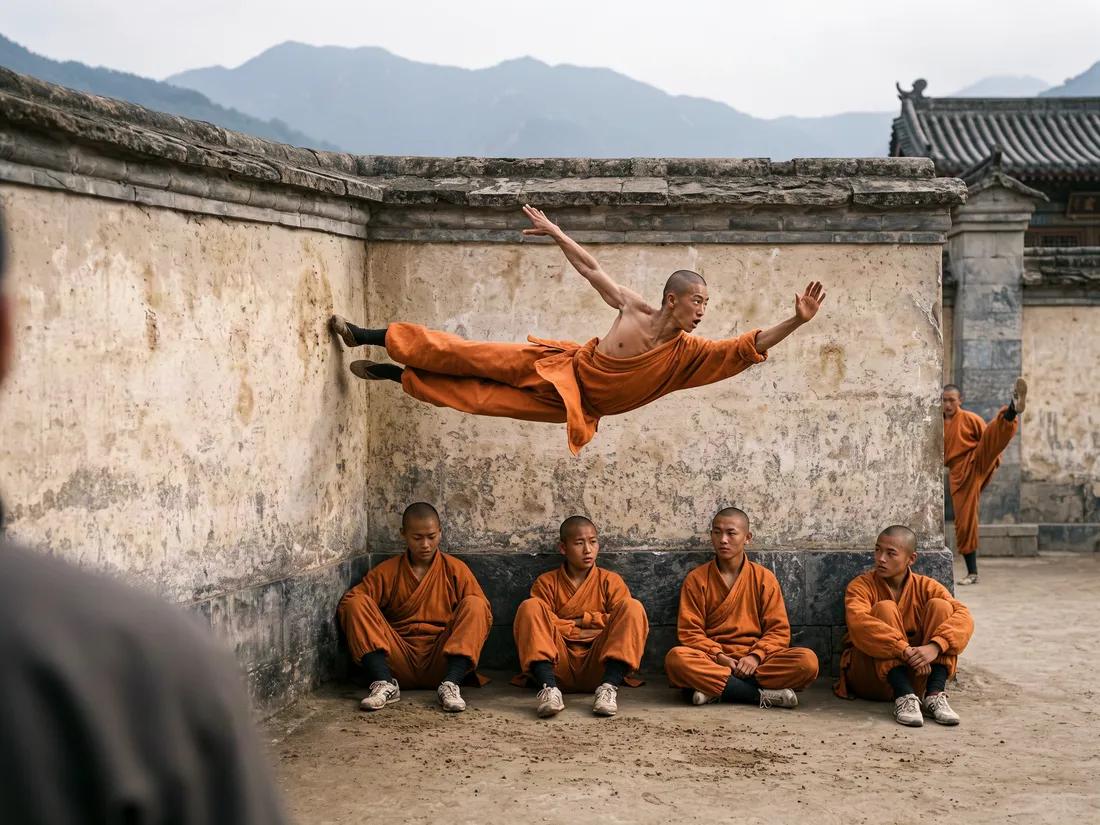
FLUX AI Bildgenerator für deinen nächsten Video-Startframe
Erstelle ein Standbild mit einer klaren visuellen Richtung
Nutze FLUX-Bildmodelle auf flux3 video, um ein Subjekt, eine Produktszene oder einen Storyboard-Frame zu erkunden. Beginne mit einem Text-Prompt oder einer unterstützten Bildreferenz, prüfe die Einstellungen und Credit-Kosten und kontrolliere das Ergebnis, bevor du es in einem Video verwendest.
Erstelle dein erstes BildBaue ein Standbild, bevor du seine Bewegung planst
Der FLUX AI Bildgenerator hilft dir, eine visuelle Richtung für ein Video zu entwickeln. Dies sind Bildmodelle: Erstelle oder verfeinere dein Standbild hier und nutze dann den separaten Videogenerator, um einen geeigneten Startframe zu animieren.
Beschreibe dein Subjekt und deine Komposition
Benenne das Subjekt, seine Position, die Umgebung, die Beleuchtung und den gewünschten Stil. Ergänze die Farben oder Materialien, die wichtig sind, und wähle dann die Ausgabesteuerelemente, die für dein ausgewähltes Bildmodell verfügbar sind.
Entwickle einen konsistenten visuellen Stil
Beschreibe die Palette, den Rendering-Stil und die Stimmung, die du für ein Storyboard oder eine Kampagne möchtest. Vergleiche die Bilder mit demselben Briefing und verfeinere bestimmte Details, anstatt anzunehmen, dass jedes Ergebnis übereinstimmen wird.
Verfeinere unterstützte Bildreferenzen
Wenn dein ausgewähltes FLUX-Modell die Bildbearbeitung unterstützt, lade eine Referenz hoch, für die du die Berechtigung besitzt. Erkläre eine Änderung und die Details, die erhalten bleiben sollen. Verfügbare Referenzeingaben hängen vom Modell ab.
Bereite einen Startframe für Bild-zu-Video vor
Erstelle ein Standbild mit Raum für die beabsichtigte Handlung und Kamerabewegung. Lade ein Ergebnis herunter, das du verwenden möchtest, öffne den Videogenerator und lade es im Bild-zu-Video-Modus hoch. Das Video wird in diesem separaten Workflow generiert.
Prüfe Details vor dem Teilen
Kontrolliere Gesichter, Produktformen, Text und unbeabsichtigte Objekte. Prüfe die geltenden Modell- und Plattformbedingungen und überprüfe deine Rechte an Referenzen, bevor du ein Bild veröffentlichst oder in einem Projekt verwendest.
Halte dein kreatives Briefing in einem Arbeitsbereich
Schreibe einen Prompt, wähle ein FLUX-Bildmodell, prüfe seine Credit-Kosten und finde abgeschlossene Arbeiten im Verlauf. Behalte die Version, die du als Ausgangspunkt für dein Video verwenden möchtest.
Fünf Möglichkeiten, ein FLUX-Bild-Briefing zu gestalten
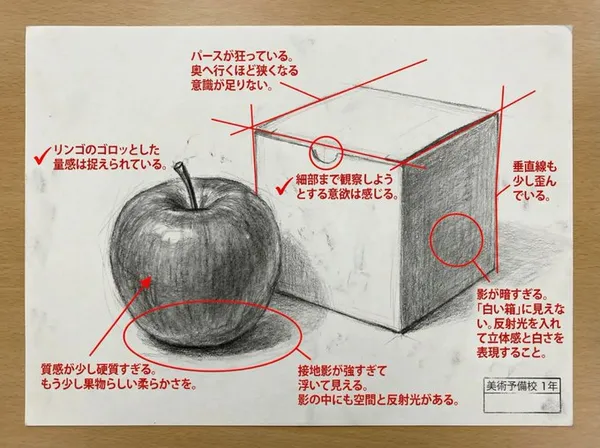
Gib dem Bild eine bestimmte Stilrichtung
Wähle Worte für die visuelle Behandlung, wie fotografisch, illustriert oder animiert. Beschreibe das Licht, die Farben und die Materialien, die diese Richtung unterstützen.
Halte das Hauptsubjekt klar, bevor du dekorative Details hinzufügst.
Startframe-Ideen für Video-Creators
Erkunde Kompositions- und Beleuchtungsstudien für eine Szene, eine Produktgeschichte, einen Social-Clip oder ein illustriertes Konzept. Veröffentlichte Bildreferenzen veranschaulichen visuelle Richtungen und keine garantierten Transformationen.
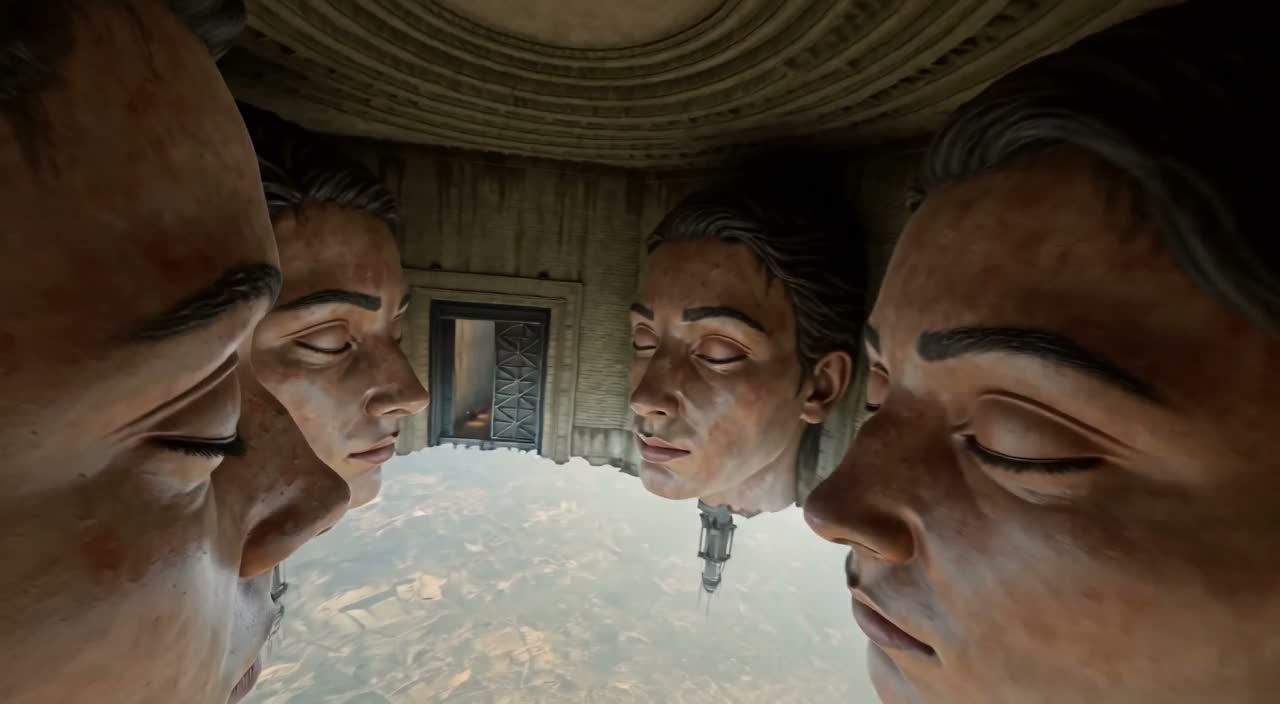
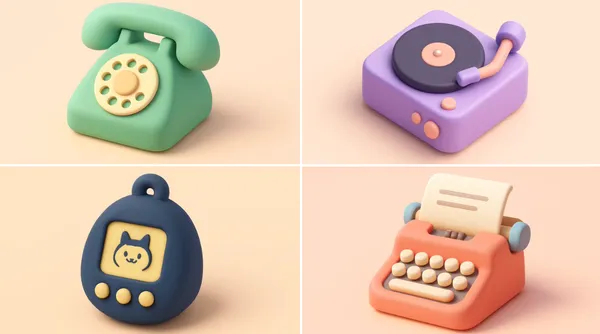
Szenen und Storyboard-Frames
Beschreibe die Umgebung, die Position des Subjekts, die Einstellungsgröße und das Licht. Nutze das Bild, um eine Szenenrichtung zu besprechen und die Bewegung zu planen, die du in einem späteren Video möchtest.
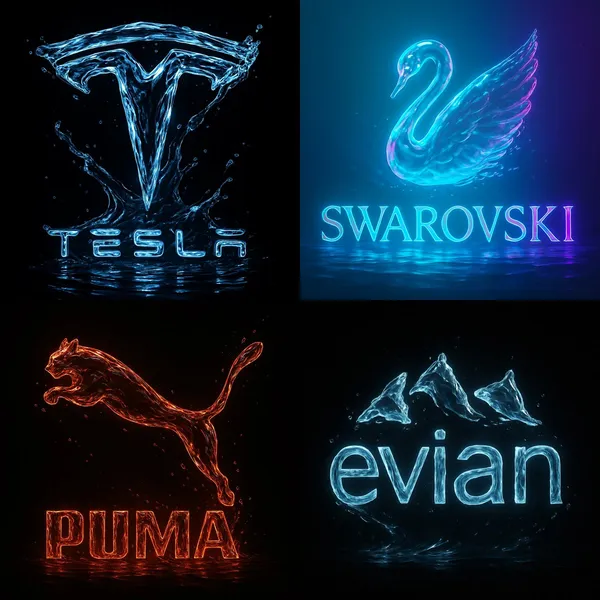
Produktgeschichten
Baue eine Umgebung rund um ein Produkt und eine klare visuelle Idee. Prüfe Form, Farbe, Materialien und eventuelles Branding gegen das tatsächliche Produkt, bevor du das Ergebnis in einer Werbung verwendest.
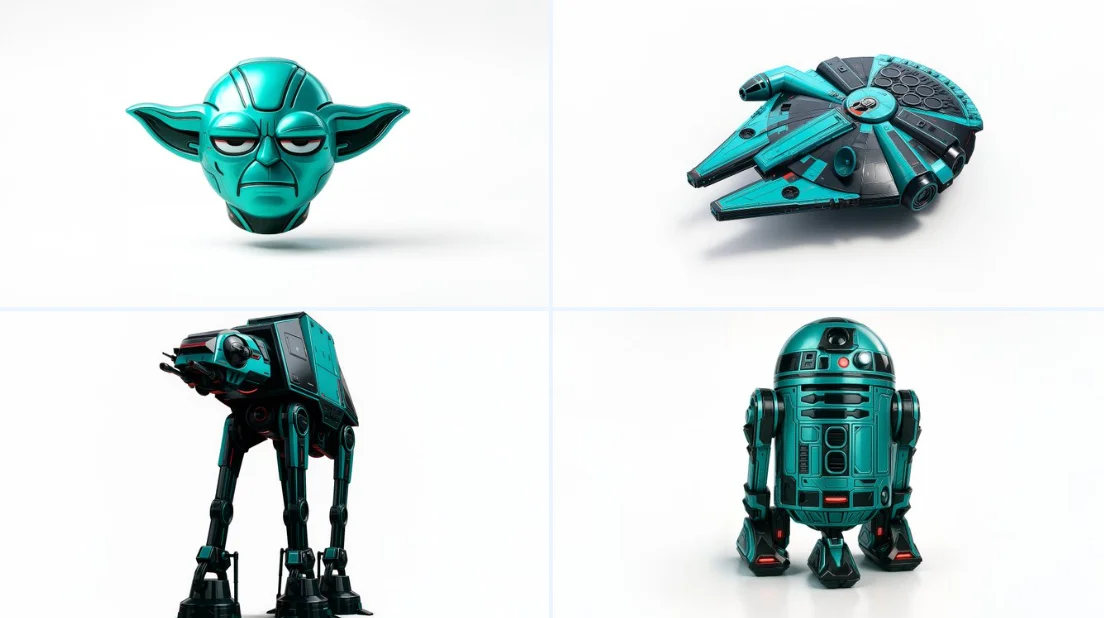
Social-Content
Erstelle ein Standbild für einen Post oder einen Kurzvideo-Opener. Wähle eine unterstützte Komposition mit einem lesbaren Subjekt und füge die finale Typografie in deinem bevorzugten Schnitt-Workflow hinzu.
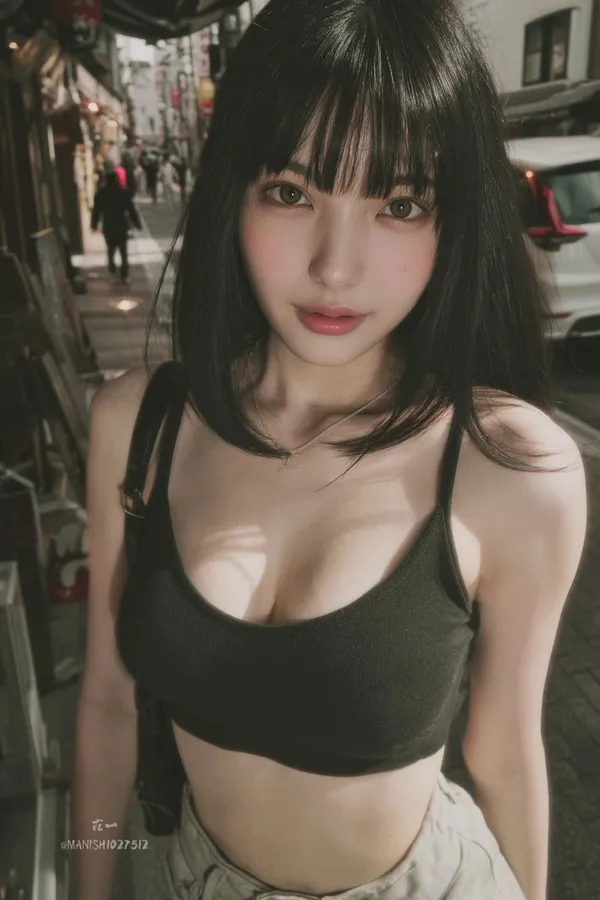
Animierte Konzepte
Erkunde eine Figur, einen Schauplatz und eine Farbpalette für eine animierte Szene. Gib die Details an, die du bewahren möchtest, und prüfe jedes Ergebnis, bevor du eine Sequenz entwickelst.
Erstelle ein Startbild für ein Video in vier Schritten
Schreibe dein Briefing oder füge eine Referenz hinzu
Beschreibe das Motiv, die Komposition, die Beleuchtung und den visuellen Stil. Wenn das ausgewählte Modell die Bearbeitung unterstützt, lade eine Referenz hoch, für die du die Berechtigung hast, und erkläre die gewünschte Änderung.
Wähle ein FLUX-Bildmodell und Einstellungen
Wähle ein Modell aus dem verfügbaren Bildkatalog und nutze die unterstützten Größen-, Qualitäts- und Referenzsteuerungen. Prüfe die erforderlichen Credits, bevor du absendest.
Generiere und prüfe das Standbild
Wähle Bild generieren und folge der Anfrage im Verlauf. Prüfe das Ergebnis und überarbeite dann den Prompt oder eine unterstützte Einstellung, wenn du eine andere Version benötigst.
Lade es herunter und verwende es in Image to Video
Lade dein ausgewähltes Standbild herunter, öffne den Video-Generator und lade es als Startbild-Referenz hoch. Beschreibe die Bewegung separat; Bilderstellung und Videoerstellung verwenden eigene Modelle und Credit-Kostenvoranschläge.
Visuelle Ideen für dein nächstes Projekt
Verwende ein Standbild, um Motiv, Stil und Komposition festzulegen, bevor du einen Social-Clip, eine Produktgeschichte, ein Erklärvideo oder eine animierte Szene planst.
Figuren- und Stilstudien
Entwickle die Figur, die Pose, die Beleuchtung und den Hintergrund einer Szene. Prüfe Gesichter, Hände, Kleidung und Details, bevor du die Bewegung der Figur planst.
Produkte und Kampagnenkonzepte
Erkunde ein Produktsetting oder eine Kampagnenstimmung anhand eines fokussierten Briefings. Prüfe das Ergebnis anhand der tatsächlichen Produktdetails und lass Platz für finalen Text oder Branding.
Erklärvideos und Präsentationen
Erstelle ein einfaches visuelles Element für einen Lehr- oder Präsentationspunkt. Prüfe Fakten und Details und füge bei Bedarf finale Beschriftungen selbst hinzu, wenn Genauigkeit wichtig ist.
Umgebungen und Story-Welten
Erstelle ein Umgebungskonzept mit klarer Farbpalette, Beleuchtung und Größenempfinden. Nutze es, um die Szenenrichtung zu planen, bevor du separate Videoaufnahmen generierst.
Kreative Hinweise für dein Startbild
Benenne das Motiv und den Schauplatz, bevor du Stilwörter hinzufügst. Halte die zentrale visuelle Idee leicht erkennbar.

FLUX KI-Bildgenerator: Fragen und Antworten
Er erstellt Standbilder aus Text-Prompts oder unterstützten Bildreferenzen mithilfe von FLUX-Bildmodellen. Auf flux3 Video verwendest du ihn, um Visuals und Startbilder zu entwickeln. Die Videogenerierung erfolgt separat im Video-Generator.
Beschreibe das Motiv, den Schauplatz, die Komposition, die Beleuchtung und den gewünschten Stil. Füge Farben oder Materialien hinzu, wenn sie wichtig sind. Berücksichtige bei einem Video-Startbild auch den Raum, den das Motiv für seine nächste Handlung benötigt.
Das Bildmodell-Menü zeigt die derzeit auf dieser Website verfügbaren FLUX-Modelle. Jedes Modell hat eigene Eingabeanforderungen, Einstellungen und Credit-Kosten. Nutze dieses Menü, um deine Optionen vor der Generierung zu prüfen.
Verwende den Bild-zu-Bild- oder Bearbeitungsmodus, wenn das ausgewählte Modell ihn bietet. Lade eine unterstützte Referenz hoch, für die du die Berechtigung hast, beschreibe eine Änderung und benenne die Details, die bewahrt werden sollen. Eingabezählung und Bearbeitungssteuerungen hängen vom ausgewählten Modell ab.
Ja. Lade dein ausgewähltes Bild herunter und lade es im Bild-zu-Video-Modus im separaten Video-Generator hoch. Beschreibe dort die beabsichtigte Handlung und Kamerabewegung. Ein FLUX-Bildmodell erzeugt das Standbild; ein Videomodell erzeugt den Clip.
Prüfe die geltenden Plattform- und Modellbedingungen sowie deine Rechte an hochgeladenen Referenzen, identifizierbaren Personen, Logos und anderem Ausgangsmaterial. Untersuche das Bild auf unbeabsichtigte Details, bevor du es in einem kommerziellen Projekt verwendest.
Generierung verbraucht Credits. Prüfe dein Guthaben, wähle ein FLUX-Bildmodell und Einstellungen und prüfe die angegebenen Kosten vor dem Absenden. Besuche Pricing für verfügbare Pläne und Credit-Packs.
Abgeschlossene Bilder sind im Verlauf verfügbar. Öffne das Ergebnis, um es zu prüfen, und lade die Version herunter, die du für dein Projekt oder den Bild-zu-Video-Workflow behalten möchtest.
Du kannst innerhalb von 10 Tagen nach dem Kauf eine Rückerstattung beantragen, wenn du ungenutzte Guthaben aus diesem Kauf hast und einen klaren Grund angibst, vorbehaltlich unserer Rückerstattungsrichtlinie. Wenn du berechtigt bist, kann ein ungenutzter Kauf vollständig erstattet werden; ein teilweise genutzter Kauf wird im Verhältnis zu den verbleibenden ungenutzten Guthaben erstattet. Vollständig genutzte Käufe sowie kostenlose oder Aktionsguthaben sind nicht erstattungsfähig.
Die Gültigkeit von Guthaben hängt vom Paket, Abonnement oder der Aktion ab, durch die sie ausgegeben wurden. Prüfe die Kaufbedingungen und Ablaufdaten unter Einstellungen > Guthaben. Eine Verlängerung oder ein neuer Kauf verlängert ältere Guthaben nicht. Nutze Guthaben vor ihrem angegebenen Ablaufdatum; gehe nicht davon aus, dass ungenutzte Abonnement-Guthaben unbegrenzt übertragen werden.
Credits, die für eine Aufgabe berechnet wurden, die als aufgrund eines Systemfehlers fehlgeschlagen bestätigt wurde, werden automatisch zurückerstattet. Eine Aufgabe, die noch in Bearbeitung ist, wurde noch nicht als fehlgeschlagen bestätigt. Prüfen Sie ihren Status und Ihren Guthabenverlauf, bevor Sie erneut einreichen. Wenn bei einem bestätigten Fehler weiterhin eine ungeklärte Belastung angezeigt wird, senden Sie eine E-Mail an support@flux3video.dev mit der Task-ID.
KI-Ergebnisse können variieren, daher wird ein abgeschlossenes Ergebnis, das von Ihren Erwartungen abweicht, nicht automatisch als technischer Fehler behandelt. Berechtigte abgeschlossene Bildaufgaben können über die Rückerstattungsoption, wo verfügbar, zur Prüfung einer Credit-Rückerstattung eingereicht werden; eine Genehmigung ist erforderlich. Bei einem Video oder einem anderen Problem wenden Sie sich mit der Task-ID und Details an support@flux3video.dev. Eine Credit-Rückerstattung erstattet Credits, kein Geld auf Ihre Zahlungsmethode.
Senden Sie eine E-Mail an support@flux3video.dev. Geben Sie bei Abrechnungsfragen Ihre Konto-E-Mail-Adresse und Bestell-ID an; bei der Generierung geben Sie die Task-ID, eine Beschreibung des Problems und relevante Screenshots an. Wenn Sie als Gast gekauft haben, bewahren Sie die ursprünglichen Browserdaten und den Zahlungsbeleg auf, damit wir den Kauf leichter finden können.
Erstelle dein nächstes Video-Startbild mit FLUX
Beginne mit Text oder einer unterstützten Bildreferenz, wähle ein FLUX-Bildmodell und prüfe dessen Einstellungen und Credit-Kosten. Lade ein abgeschlossenes Ergebnis herunter und bringe es dann in den separaten Bild-zu-Video-Workflow ein.
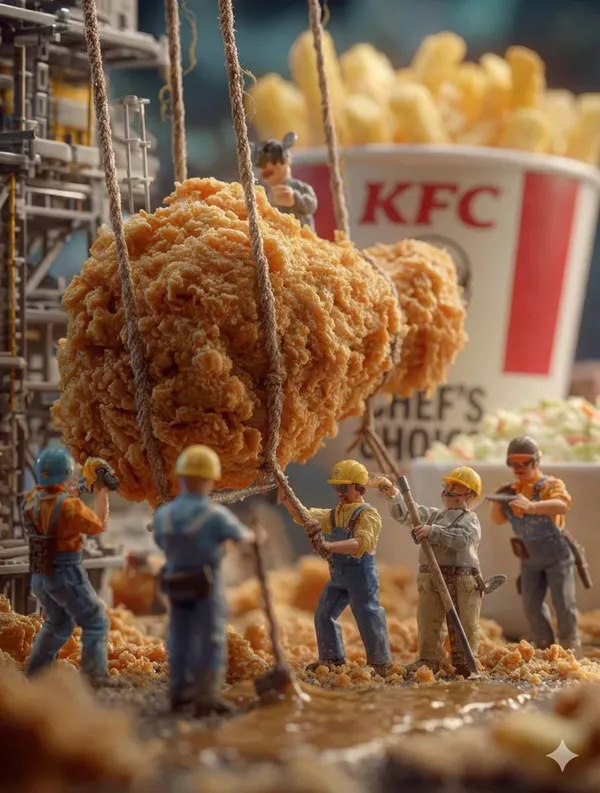
flux3video.dev · Aktualisiert
Änderungsverlauf anzeigen
- — Bearbeitbare Beispiel-Prompts, getrennte Entwürfe für Text- und Referenzmodi sowie eine Funktion zum Wiederherstellen des Beispiels hinzugefügt.
- — Texte und Inhalte der Seite aktualisiert.
- — Seiteninhalt veröffentlicht.