
Verifizierter Prompt
15 seconds, 16:9 cinematic, single continuous handheld tracking shot following the dancer, smooth flowing camera movement matching her motion, no hard cuts. Global setup: Artistic golden hour dance film. Warm low angle sunlight, soft lens flare drifting across frame, fine dust particles visible catching the light. Setting: an open field or rooftop at golden hour, tall grass swaying gently, wide open sky with warm amber tones. Subject: a young dancer in flowing lightweight clothing (loose dress or wide leg pants), expressive contemporary dance movement, fluid and graceful. Ambient sound: soft ambient instrumental music with a gentle building rhythm, wind through grass, fabric movement. [0:00–0:03] She stands still, arms relaxed, sunlight haloing around her silhouette, then begins a slow extending arm movement as the camera starts a gentle orbit. [0:03–0:06] She spins slowly, fabric flowing outward with the motion, hair catching the golden light, camera tracking smoothly alongside the turn. [0:06–0:09] She drops into a low fluid movement, reaching toward the ground then rising again in one continuous motion, dust and light particles visible around her. [0:09–0:12] She extends into a graceful leap or reach upward, silhouette framed against the golden sky, camera tilting up to follow the motion. [0:12–0:15] She settles into a final still pose, chest rising with breath, warm light flaring softly across the lens. Slow fade to white-gold light. Style: warm painterly golden hour color grade, soft natural film grain, expressive fluid movement, artistic and atmospheric rather than technical. Constraints: consistent appearance and outfit throughout, physically plausible dance movement, no distorted anatomy or limbs, no text overlays, camera motion stays smooth and continuous throughout.
15 seconds, 16:9 cinematic, single continuous handheld tracking shot following the dancer, smooth flowing camera movement matching her motion, no hard cuts. Global setup: Artistic golden hour dance film. Warm low angle sunlight, soft lens flare drifting across frame, fine dust particles visible catching the light. Setting: an open field or rooftop at golden hour, tall grass swaying gently, wide open sky with warm amber tones. Subject: a young dancer in flowing lightweight clothing (loose dress or wide leg pants), expressive contemporary dance movement, fluid and graceful. Ambient sound: soft ambient instrumental music with a gentle building rhythm, wind through grass, fabric movement. [0:00–0:03] She stands still, arms relaxed, sunlight haloing around her silhouette, then begins a slow extending arm movement as the camera starts a gentle orbit. [0:03–0:06] She spins slowly, fabric flowing outward with the motion, hair catching the golden light, camera tracking smoothly alongside the turn. [0:06–0:09] She drops into a low fluid movement, reaching toward the ground then rising again in one continuous motion, dust and light particles visible around her. [0:09–0:12] She extends into a graceful leap or reach upward, silhouette framed against the golden sky, camera tilting up to follow the motion. [0:12–0:15] She settles into a final still pose, chest rising with breath, warm light flaring softly across the lens. Slow fade to white-gold light. Style: warm painterly golden hour color grade, soft natural film grain, expressive fluid movement, artistic and atmospheric rather than technical. Constraints: consistent appearance and outfit throughout, physically plausible dance movement, no distorted anatomy or limbs, no text overlays, camera motion stays smooth and continuous throughout.
Verifizierter Prompt
Create a 15 second cinematic fashion transformation reel in 16:9 landscape. Use one fictional stylish young man throughout, with warm medium skin, short dark hair, a neatly trimmed beard, subtle forearm tattoos, a gold bracelet, a fine chain, and white sneakers. Preserve the exact same face, body proportions, hairstyle, beard, tattoo placement, jewelry, and natural skin texture in every shot.Set the scene in a bright modern living room with white curved lounge chairs, a cream patterned rug, sheer white curtains, a small round coffee table with books and ceramic objects, a black pendant lamp, and a few dark dining chairs in the rear. Late afternoon sunlight enters from camera left and creates sharp geometric patches across the rug and furniture. Keep all furniture and shadows perfectly fixed during every transformation. Film from a locked ceiling mounted camera looking steeply downward with an 18 millimeter ultra wide lens and realistic barrel distortion. The model stands directly beneath the lens in the center of frame and looks upward. Keep deep focus, crisp room detail, realistic exposure, mild lens softness at the corners, subtle sensor grain, natural motion blur, and believable hand anatomy. The camera never moves.From 0.0 to 2.2 seconds, create a rapid sequence of seamless match cuts. The model repeatedly reaches one open palm or loose fist toward the lens until his hand nearly fills the frame. Every half beat, the hand briefly hides his face and reveals a different outfit while his body position remains continuous. Cycle quickly through a burgundy football jersey with olive cargo pants, a cobalt sports jersey with faded loose jeans, a gray open hoodie over a white vest with dark trousers and a blue cap, a slate gray long sleeve wrap shirt with wide black trousers, a navy knit top with loose gray pants, and a clean black shirt with black trousers. Use genuine hand blur and tiny timing imperfections so the transitions feel physically performed rather than digitally morphed.From 2.2 to 12.5 seconds, slow the rhythm and present each outfit for about two beats. First show the burgundy jersey with a camouflage cap and dark sunglasses as he adjusts the glasses and turns his head. Cut to the gray hoodie look as he lightly bounces, folds his arms, and touches the brim of the blue cap. Cut to the slate gray wrap shirt as he clasps his hands and glances to the side. Cut to the cobalt jersey as he crosses his arms and gives a restrained smile. Cut to the navy knit outfit as he looks down and adjusts the waistband. Cut to the all black outfit as he smooths the shirt and takes one small step in place. Return briefly to the burgundy jersey, then the cobalt jersey, then the slate gray shirt, ending on the gray hoodie look with a confident cap tip. Every cut must happen on a strong musical beat with identical floor position and stable room geometry.From 12.5 to 15.0 seconds, freeze on the final cap tip, gradually darken the room while retaining faint detail, and leave a clean empty central area for a logo to be added later. Do not generate any letters, captions, watermarks, or brand marks. Music should be an energetic fashion edit instrumental at about 144 BPM with punchy kick drums, dry claps, tight hi hats, warm bass, and a polished modern streetwear mood. No vocals. Synchronize the opening hand changes to half beats and the later outfit cuts to every second beat. Add very soft cloth movement, shoe taps, bracelet movement, and room tone beneath the music.The result must look professionally filmed. Avoid face changes, body morphing, extra fingers, warped clothing, floating accessories, shifting furniture, changing sunlight, fake skin, excessive sharpening, artificial slow motion, or random camera movement.
Create a 15 second cinematic fashion transformation reel in 16:9 landscape. Use one fictional stylish young man throughout, with warm medium skin, short dark hair, a neatly trimmed beard, subtle forearm tattoos, a gold bracelet, a fine chain, and white sneakers. Preserve the exact same face, body proportions, hairstyle, beard, tattoo placement, jewelry, and natural skin texture in every shot.Set the scene in a bright modern living room with white curved lounge chairs, a cream patterned rug, sheer white curtains, a small round coffee table with books and ceramic objects, a black pendant lamp, and a few dark dining chairs in the rear. Late afternoon sunlight enters from camera left and creates sharp geometric patches across the rug and furniture. Keep all furniture and shadows perfectly fixed during every transformation. Film from a locked ceiling mounted camera looking steeply downward with an 18 millimeter ultra wide lens and realistic barrel distortion. The model stands directly beneath the lens in the center of frame and looks upward. Keep deep focus, crisp room detail, realistic exposure, mild lens softness at the corners, subtle sensor grain, natural motion blur, and believable hand anatomy. The camera never moves.From 0.0 to 2.2 seconds, create a rapid sequence of seamless match cuts. The model repeatedly reaches one open palm or loose fist toward the lens until his hand nearly fills the frame. Every half beat, the hand briefly hides his face and reveals a different outfit while his body position remains continuous. Cycle quickly through a burgundy football jersey with olive cargo pants, a cobalt sports jersey with faded loose jeans, a gray open hoodie over a white vest with dark trousers and a blue cap, a slate gray long sleeve wrap shirt with wide black trousers, a navy knit top with loose gray pants, and a clean black shirt with black trousers. Use genuine hand blur and tiny timing imperfections so the transitions feel physically performed rather than digitally morphed.From 2.2 to 12.5 seconds, slow the rhythm and present each outfit for about two beats. First show the burgundy jersey with a camouflage cap and dark sunglasses as he adjusts the glasses and turns his head. Cut to the gray hoodie look as he lightly bounces, folds his arms, and touches the brim of the blue cap. Cut to the slate gray wrap shirt as he clasps his hands and glances to the side. Cut to the cobalt jersey as he crosses his arms and gives a restrained smile. Cut to the navy knit outfit as he looks down and adjusts the waistband. Cut to the all black outfit as he smooths the shirt and takes one small step in place. Return briefly to the burgundy jersey, then the cobalt jersey, then the slate gray shirt, ending on the gray hoodie look with a confident cap tip. Every cut must happen on a strong musical beat with identical floor position and stable room geometry.From 12.5 to 15.0 seconds, freeze on the final cap tip, gradually darken the room while retaining faint detail, and leave a clean empty central area for a logo to be added later. Do not generate any letters, captions, watermarks, or brand marks. Music should be an energetic fashion edit instrumental at about 144 BPM with punchy kick drums, dry claps, tight hi hats, warm bass, and a polished modern streetwear mood. No vocals. Synchronize the opening hand changes to half beats and the later outfit cuts to every second beat. Add very soft cloth movement, shoe taps, bracelet movement, and room tone beneath the music.The result must look professionally filmed. Avoid face changes, body morphing, extra fingers, warped clothing, floating accessories, shifting furniture, changing sunlight, fake skin, excessive sharpening, artificial slow motion, or random camera movement.
Verifizierter Prompt
15-second cinematic action sequence aboard a magnetic levitation war train speeding through a dystopian night desert, electric storms illuminating giant industrial ruins in the distance. 0.0–3.0s: Low tracking shot races along the side of the train as a cyber samurai runs across the magnetic exterior panels, sparks erupting beneath his boots. 3.0–6.0s: A chrome-armored assassin descends from a hovering drone transport onto the train roof, neon katana igniting blue light through the storm. 6.0–9.0s: First sword clash sends electrical arcs across the train roof while lightning flashes overhead in slow motion. 9.0–12.0s: High-speed duel across unstable train cars, both fighters nearly thrown off balance as the train tears through debris and collapsing structures. 12.0–15.0s: Massive aerial pull-back reveals the glowing train cutting across the dark wasteland while the duel continues atop the final car.
15-second cinematic action sequence aboard a magnetic levitation war train speeding through a dystopian night desert, electric storms illuminating giant industrial ruins in the distance. 0.0–3.0s: Low tracking shot races along the side of the train as a cyber samurai runs across the magnetic exterior panels, sparks erupting beneath his boots. 3.0–6.0s: A chrome-armored assassin descends from a hovering drone transport onto the train roof, neon katana igniting blue light through the storm. 6.0–9.0s: First sword clash sends electrical arcs across the train roof while lightning flashes overhead in slow motion. 9.0–12.0s: High-speed duel across unstable train cars, both fighters nearly thrown off balance as the train tears through debris and collapsing structures. 12.0–15.0s: Massive aerial pull-back reveals the glowing train cutting across the dark wasteland while the duel continues atop the final car.
Verifizierter Prompt
0–3 seconds: Establish the spatial problem. A woman enters a dark workshop in the background while a suspended machine dominates the foreground. 3–6 seconds: She moves diagonally toward the machine. The camera tracks sideways, allowing foreground chains to repeatedly conceal and reveal her. 6–10 seconds: She reaches beneath it. A mechanical sound comes from behind her. She stops before turning. The camera stops with her. 10–13 seconds: Cut behind the machine. Her face is now framed through its internal structure as something moves in the distant doorway. 13–15 seconds: She turns toward the doorway. The machine abruptly activates in the foreground, flooding her silhouette with red light. Cut.
0–3 seconds: Establish the spatial problem. A woman enters a dark workshop in the background while a suspended machine dominates the foreground. 3–6 seconds: She moves diagonally toward the machine. The camera tracks sideways, allowing foreground chains to repeatedly conceal and reveal her. 6–10 seconds: She reaches beneath it. A mechanical sound comes from behind her. She stops before turning. The camera stops with her. 10–13 seconds: Cut behind the machine. Her face is now framed through its internal structure as something moves in the distant doorway. 13–15 seconds: She turns toward the doorway. The machine abruptly activates in the foreground, flooding her silhouette with red light. Cut.
Verifizierter Prompt
Pixar 3D animated [kitchen / food setting]. [Lighting description]. CHARACTERS: [describe main chef/character(s) with exaggerated Pixar traits] SEQUENCE: 0-3s — [first action, e.g. dramatic chopping or ingredient reveal] 3-6s — [next step…] … CAMERA: [specific shots, slow-mo, pans, etc.] SOUND: [whooshes, sizzles, clinks, character sounds, music mood]
Pixar 3D animated [kitchen / food setting]. [Lighting description]. CHARACTERS: [describe main chef/character(s) with exaggerated Pixar traits] SEQUENCE: 0-3s — [first action, e.g. dramatic chopping or ingredient reveal] 3-6s — [next step…] … CAMERA: [specific shots, slow-mo, pans, etc.] SOUND: [whooshes, sizzles, clinks, character sounds, music mood]
Verifizierter Prompt
Create a Pixar-inspired 3D animated comedy short called "The Package." A curious young man receives a mysterious cardboard package at his front door. There is no sender, no return address, and no explanation. He brings it inside. Suddenly, the package starts making strange tapping sounds. Close-ups, suspenseful music, dramatic lighting. The noises grow louder. Neighbors become concerned. Rumors spread. Crowds gather outside. News reporters arrive. Emergency vehicles appear. Experts investigate. The situation escalates into a city-wide spectacle. Fast-paced comedic montage, cinematic camera movements, exaggerated reactions. Unable to ignore the mystery, the man finally decides to open the package. Everyone watches in complete silence. Inside is another smaller box. He opens it. Another box. And another. And another. The sequence becomes increasingly absurd as dozens of boxes are revealed one inside another. The crowd becomes more invested with every opening. Suspense reaches maximum tension. Finally, the tiniest box contains a folded note. Close-up. The note reads: "Congratulations. You just got UNBOXED." Confused, the man looks around. Then notices a hidden camera. His best friend steps out laughing. The crowd erupts in laughter. The man facepalms before eventually laughing too. Final cinematic wide shot of friends and neighbors laughing together as the tower of empty boxes surrounds them. On-screen text: "Sometimes the biggest surprises are the ones that make you laugh the most." Pixar-style 3D animation, mystery-comedy tone, expressive acting, cinematic suspense, smooth transitions, playful storytelling, dramatic build-up with humorous payoff, high-end animated short film quality, vibrant colors, 16:9.
Create a Pixar-inspired 3D animated comedy short called "The Package." A curious young man receives a mysterious cardboard package at his front door. There is no sender, no return address, and no explanation. He brings it inside. Suddenly, the package starts making strange tapping sounds. Close-ups, suspenseful music, dramatic lighting. The noises grow louder. Neighbors become concerned. Rumors spread. Crowds gather outside. News reporters arrive. Emergency vehicles appear. Experts investigate. The situation escalates into a city-wide spectacle. Fast-paced comedic montage, cinematic camera movements, exaggerated reactions. Unable to ignore the mystery, the man finally decides to open the package. Everyone watches in complete silence. Inside is another smaller box. He opens it. Another box. And another. And another. The sequence becomes increasingly absurd as dozens of boxes are revealed one inside another. The crowd becomes more invested with every opening. Suspense reaches maximum tension. Finally, the tiniest box contains a folded note. Close-up. The note reads: "Congratulations. You just got UNBOXED." Confused, the man looks around. Then notices a hidden camera. His best friend steps out laughing. The crowd erupts in laughter. The man facepalms before eventually laughing too. Final cinematic wide shot of friends and neighbors laughing together as the tower of empty boxes surrounds them. On-screen text: "Sometimes the biggest surprises are the ones that make you laugh the most." Pixar-style 3D animation, mystery-comedy tone, expressive acting, cinematic suspense, smooth transitions, playful storytelling, dramatic build-up with humorous payoff, high-end animated short film quality, vibrant colors, 16:9.
Verifizierter Prompt
Storyboard – Faceless Product Demo (9:16 Vertical, 10 Seconds, 8 Scenes) Create a clean, premium 8-scene faceless storyboard for a modern kitchen cookware product demo. The layout should resemble a professional production storyboard with a white background, clear scene boxes, production notes, and camera details. Display the product name at the top with a hero image, feature highlights, duration, aspect ratio (9:16), and total scenes. Scene 1 – Product Overview The cookware is placed on a wooden board in a bright modern kitchen with its packaging behind it. Clean product reveal, minimal styling. Action: Introduce the product. Camera: 45° close-up. Lighting: Natural window light. Audio: Voice-over + soft background music. Scene 2 – Premium Coating Extreme macro shot showing the premium granite/ceramic non-stick interior texture with soft reflections. Action: Highlight the premium coating. Camera: Macro close-up. Lighting: Soft natural light. Audio: Voice-over. Scene 3 – Non-Stick Demonstration A fried egg slides effortlessly across the pan using a silicone spatula, emphasizing the non-stick surface. Action: Demonstrate non-stick performance. Camera: Close-up. Lighting: Bright kitchen lighting. Audio: Voice-over + subtle cooking SFX. Scene 4 – Wooden Handle Feature Close-up of a hand holding the ergonomic wooden handle, showing texture, grip, and premium finish. Action: Showcase the handle. Camera: Close-up. Lighting: Natural light. Audio: Voice-over. Scene 5 – Cooking Demonstration The pan is used on an induction stove while cooking colorful vegetables or soup. Steam rises naturally. Action: Everyday cooking demonstration. Camera: Over-the-shoulder. Lighting: Warm kitchen light. Audio: Natural cooking sounds + voice-over. Scene 6 – Easy to Clean Water flows over the pan in a sink, rinsing away food residue effortlessly. Action: Show easy cleaning. Camera: Top-down shot. Lighting: Bright natural light. Audio: Running water + voice-over. Scene 7 – Compatible with All Stoves The underside of the cookware is shown above different stove icons (induction, gas, electric, ceramic), emphasizing compatibility. Action: Display universal compatibility. Camera: Detailed close-up. Lighting: Studio soft light. Audio: Voice-over. Scene 8 – Lifestyle Ending Final beauty shot of the cookware beside its packaging on a wooden countertop with a clean modern kitchen background. Action: Premium product hero ending. Camera: Wide 45° angle. Lighting: Warm natural light. Audio: Soft music + closing voice-over. Style: Ultra-realistic product photography, premium commercial quality, clean composition, modern kitchen aesthetic, luxury cookware branding, minimalist layout, high-end advertising storyboard, sharp details, realistic lighting, 9:16 vertical.
Storyboard – Faceless Product Demo (9:16 Vertical, 10 Seconds, 8 Scenes) Create a clean, premium 8-scene faceless storyboard for a modern kitchen cookware product demo. The layout should resemble a professional production storyboard with a white background, clear scene boxes, production notes, and camera details. Display the product name at the top with a hero image, feature highlights, duration, aspect ratio (9:16), and total scenes. Scene 1 – Product Overview The cookware is placed on a wooden board in a bright modern kitchen with its packaging behind it. Clean product reveal, minimal styling. Action: Introduce the product. Camera: 45° close-up. Lighting: Natural window light. Audio: Voice-over + soft background music. Scene 2 – Premium Coating Extreme macro shot showing the premium granite/ceramic non-stick interior texture with soft reflections. Action: Highlight the premium coating. Camera: Macro close-up. Lighting: Soft natural light. Audio: Voice-over. Scene 3 – Non-Stick Demonstration A fried egg slides effortlessly across the pan using a silicone spatula, emphasizing the non-stick surface. Action: Demonstrate non-stick performance. Camera: Close-up. Lighting: Bright kitchen lighting. Audio: Voice-over + subtle cooking SFX. Scene 4 – Wooden Handle Feature Close-up of a hand holding the ergonomic wooden handle, showing texture, grip, and premium finish. Action: Showcase the handle. Camera: Close-up. Lighting: Natural light. Audio: Voice-over. Scene 5 – Cooking Demonstration The pan is used on an induction stove while cooking colorful vegetables or soup. Steam rises naturally. Action: Everyday cooking demonstration. Camera: Over-the-shoulder. Lighting: Warm kitchen light. Audio: Natural cooking sounds + voice-over. Scene 6 – Easy to Clean Water flows over the pan in a sink, rinsing away food residue effortlessly. Action: Show easy cleaning. Camera: Top-down shot. Lighting: Bright natural light. Audio: Running water + voice-over. Scene 7 – Compatible with All Stoves The underside of the cookware is shown above different stove icons (induction, gas, electric, ceramic), emphasizing compatibility. Action: Display universal compatibility. Camera: Detailed close-up. Lighting: Studio soft light. Audio: Voice-over. Scene 8 – Lifestyle Ending Final beauty shot of the cookware beside its packaging on a wooden countertop with a clean modern kitchen background. Action: Premium product hero ending. Camera: Wide 45° angle. Lighting: Warm natural light. Audio: Soft music + closing voice-over. Style: Ultra-realistic product photography, premium commercial quality, clean composition, modern kitchen aesthetic, luxury cookware branding, minimalist layout, high-end advertising storyboard, sharp details, realistic lighting, 9:16 vertical.
Verifizierter Prompt
Format: 16:9 Concept: “Invited to My Favorite Café” The entire video is a single continuous self-filmed vlog captured by the idol using a compact consumer camcorder. It should feel like genuine footage she’d upload privately after being invited to film a casual promotional visit for a café, rather than professionally produced content. The camera is always in her hand and never visible. Natural arm movement, occasional imperfect framing, realistic autofocus hunting, minor exposure adjustments, subtle walking bounce, and authentic human timing. No jump cuts or scene transitions. Visual Style Authentic early-2000s MiniDV look with soft detail, light digital noise, gentle highlight bloom, muted contrast, accurate skin tones, and slight tape compression. No cinematic color grading, no artificial blur, no beauty filters. Character JIWON, a Korean female idol in her twenties. Long black hair in a loose ponytail, natural makeup, warm smile, expressive eyes, casual oversized denim jacket over a simple T-shirt, relaxed jeans, sneakers, and a baseball cap. Location A cozy modern café during the golden evening. Warm wooden interiors, large windows, hanging pendant lights, fresh pastries displayed in glass cases, espresso machines steaming in the background, indoor plants, handwritten menu boards, soft jazz music, customers chatting naturally, and friendly baristas preparing drinks. The recording begins just outside the café entrance. JIWON smiles at the camera while standing in front of the café. “I got invited to check out this café today, so let’s see what makes it so special.” She pushes open the glass door and walks inside. The warm atmosphere immediately surrounds her. She slowly pans the camera across the interior, showing the cozy seating, pastries, coffee bar, and customers enjoying their drinks. “It’s even prettier than I expected.” A friendly barista welcomes her and begins preparing the café’s signature drink. Holding the camera in one hand, she leans closer to capture the espresso extraction, silky milk steaming, and beautiful latte art. “Watching this is honestly so satisfying.” The drink is handed to her. She smiles, thanks the barista, and takes her first sip. Her expression immediately brightens. “Okay… I actually understand why everyone talks about this place.” She walks toward a window seat, setting the drink on the table while showing a dessert beautifully plated beside it. She carefully breaks off a piece with a fork. “This might disappear before I can finish filming.” She laughs naturally. Continuing around the café, she notices shelves filled with coffee beans, mugs, and small handmade decorations. She casually picks up one of the coffee bags. “I kind of want to take this home.” She chats briefly with the barista about their best-selling drinks while naturally filming parts of the café, smiling customers, and the relaxing atmosphere. The camera captures the warm lighting reflecting through the windows as evening slowly settles outside. She finishes her drink and stands near the entrance. Turning the camera back toward herself with the café glowing warmly behind her, she smiles. “Thanks for inviting me. If you’re looking for a cozy place to relax, I definitely recommend stopping by here.” She gives a small wave. “I’ll see you next time.” She pushes open the café door and steps outside into the cool evening air. One continuous uninterrupted take. Stable identity throughout. Realistic hand-held camera movement, believable eye contact with the lens, accurate hand interactions, physically correct walking and body mechanics, consistent lighting, authentic ambient sound, no duplicated people, no warped anatomy, no AI artifacts, no scene changes, and no unnatural motion. The final result should be indistinguishable from a real Korean idol’s casual promotional café vlog.
Format: 16:9 Concept: “Invited to My Favorite Café” The entire video is a single continuous self-filmed vlog captured by the idol using a compact consumer camcorder. It should feel like genuine footage she’d upload privately after being invited to film a casual promotional visit for a café, rather than professionally produced content. The camera is always in her hand and never visible. Natural arm movement, occasional imperfect framing, realistic autofocus hunting, minor exposure adjustments, subtle walking bounce, and authentic human timing. No jump cuts or scene transitions. Visual Style Authentic early-2000s MiniDV look with soft detail, light digital noise, gentle highlight bloom, muted contrast, accurate skin tones, and slight tape compression. No cinematic color grading, no artificial blur, no beauty filters. Character JIWON, a Korean female idol in her twenties. Long black hair in a loose ponytail, natural makeup, warm smile, expressive eyes, casual oversized denim jacket over a simple T-shirt, relaxed jeans, sneakers, and a baseball cap. Location A cozy modern café during the golden evening. Warm wooden interiors, large windows, hanging pendant lights, fresh pastries displayed in glass cases, espresso machines steaming in the background, indoor plants, handwritten menu boards, soft jazz music, customers chatting naturally, and friendly baristas preparing drinks. The recording begins just outside the café entrance. JIWON smiles at the camera while standing in front of the café. “I got invited to check out this café today, so let’s see what makes it so special.” She pushes open the glass door and walks inside. The warm atmosphere immediately surrounds her. She slowly pans the camera across the interior, showing the cozy seating, pastries, coffee bar, and customers enjoying their drinks. “It’s even prettier than I expected.” A friendly barista welcomes her and begins preparing the café’s signature drink. Holding the camera in one hand, she leans closer to capture the espresso extraction, silky milk steaming, and beautiful latte art. “Watching this is honestly so satisfying.” The drink is handed to her. She smiles, thanks the barista, and takes her first sip. Her expression immediately brightens. “Okay… I actually understand why everyone talks about this place.” She walks toward a window seat, setting the drink on the table while showing a dessert beautifully plated beside it. She carefully breaks off a piece with a fork. “This might disappear before I can finish filming.” She laughs naturally. Continuing around the café, she notices shelves filled with coffee beans, mugs, and small handmade decorations. She casually picks up one of the coffee bags. “I kind of want to take this home.” She chats briefly with the barista about their best-selling drinks while naturally filming parts of the café, smiling customers, and the relaxing atmosphere. The camera captures the warm lighting reflecting through the windows as evening slowly settles outside. She finishes her drink and stands near the entrance. Turning the camera back toward herself with the café glowing warmly behind her, she smiles. “Thanks for inviting me. If you’re looking for a cozy place to relax, I definitely recommend stopping by here.” She gives a small wave. “I’ll see you next time.” She pushes open the café door and steps outside into the cool evening air. One continuous uninterrupted take. Stable identity throughout. Realistic hand-held camera movement, believable eye contact with the lens, accurate hand interactions, physically correct walking and body mechanics, consistent lighting, authentic ambient sound, no duplicated people, no warped anatomy, no AI artifacts, no scene changes, and no unnatural motion. The final result should be indistinguishable from a real Korean idol’s casual promotional café vlog.
Verifizierter Prompt
Photorealistic cinematic, one single continuous unbroken shot from start to finish — absolutely no cuts, no edits, no transitions, one fluid uninterrupted camera move, 16:9. Bright daylight in a lush green forest, sunlight filtering through the canopy, leaves and tree trunks softly blurred. The shot begins directly behind a vivid colorful butterfly fluttering fast and dynamically through the forest, the camera chasing close behind its wings as it weaves between trees, shafts of light and foliage — erratic, lively and kinetic. Without any cut, in the same fluid motion, the camera keeps racing with the darting butterfly deeper through the trees. Then, at the midpoint, a parrot suddenly bursts in from the side and snatches the butterfly out of the air, biting down and clamping onto the edge of one of its wings in its beak — and the camera sweeps with the strike in one continuous move. Still unbroken, the camera drives in onto the moment of capture and explodes into a dramatic bullet-time effect: time nearly freezes as the parrot's beak bites and clamps onto the butterfly's wing in an extreme macro close-up, the wing bending and creasing in the beak's grip, and the camera sweeps slowly around the frozen instant — shimmering powder and tiny iridescent scales scattering off the pinched wing and hanging suspended motionless in mid-air, the delicate wing membranes and veins razor-sharp, the parrot's beak texture and eye in crisp detail, the butterfly caught mid-flutter — hyper-detailed. One seamless continuous camera move — chase from behind, racing through the forest, into the parrot's strike, ending in a bullet-time orbit around the catch. Flowing and dynamic, collapsing into near-frozen bullet time only at the macro catch. Shallow depth of field, strong motion blur on the chase resolving into crisp frozen detail, bright natural daylight, dappled forest light, high dynamic range, ultra-detailed photorealistic textures — wing scales, powder, feathers, foliage — 4K, high-end wildlife documentary look. Pacing over 10 seconds: about 4–5 seconds of dynamic butterfly flight, the parrot striking around the midpoint, then the rest in bullet-time macro of the parrot biting the wing. 10 seconds, single continuous take.
Photorealistic cinematic, one single continuous unbroken shot from start to finish — absolutely no cuts, no edits, no transitions, one fluid uninterrupted camera move, 16:9. Bright daylight in a lush green forest, sunlight filtering through the canopy, leaves and tree trunks softly blurred. The shot begins directly behind a vivid colorful butterfly fluttering fast and dynamically through the forest, the camera chasing close behind its wings as it weaves between trees, shafts of light and foliage — erratic, lively and kinetic. Without any cut, in the same fluid motion, the camera keeps racing with the darting butterfly deeper through the trees. Then, at the midpoint, a parrot suddenly bursts in from the side and snatches the butterfly out of the air, biting down and clamping onto the edge of one of its wings in its beak — and the camera sweeps with the strike in one continuous move. Still unbroken, the camera drives in onto the moment of capture and explodes into a dramatic bullet-time effect: time nearly freezes as the parrot's beak bites and clamps onto the butterfly's wing in an extreme macro close-up, the wing bending and creasing in the beak's grip, and the camera sweeps slowly around the frozen instant — shimmering powder and tiny iridescent scales scattering off the pinched wing and hanging suspended motionless in mid-air, the delicate wing membranes and veins razor-sharp, the parrot's beak texture and eye in crisp detail, the butterfly caught mid-flutter — hyper-detailed. One seamless continuous camera move — chase from behind, racing through the forest, into the parrot's strike, ending in a bullet-time orbit around the catch. Flowing and dynamic, collapsing into near-frozen bullet time only at the macro catch. Shallow depth of field, strong motion blur on the chase resolving into crisp frozen detail, bright natural daylight, dappled forest light, high dynamic range, ultra-detailed photorealistic textures — wing scales, powder, feathers, foliage — 4K, high-end wildlife documentary look. Pacing over 10 seconds: about 4–5 seconds of dynamic butterfly flight, the parrot striking around the midpoint, then the rest in bullet-time macro of the parrot biting the wing. 10 seconds, single continuous take.
Verifizierter Prompt
İlk saniyede kamera kadının yüzüne çok yakın: rüzgârda savrulan siyah saçlar, kafasının üstündeki gözlük ve tamamen odaklanmış bir bakış… Sonra kamera bir anda yanından süzülüp arkasına geçiyor. Artık her şey hız: → board’un altından fırlayan kumlar → dalga gibi kıvrılan dev çöl tepeleri → yere sıfır takip kamerası → kuma dokunan parmak uçları → slalom gibi akan carving hareketleri → lensi kaplayan altın toz bulutu Finalde bir anda havalanıyor. Slow motion başlıyor. Havadayken sandboard’u eliyle tutuyor, vücudunu kameraya çeviriyor ve doğrudan izleyiciye bakıyor. Tam o anda slow motion bitiyor. Hız normale dönüyor. Sert iniş. Kum patlaması. Board yere çarpıyor ve kamera hâlâ arkasında, kumun içinde sürüklenir gibi takip ediyor.
İlk saniyede kamera kadının yüzüne çok yakın: rüzgârda savrulan siyah saçlar, kafasının üstündeki gözlük ve tamamen odaklanmış bir bakış… Sonra kamera bir anda yanından süzülüp arkasına geçiyor. Artık her şey hız: → board’un altından fırlayan kumlar → dalga gibi kıvrılan dev çöl tepeleri → yere sıfır takip kamerası → kuma dokunan parmak uçları → slalom gibi akan carving hareketleri → lensi kaplayan altın toz bulutu Finalde bir anda havalanıyor. Slow motion başlıyor. Havadayken sandboard’u eliyle tutuyor, vücudunu kameraya çeviriyor ve doğrudan izleyiciye bakıyor. Tam o anda slow motion bitiyor. Hız normale dönüyor. Sert iniş. Kum patlaması. Board yere çarpıyor ve kamera hâlâ arkasında, kumun içinde sürüklenir gibi takip ediyor.
Verifizierter Prompt
Create a 12-second Studio Ghibli-inspired animated video in a soft, hand-drawn style with warm natural lighting, lush greenery, and a peaceful rainy atmosphere. A person wearing a white ruffled sleeve opens a traditional wooden sliding glass door to reveal a rain-soaked garden, reaches out beneath a blooming lemon branch to catch a ripe lemon in their palm, then waters indoor potted plants with a white watering can as sunlight streams through the window, and finally pours steaming hot lemon tea from a ceramic teapot into a cup by the rainy window, creating a cozy, tranquil mood with gentle rain ambience and soft piano music.
Create a 12-second Studio Ghibli-inspired animated video in a soft, hand-drawn style with warm natural lighting, lush greenery, and a peaceful rainy atmosphere. A person wearing a white ruffled sleeve opens a traditional wooden sliding glass door to reveal a rain-soaked garden, reaches out beneath a blooming lemon branch to catch a ripe lemon in their palm, then waters indoor potted plants with a white watering can as sunlight streams through the window, and finally pours steaming hot lemon tea from a ceramic teapot into a cup by the rainy window, creating a cozy, tranquil mood with gentle rain ambience and soft piano music.
Verifizierter Prompt
Stylized DreamWorks-inspired animated cinematic scene deep inside a forgotten jungle temple, fearless archaeologist confidently solving massive stone puzzles while dodging collapsing traps, nervous assistant clinging to a backpack in panic, golden torchlight illuminating carved walls and floating dust, cinematic composition, exaggerated animated characters, ultra detailed ruins, polished 3D rendering, adventurous Hollywood atmosphere, 16:9.
Stylized DreamWorks-inspired animated cinematic scene deep inside a forgotten jungle temple, fearless archaeologist confidently solving massive stone puzzles while dodging collapsing traps, nervous assistant clinging to a backpack in panic, golden torchlight illuminating carved walls and floating dust, cinematic composition, exaggerated animated characters, ultra detailed ruins, polished 3D rendering, adventurous Hollywood atmosphere, 16:9.
Erkunde FLUX 3 Video-Workflows
Beginne mit einer geschriebenen Szene, erwecke ein Referenzbild zum Leben oder erkunde die Prompt Showcase für kreative Richtung.
Erstellen Sie ein Video aus Text oder einem Bild
Verwenden Sie FLUX-Videomodelle, um eine kurze Szene für einen Social-Media-Beitrag, eine Produktgeschichte oder ein Storyboard zu erstellen. Wählen Sie den Eingabemodus und die Steuerungen, die im Generator angezeigt werden.
Beschreiben Sie Ihr Motiv und seine Bewegung, wählen Sie unterstützte Einstellungen und prüfen Sie die Credit-Kosten. Der Status Ihrer Anfrage und fertige Ergebnisse sind im Verlauf verfügbar.
Erstellen Sie Ihr erstes Video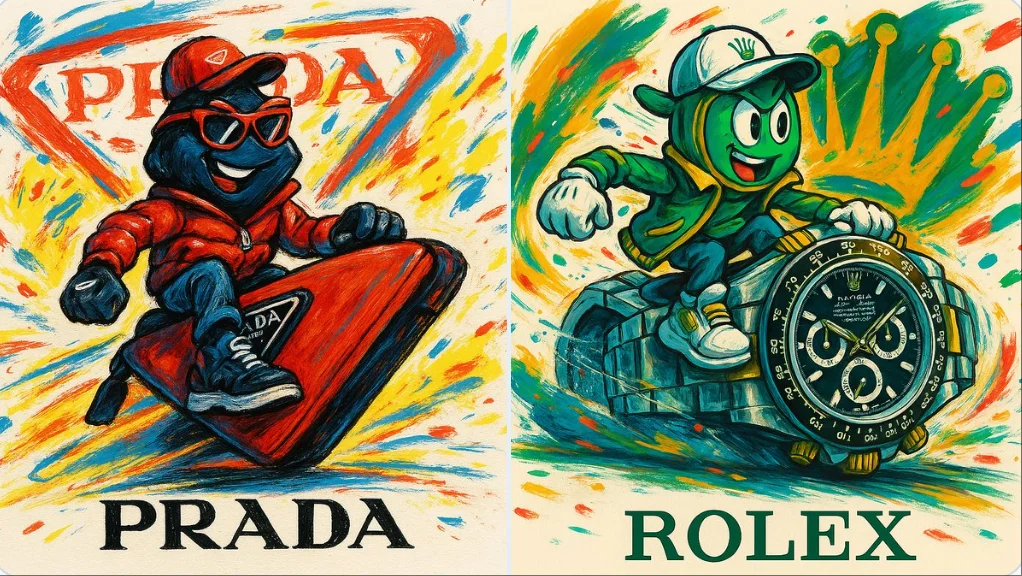
Erstellen Sie ein fokussiertes FLUX-Video-Briefing
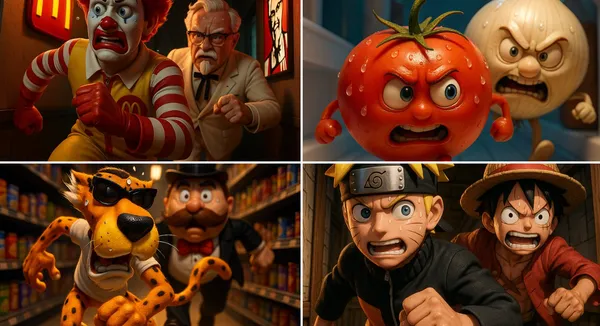
Schreiben Sie eine Szene mit einer klaren Aktion
Beschreiben Sie Motiv, Umgebung, Einstellungsgröße, Kamerabewegung und Beleuchtung. Verwenden Sie den Prompt-Assistenten, wenn Sie Hilfe bei der Entwicklung einer groben Idee möchten, und bearbeiten Sie dann die Richtung, die Sie bevorzugen.
Entdecke Video-Ideen und kreative Leitfäden
Nutze die Prompt Showcase, um veröffentlichte Ergebnisse und ihr tatsächliches Modell zu studieren. Lies den Blog für praktische Möglichkeiten, ein Video-Briefing zu gestalten und deine Ausgabe zu prüfen.
Ein Arbeitsbereich für kurze visuelle Geschichten
Beginnen Sie mit Text oder einem Bild, geben Sie Ihrer Szene eine klangliche Richtung, wo unterstützt, und wählen Sie die Ausgabeeinstellungen, die für Ihr gewähltes Modell angezeigt werden.
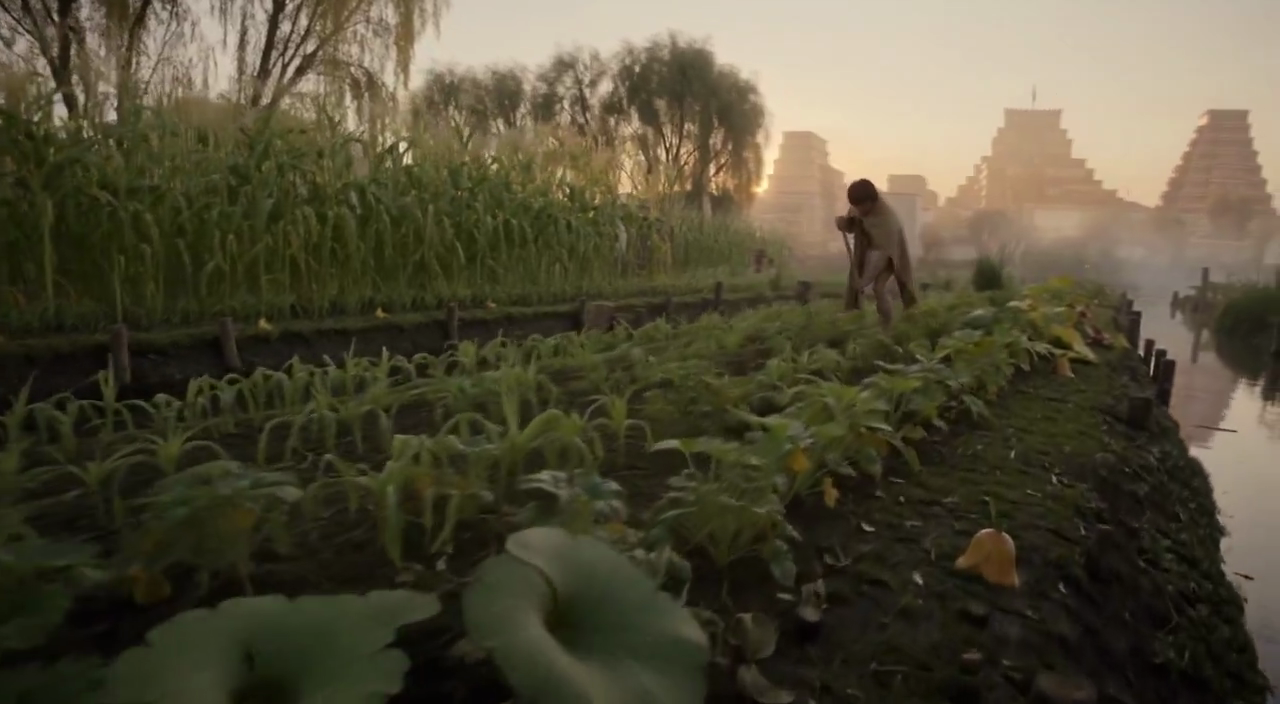
FLUX-Videomodelle in einem Arbeitsbereich
Das Modellmenü zeigt die FLUX-Videomodelle, die auf flux3 video verfügbar sind. Jedes Modell hat seine eigenen Eingaben, Einstellungen und Credit-Kosten. Prüfen Sie die Auswahl vor der Generierung.
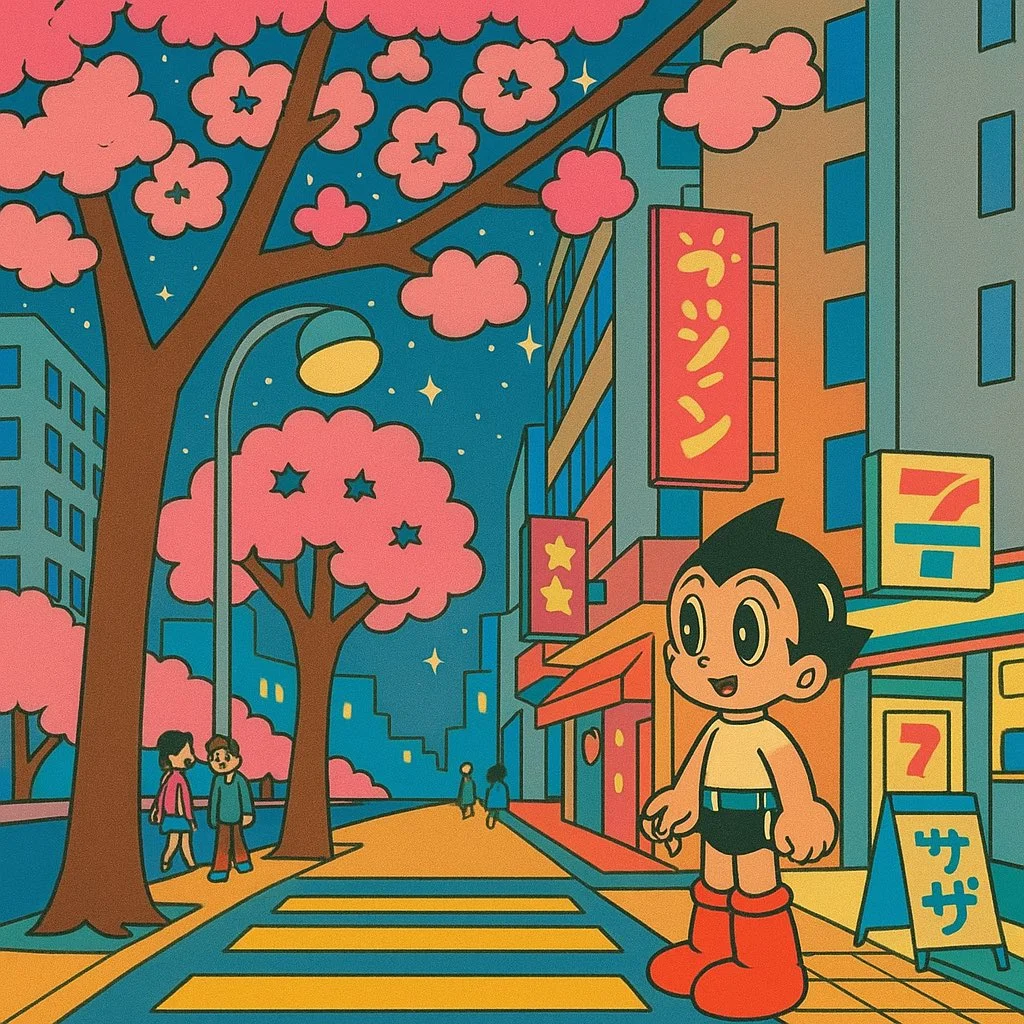
Klangliche Richtungen für Ihre Szene
Wenn Audio unterstützt wird, beschreiben Sie Dialog, Umgebungsgeräusche und Musik getrennt von den visuellen Anweisungen. Spielen Sie den fertigen Clip ab und prüfen Sie Ton und Timing vor der Veröffentlichung.
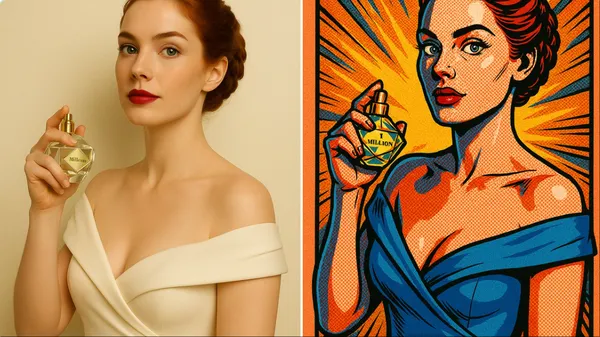
Text-zu-Video und Bild-zu-Video
Verwenden Sie eine geschriebene Szene für Text-zu-Video oder eine Bildreferenz für Bild-zu-Video. Beschreiben Sie eine Aktion und die Kamerabewegung. Zusätzliche Referenzsteuerungen hängen vom gewählten Modell ab.
Erstellen Sie ein FLUX-Video in vier Schritten
Schreiben Sie die Szene, wählen Sie unterstützte Einstellungen, prüfen Sie die Credit-Kosten und generieren Sie. Prüfen Sie Ihren fertigen Clip im Verlauf, bevor Sie ihn herunterladen oder teilen.
1. Schreiben Sie eine Eingabeaufforderung oder laden Sie ein Bild hoch
Beginne mit einer Handlung, etwa einem Produkt, das sich in weichem Licht dreht, oder einer Figur, die eine Straße überquert. Ergänze Bildausschnitt, Beleuchtung und Kamerabewegung. Verwende für Bild-zu-Video eine Referenz, für die du die Upload-Berechtigung besitzt.
2. Einstellungen wählen und generieren
Wähle ein FLUX-Videomodell und nutze die für dieses Modell angebotenen Steuerelemente. Prüfe Dauer, Auflösung, Audiooptionen und die erforderlichen Credits, bevor du deine Anfrage absendest.
3. Prüfen und herunterladen
Öffne dein fertiges Ergebnis im Verlauf, spiele den Clip ab und prüfe Bewegung, Details und Ton. Lade die Version herunter, die du für deinen Schnitt- oder Veröffentlichungs-Workflow behalten möchtest.
4. Verfeinern Sie Ihre nächste Version
Passe einen Teil des Prompts oder eine unterstützte Einstellung an und vergleiche dann das Ergebnis. Behalte die Änderungen, die du sehen kannst, und setze einzelne Clips in deinem bevorzugten Videoeditor zusammen.
Video-Ideen für Ihr nächstes Projekt
Verwandle ein fokussiertes kreatives Briefing in kurzes visuelles Material für Social-Content, Produktgeschichten und Storyboards. Wähle das von deinem Modell angebotene Format und prüfe jedes Ergebnis auf seinen Verwendungszweck.
Produktgeschichten und Werbung
Zeige ein Produkt in einer bestimmten Umgebung mit einer sichtbaren Handlung. Nutze Referenzbilder, wo dies unterstützt wird, lass Platz für die finale Typografie und prüfe die Produktdetails, bevor du eine Werbung veröffentlichst.
Social-Clips und Reels
Baue einen kurzen Clip rund um eine einzige Botschaft für Shorts, Reels oder TikTok. Wähle ein unterstütztes vertikales oder breitbildformat und halte das Subjekt auf einem kleinen Bildschirm lesbar.
Erklärvideos und visuelle Lektionen
Veranschauliche jeweils eine Idee mit einer kurzen Szene. Prüfe Fakten und visuelle Details und füge finale Untertitel oder Diagramme in deinem Schnitt-Workflow hinzu, wenn Genauigkeit wichtig ist.
Kreative Präsentationen
Nutze ein kurzes visuelles Konzept, um eine Idee in einem Pitch oder einer Präsentation zu vermitteln. Beschreibe, was auf dem Bildschirm passieren soll, und vergleiche dann Versionen mit deinem Team.
Filmkonzepte und Storyboards
Teste eine Szenenrichtung, bevor du eine größere Produktion planst. Gib jeder Einstellung ein Subjekt, eine Handlung und eine Kamerarichtung und prüfe dann die Kontinuität beim Zusammenstellen einer Sequenz.
Anime und persönliche Geschichten
Erkunde eine Figur, eine Stimmung oder eine Erinnerung als kurze animierte Szene. Verwende präzise Beleuchtungs- und Stilangaben und prüfe dann die Figur und Details in jedem Ergebnis.
Kreative Notizen für dein nächstes Video
Gib der Szene eine Haupthandlung. Ein bestimmtes Subjekt und eine sichtbare Bewegung machen ein Video-Briefing leichter beurteilbar.

FLUX-Videoerstellung: Fragen und Antworten
Erstellen Sie kurze Clips für Social-Content, Produktgeschichten und kreative Storyboards aus einem Text-Prompt oder einem Bild. Prüfen Sie unterstützte Eingaben und Einstellungen im Generator, bevor Sie eine Anfrage absenden.
Generierung verbraucht Credits. Prüfe dein Guthaben, wähle ein Modell und seine Einstellungen und prüfe die erforderlichen Credits vor dem Absenden. Besuche Pricing für die verfügbaren monatlichen, jährlichen und Credit-Pack-Optionen.
Das Modellmenü zeigt die FLUX-Videomodelle, die auf dieser Website zur Generierung verfügbar sind. Jedes Modell hat seine eigenen Eingaben, Einstellungen und Credit-Kosten; verwenden Sie dieses Menü, um Ihre aktuellen Optionen zu prüfen.
Nutze flux3 video in einem Desktop- oder Mobilbrowser. Du kannst Prompts schreiben, unterstützte Bilder hochladen, den Verlauf prüfen und fertige Clips herunterladen, ohne eine App zu installieren.
Spielen Sie das Video ab und prüfen Sie Bewegung, Gesichter, Produktdetails, Text und Ton. Prüfen Sie die geltenden Bedingungen und alle unbeabsichtigten Elemente, bevor Sie das Ergebnis in einem Projekt verwenden.
Die Verarbeitungszeit hängt vom ausgewählten Modell, den Einstellungen, der Anfrage und der Serviceauslastung ab. Verfolge den Anfragestatus im Verlauf und kehre zum Ergebnis zurück, wenn es abgeschlossen ist.
Ja. Wählen Sie Bild-zu-Video und laden Sie ein unterstütztes Referenzbild hoch, für dessen Verwendung Sie die Berechtigung haben. Der Generator zeigt akzeptierte Eingaben und etwaige Upload-Limits. Beschreiben Sie die Bewegung, die Sie vom Startbild aus wünschen.
Prüfe die geltenden Plattform- und Modellbedingungen vor der kommerziellen Nutzung. Du bist verantwortlich für die Rechte an Referenzbildern, identifizierbaren Personen, Logos und anderem Ausgangsmaterial sowie für die Prüfung des fertigen Ergebnisses vor der Veröffentlichung.
Das ausgewählte Modell bestimmt die Dauer, Auflösung, das Seitenverhältnis und die im Generator angezeigten Audio-Steuerelemente. Wähle aus diesen Steuerelementen und prüfe das fertige Video, anstatt anzunehmen, dass jedes FLUX-Modell dieselben Optionen unterstützt.
Prompts, hochgeladene Referenzen und generierte Ergebnisse können gespeichert werden, um Anfragen zu bearbeiten und deinen Verlauf bereitzustellen. Veröffentlichte Fälle und öffentliche Medienlinks können von anderen Personen eingesehen und geteilt werden. Lies die Datenschutzrichtlinie, bevor du sensibles Material hochlädst.
Du kannst innerhalb von 10 Tagen nach dem Kauf eine Rückerstattung beantragen, wenn du ungenutzte Guthaben aus diesem Kauf hast und einen klaren Grund angibst, vorbehaltlich unserer Rückerstattungsrichtlinie. Wenn du berechtigt bist, kann ein ungenutzter Kauf vollständig erstattet werden; ein teilweise genutzter Kauf wird im Verhältnis zu den verbleibenden ungenutzten Guthaben erstattet. Vollständig genutzte Käufe sowie kostenlose oder Aktionsguthaben sind nicht erstattungsfähig.
Die Gültigkeit von Guthaben hängt vom Paket, Abonnement oder der Aktion ab, durch die sie ausgegeben wurden. Prüfe die Kaufbedingungen und Ablaufdaten unter Einstellungen > Guthaben. Eine Verlängerung oder ein neuer Kauf verlängert ältere Guthaben nicht. Nutze Guthaben vor ihrem angegebenen Ablaufdatum; gehe nicht davon aus, dass ungenutzte Abonnement-Guthaben unbegrenzt übertragen werden.
Credits, die für eine Aufgabe berechnet wurden, die als aufgrund eines Systemfehlers fehlgeschlagen bestätigt wurde, werden automatisch zurückerstattet. Eine Aufgabe, die noch in Bearbeitung ist, wurde noch nicht als fehlgeschlagen bestätigt. Prüfen Sie ihren Status und Ihren Guthabenverlauf, bevor Sie erneut einreichen. Wenn bei einem bestätigten Fehler weiterhin eine ungeklärte Belastung angezeigt wird, senden Sie eine E-Mail an support@flux3video.dev mit der Task-ID.
KI-Ergebnisse können variieren, daher wird ein abgeschlossenes Ergebnis, das von Ihren Erwartungen abweicht, nicht automatisch als technischer Fehler behandelt. Berechtigte abgeschlossene Bildaufgaben können über die Rückerstattungsoption, wo verfügbar, zur Prüfung einer Credit-Rückerstattung eingereicht werden; eine Genehmigung ist erforderlich. Bei einem Video oder einem anderen Problem wenden Sie sich mit der Task-ID und Details an support@flux3video.dev. Eine Credit-Rückerstattung erstattet Credits, kein Geld auf Ihre Zahlungsmethode.
Senden Sie eine E-Mail an support@flux3video.dev. Geben Sie bei Abrechnungsfragen Ihre Konto-E-Mail-Adresse und Bestell-ID an; bei der Generierung geben Sie die Task-ID, eine Beschreibung des Problems und relevante Screenshots an. Wenn Sie als Gast gekauft haben, bewahren Sie die ursprünglichen Browserdaten und den Zahlungsbeleg auf, damit wir den Kauf leichter finden können.
Erstellen Sie Ihr nächstes Video mit flux3 video
Beginnen Sie mit Text oder einem Bild, wählen Sie ein FLUX-Videomodell und unterstützte Einstellungen und prüfen Sie die Credit-Kosten. Prüfen und laden Sie fertige Ergebnisse aus dem Verlauf herunter.
flux3video.dev · Aktualisiert
Änderungsverlauf anzeigen
- — Bearbeitbare Beispiel-Prompts, getrennte Entwürfe für Text- und Referenzmodi sowie eine Funktion zum Wiederherstellen des Beispiels hinzugefügt.
- — Texte und Inhalte der Seite aktualisiert.
- — Seiteninhalt veröffentlicht.