
Prompt verificado
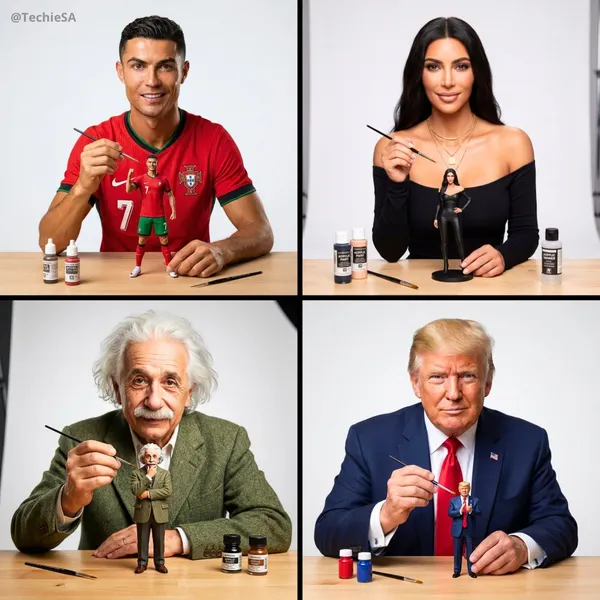
te an image of this person as an artist painting a tiny miniature figurine version of themselves. The person is wearing their most iconic signature outfit, looking directly at the camera with a confident expression while holding a tiny paintbrush in one hand. The small action figure-sized version of themselves is prominently placed on a clean workbench in front of them - make the miniature slightly larger and more visible than realistic scale so it clearly stands out. The miniature figure is also wearing the same iconic outfit in a signature pose. Minimal art supplies on the workbench to avoid clutter - just 2-3 small paint bottles and one extra brush, keeping the focus on the person and their miniature. Soft neutral white background, professional studio lighting, shallow depth of field. The composition emphasizes the person’s face looking at camera and the miniature figure they’re working on. Clean, uncluttered, photorealistic style with high detail on both figures
te an image of this person as an artist painting a tiny miniature figurine version of themselves. The person is wearing their most iconic signature outfit, looking directly at the camera with a confident expression while holding a tiny paintbrush in one hand. The small action figure-sized version of themselves is prominently placed on a clean workbench in front of them - make the miniature slightly larger and more visible than realistic scale so it clearly stands out. The miniature figure is also wearing the same iconic outfit in a signature pose. Minimal art supplies on the workbench to avoid clutter - just 2-3 small paint bottles and one extra brush, keeping the focus on the person and their miniature. Soft neutral white background, professional studio lighting, shallow depth of field. The composition emphasizes the person’s face looking at camera and the miniature figure they’re working on. Clean, uncluttered, photorealistic style with high detail on both figures
Prompt verificado
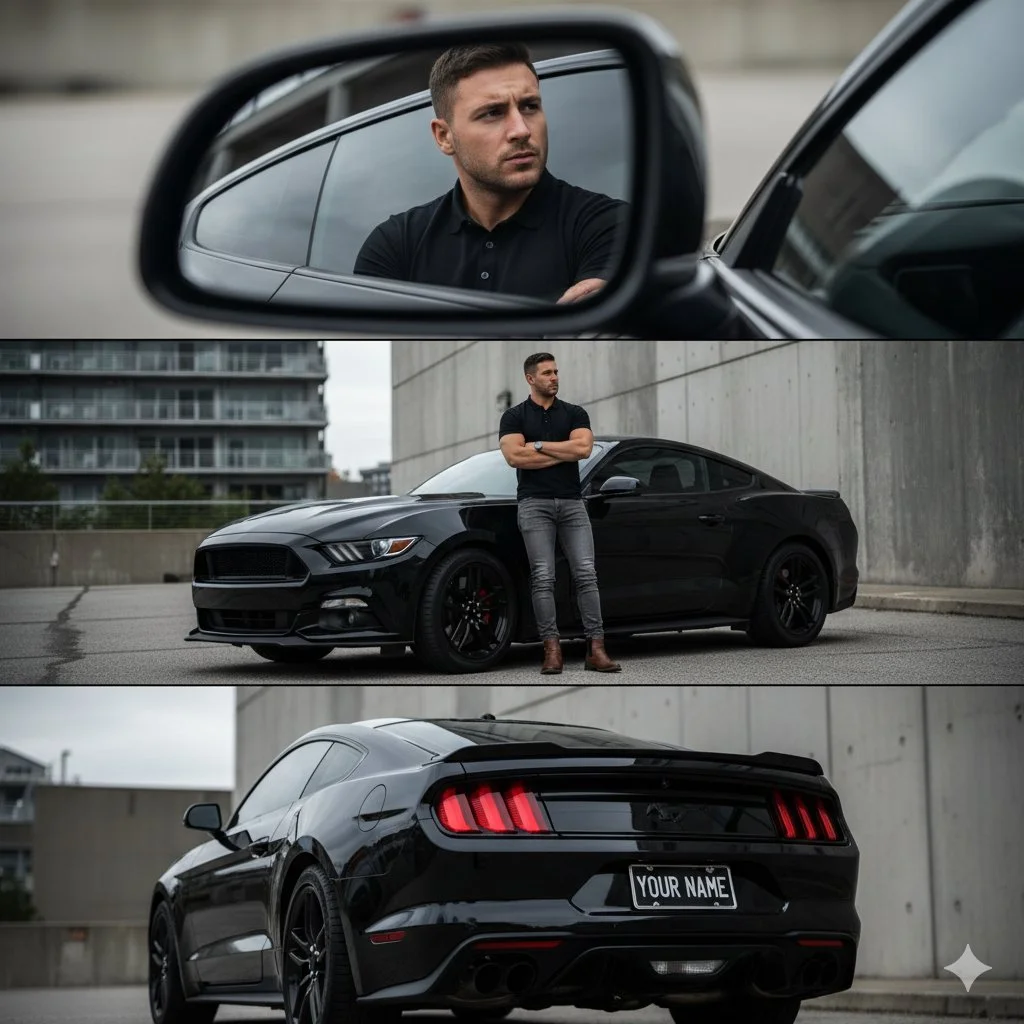
A cinematic automotive photoshoot of me, keeping my real face unchanged. The scene is composed of three perspectives as a : 1. Top Panel: Interior close-up: I am seated inside the car, wearing a fitted black polo shirt, shown in the side mirror reflection. My face is serious and focused, my gaze directed forward with determination. The angle captures only side view part of my profile, framed cleanly within the mirror, emphasizing intensity and precision. 2.Middle Panel: I am standing confidently next to a sleek black Ford Mustang. My posture is relaxed but strong: both arms are crossed over my chest in a confident manner, while my left leg is straight and my right leg bent slightly at the knee, with the foot leaning casually against the car. My gaze is directed slightly off-camera, with a calm and assertive expression. I am wearing a fitted black polo shirt with subtle detailing, slim grey jeans with a clean cut, and brown leather boots. My outfit is minimal yet stylish, emphasizing a modern masculine vibe. Pose like a pro, same face as the uploaded photo. 3. Bottom Panel: Rear car shot: The camera captures the back of the Mustang, showcasing the "YOUR NAME" license plate and muscular lines of the car. The photo emphasizes the glossy texture of the vehicle and its aggressive, cinematic presence. The setting is an urban environment with modern architecture and concrete walls, giving a gritty, cinematic atmosphere. The lighting is natural but slightly diffused, highlighting both me and the polished surface of the car. The perspectives vary: - The mirror reflection close-up is shot tight with a portrait focal length (~85mm). - The exterior full-body shot is taken at eye-level with a slightly wide lens to capture both me and the car in full view. - The rear car angle uses a low perspective to emphasize power and presence. Style: Cinematic automotive editorial, urban setting, moody and stylish, professional fashion-meets- car photography, same face.
A cinematic automotive photoshoot of me, keeping my real face unchanged. The scene is composed of three perspectives as a : 1. Top Panel: Interior close-up: I am seated inside the car, wearing a fitted black polo shirt, shown in the side mirror reflection. My face is serious and focused, my gaze directed forward with determination. The angle captures only side view part of my profile, framed cleanly within the mirror, emphasizing intensity and precision. 2.Middle Panel: I am standing confidently next to a sleek black Ford Mustang. My posture is relaxed but strong: both arms are crossed over my chest in a confident manner, while my left leg is straight and my right leg bent slightly at the knee, with the foot leaning casually against the car. My gaze is directed slightly off-camera, with a calm and assertive expression. I am wearing a fitted black polo shirt with subtle detailing, slim grey jeans with a clean cut, and brown leather boots. My outfit is minimal yet stylish, emphasizing a modern masculine vibe. Pose like a pro, same face as the uploaded photo. 3. Bottom Panel: Rear car shot: The camera captures the back of the Mustang, showcasing the "YOUR NAME" license plate and muscular lines of the car. The photo emphasizes the glossy texture of the vehicle and its aggressive, cinematic presence. The setting is an urban environment with modern architecture and concrete walls, giving a gritty, cinematic atmosphere. The lighting is natural but slightly diffused, highlighting both me and the polished surface of the car. The perspectives vary: - The mirror reflection close-up is shot tight with a portrait focal length (~85mm). - The exterior full-body shot is taken at eye-level with a slightly wide lens to capture both me and the car in full view. - The rear car angle uses a low perspective to emphasize power and presence. Style: Cinematic automotive editorial, urban setting, moody and stylish, professional fashion-meets- car photography, same face.
Prompt verificado
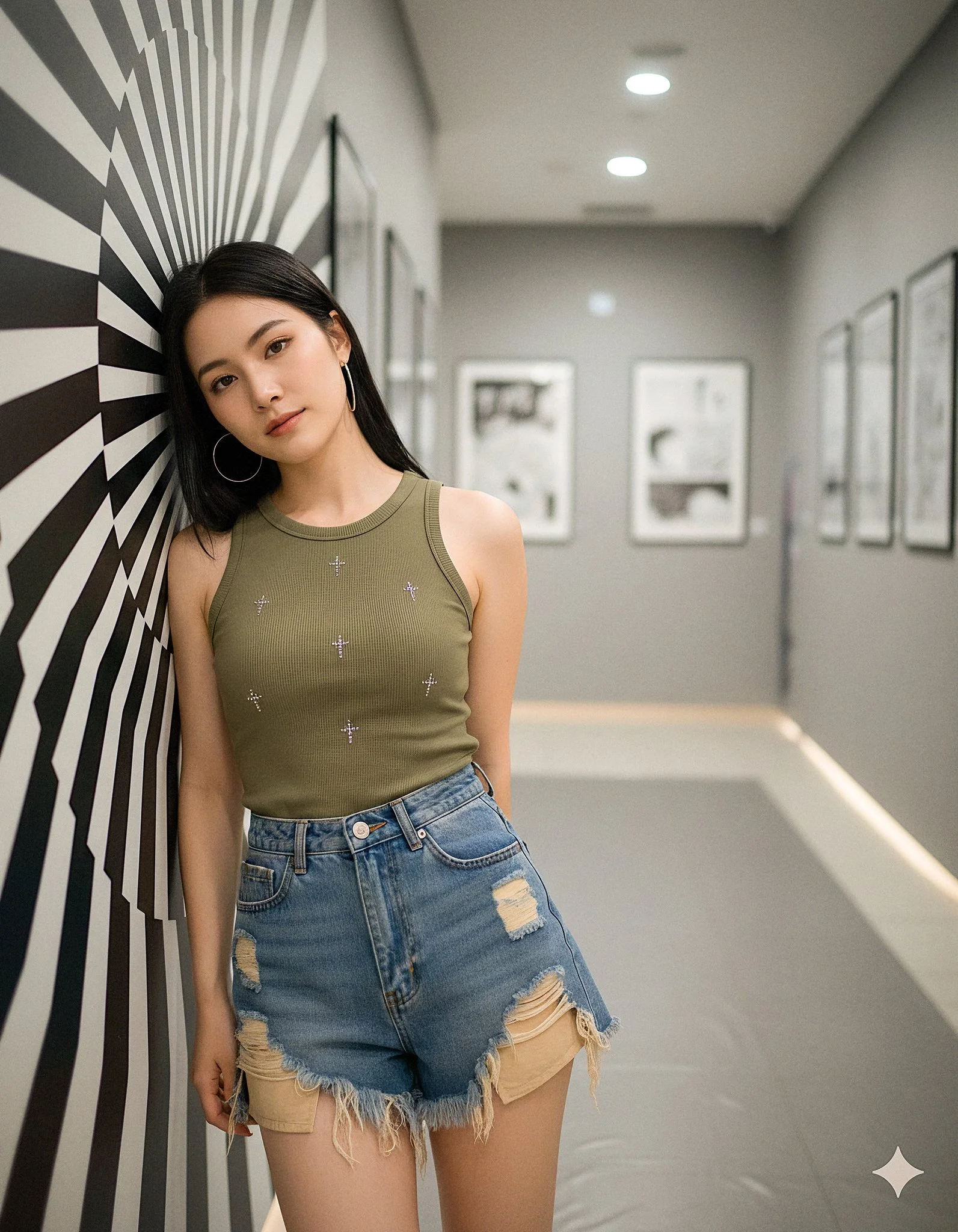
{ "scene": { "environment": { "location_type": "modern gallery hallway", "left_wall": "black-and-white optical swirl mural, matte finish", "right_wall": "framed monochrome manga panels with sparse Japanese onomatopoeia", "floor": "light gray polished tile with 2x2 m matte gray vinyl sheet under subject to kill reflections", "depth": "short corridor depth with subtle falloff", "clutter": "none" }, "time": "indoors, artificial light", "mood": "cool, composed, slightly mysterious", "color_palette": "neutral-cool grays, olive top, desaturated denim blues" }, "subject": { "type": "human", "gender": "female", "approx_age": "early 20s", "appearance": { "skin_tone": "fair-light with neutral undertone", "hair": "jet-black, very long, straight, center part; clean specular sheen", "face": "oval face, soft makeup, subtle gloss on lips, light eyeliner and mascara", "earrings": "large silver hoop earrings" }, "wardrobe": { "top": "fitted olive/khaki ribbed tank with small rhinestone cross motifs (check glue before shoot)", "bottom": "high-waisted distressed denim shorts with heavy frayed hem and beige repair patches (tape rear hem flat)", "footwear": "out_of_frame" }, "pose": { "stance": "leans back and slightly left with head resting against mural wall", "torso": "relaxed, angled 10–15° to camera", "arms_hands": "right arm behind torso/out_of_frame, left arm relaxed by side", "expression": "calm, neutral-to-soft gaze past camera", "chin": "slightly down; head tilt toward left shoulder" } }, "framing_composition": { "shot_type": "mid-thigh portrait (three-quarter length)", "orientation": "vertical", "framing": "subject placed on left third; right third shows manga panels", "leading_lines": "doorframe/panel edges vertical; swirl mural adds texture without overpowering subject", "background_separation": "subtle; background softly defocused but still readable" }, "camera": { "sensor": "full-frame mirrorless", "lens": { "focal_length_mm": 50, "type": "prime", "character": "neutral rendering, low distortion" }, "settings": { "aperture": "f/3.2", "shutter_speed": "1/250", "iso": 400, "white_balance": "custom grey-card @ 4600 K", "focus": "eye-AF + 3-frame focus bracket (±1 cm)", "stabilisation": "IBIS on" }, "perspective": "camera at chest level; minimal keystoning; maintain straight verticals" }, "lighting": { "key": "broad, soft overhead/ceiling panel light", "fill": "60×60 cm white bounce 30 cm below bust line, ~1.3 stops under key", "rim": "narrow 1×2 ft strip-light behind subject camera-right, ½ stop over key", "quality": "soft, diffuse; no hard shadows", "exposure_target": "skin at ~65 IRE; rhinestones clipped < 90 IRE", "specular_control": "micro-specular on hair; avoid plastic skin sheen" }, "rendering_intent": { "photorealism": "high", "texture": "retain fabric weave, denim fray strands, hair strands", "background_text_policy": "allow only existing manga panel text; do not invent extra signage or captions" }, "post_processing": { "color_grade": "neutral-cool base with gentle contrast curve; slight cyan in shadows, warm bias on skin", "tone_curve": "soft S-curve (lift shadows +3, compress highlights -5)", "clarity_texture": "clarity -5 on skin via masked adjustment; texture +5 on denim/frayed hem only (separate mask)", "noise_reduction": "luma 10, chroma 15", "sharpening": "amount 40, radius 0.7, detail 25, masking 60 (protect background)", "vignette": "subtle -0.1 EV centre-weighted", "geometry": "verticals upright; crop 4:5 with space above head and right-side manga visible", }
{ "scene": { "environment": { "location_type": "modern gallery hallway", "left_wall": "black-and-white optical swirl mural, matte finish", "right_wall": "framed monochrome manga panels with sparse Japanese onomatopoeia", "floor": "light gray polished tile with 2x2 m matte gray vinyl sheet under subject to kill reflections", "depth": "short corridor depth with subtle falloff", "clutter": "none" }, "time": "indoors, artificial light", "mood": "cool, composed, slightly mysterious", "color_palette": "neutral-cool grays, olive top, desaturated denim blues" }, "subject": { "type": "human", "gender": "female", "approx_age": "early 20s", "appearance": { "skin_tone": "fair-light with neutral undertone", "hair": "jet-black, very long, straight, center part; clean specular sheen", "face": "oval face, soft makeup, subtle gloss on lips, light eyeliner and mascara", "earrings": "large silver hoop earrings" }, "wardrobe": { "top": "fitted olive/khaki ribbed tank with small rhinestone cross motifs (check glue before shoot)", "bottom": "high-waisted distressed denim shorts with heavy frayed hem and beige repair patches (tape rear hem flat)", "footwear": "out_of_frame" }, "pose": { "stance": "leans back and slightly left with head resting against mural wall", "torso": "relaxed, angled 10–15° to camera", "arms_hands": "right arm behind torso/out_of_frame, left arm relaxed by side", "expression": "calm, neutral-to-soft gaze past camera", "chin": "slightly down; head tilt toward left shoulder" } }, "framing_composition": { "shot_type": "mid-thigh portrait (three-quarter length)", "orientation": "vertical", "framing": "subject placed on left third; right third shows manga panels", "leading_lines": "doorframe/panel edges vertical; swirl mural adds texture without overpowering subject", "background_separation": "subtle; background softly defocused but still readable" }, "camera": { "sensor": "full-frame mirrorless", "lens": { "focal_length_mm": 50, "type": "prime", "character": "neutral rendering, low distortion" }, "settings": { "aperture": "f/3.2", "shutter_speed": "1/250", "iso": 400, "white_balance": "custom grey-card @ 4600 K", "focus": "eye-AF + 3-frame focus bracket (±1 cm)", "stabilisation": "IBIS on" }, "perspective": "camera at chest level; minimal keystoning; maintain straight verticals" }, "lighting": { "key": "broad, soft overhead/ceiling panel light", "fill": "60×60 cm white bounce 30 cm below bust line, ~1.3 stops under key", "rim": "narrow 1×2 ft strip-light behind subject camera-right, ½ stop over key", "quality": "soft, diffuse; no hard shadows", "exposure_target": "skin at ~65 IRE; rhinestones clipped < 90 IRE", "specular_control": "micro-specular on hair; avoid plastic skin sheen" }, "rendering_intent": { "photorealism": "high", "texture": "retain fabric weave, denim fray strands, hair strands", "background_text_policy": "allow only existing manga panel text; do not invent extra signage or captions" }, "post_processing": { "color_grade": "neutral-cool base with gentle contrast curve; slight cyan in shadows, warm bias on skin", "tone_curve": "soft S-curve (lift shadows +3, compress highlights -5)", "clarity_texture": "clarity -5 on skin via masked adjustment; texture +5 on denim/frayed hem only (separate mask)", "noise_reduction": "luma 10, chroma 15", "sharpening": "amount 40, radius 0.7, detail 25, masking 60 (protect background)", "vignette": "subtle -0.1 EV centre-weighted", "geometry": "verticals upright; crop 4:5 with space above head and right-side manga visible", }
Prompt verificado
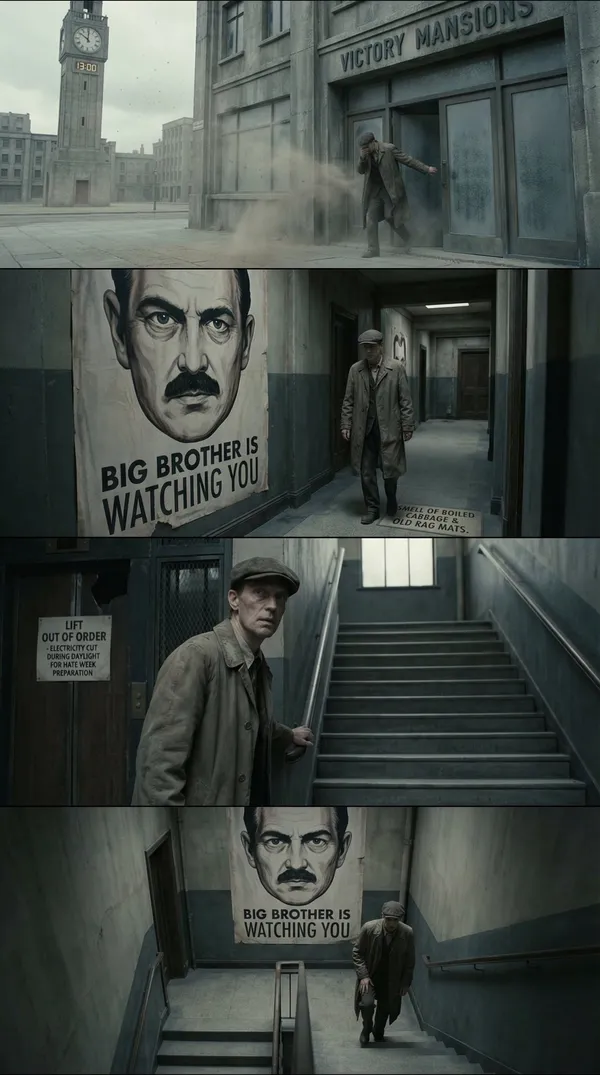
te a cinematic storyboard of the first page of 1984, by using widescreen panels
te a cinematic storyboard of the first page of 1984, by using widescreen panels
Prompt verificado
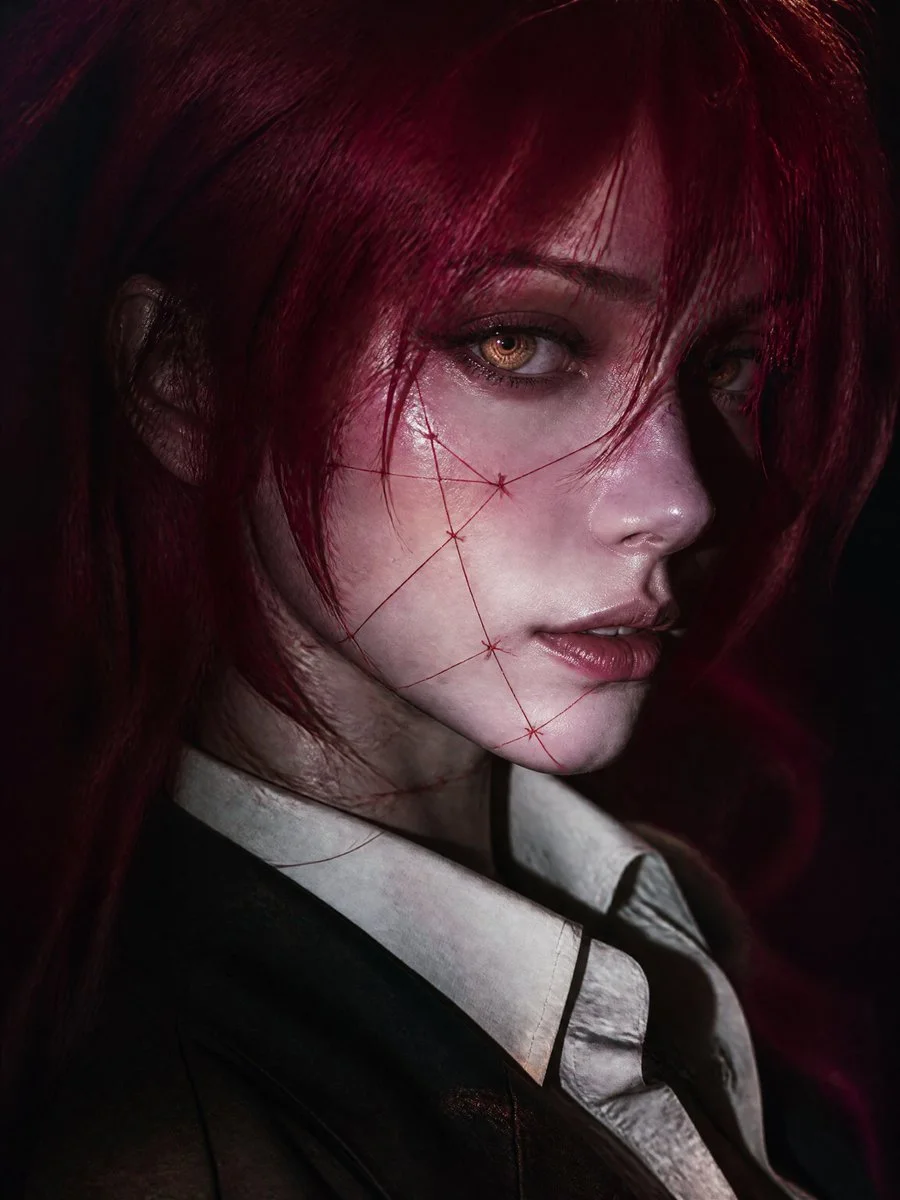
Cinematic editorial close-up portrait of original fantasy-inspired young woman, vertical 9:16, face dominating from slightly elevated three-quarter angle, head turned toward camera gaze past lens. Pale porcelain cool-undertone skin, delicate features, defined nose, soft lips, calm mysterious expression. Vivid crimson-magenta long messy hair layered strands framing one eye, loose foreground strands. Luminous amber-gold irises with concentric spirals, blue-gray limbal ring, wet reflections, detailed lashes, faint glow. Thin crimson thread-like artistic stitched markings on cheeks jaw neck, elegant graphic surreal no gore. Dark tailored jacket over ivory collared shirt slightly open, subtle dark neckline accessory. Dramatic low-key on-camera flash lighting bright highlights deep shadows, cool tones red hair spill, realistic skin texture. Dark indistinct burgundy charcoal background, shallow DOF cinematic bokeh grain. High-end fashion editorial dark fantasy, original character no existing copies.
Cinematic editorial close-up portrait of original fantasy-inspired young woman, vertical 9:16, face dominating from slightly elevated three-quarter angle, head turned toward camera gaze past lens. Pale porcelain cool-undertone skin, delicate features, defined nose, soft lips, calm mysterious expression. Vivid crimson-magenta long messy hair layered strands framing one eye, loose foreground strands. Luminous amber-gold irises with concentric spirals, blue-gray limbal ring, wet reflections, detailed lashes, faint glow. Thin crimson thread-like artistic stitched markings on cheeks jaw neck, elegant graphic surreal no gore. Dark tailored jacket over ivory collared shirt slightly open, subtle dark neckline accessory. Dramatic low-key on-camera flash lighting bright highlights deep shadows, cool tones red hair spill, realistic skin texture. Dark indistinct burgundy charcoal background, shallow DOF cinematic bokeh grain. High-end fashion editorial dark fantasy, original character no existing copies.
Prompt verificado
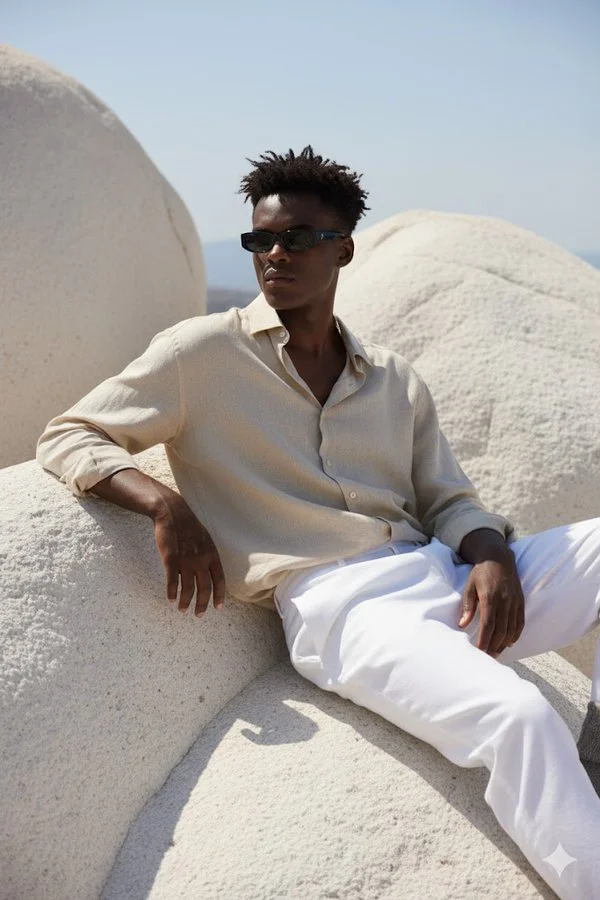
A hyper-realistic portrait of a young man sitting on large, smooth white rocky formations under natural sunlight. He is wearing a loose, slightly crumpled beige linen shirt with the top buttons open, paired with white trousers. His outfit gives a relaxed, Mediterranean vibe. He is leaning back, one arm resting on the rock, and the other hand on his knee, looking slightly to the side. He wears slim black rectangular sunglasses. His hairstyle is short, slightly messy, and the sunlight casts soft shadows across his outfit and the textured rocks. The overall atmosphere is calm, stylish, and Mediterranean-inspired. The face should match exactly with the reference photo.
A hyper-realistic portrait of a young man sitting on large, smooth white rocky formations under natural sunlight. He is wearing a loose, slightly crumpled beige linen shirt with the top buttons open, paired with white trousers. His outfit gives a relaxed, Mediterranean vibe. He is leaning back, one arm resting on the rock, and the other hand on his knee, looking slightly to the side. He wears slim black rectangular sunglasses. His hairstyle is short, slightly messy, and the sunlight casts soft shadows across his outfit and the textured rocks. The overall atmosphere is calm, stylish, and Mediterranean-inspired. The face should match exactly with the reference photo.
Prompt verificado
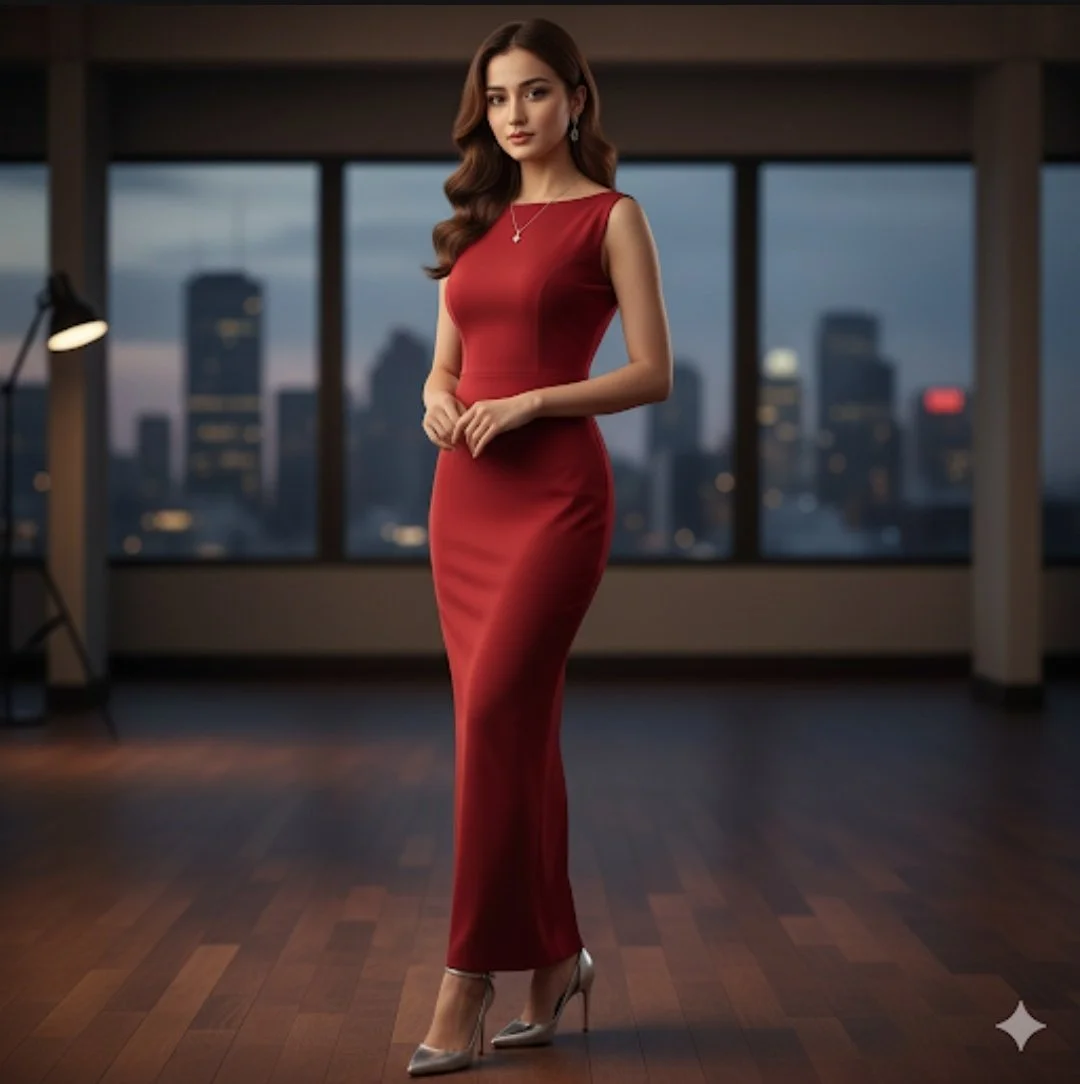
A full-body studio portrait of a beautiful young woman with long, wavy brown hair and the exact facial features as the second image provided, wearing an elegant, sleeveless, floor-length red evening gown. She is wearing a silver pendant necklace and matching silver earrings. The dress is a smooth, form-fitting fabric and she is wearing silver high, slim-heeled pumps. She is standing in a luxurious, modern penthouse setting with a dark wood floor and large floor-to-ceiling windows overlooking a city skyline at twilight. Her pose is poised and confident, with her hands clasped lightly in front of her. The lighting is soft and dramatic.
A full-body studio portrait of a beautiful young woman with long, wavy brown hair and the exact facial features as the second image provided, wearing an elegant, sleeveless, floor-length red evening gown. She is wearing a silver pendant necklace and matching silver earrings. The dress is a smooth, form-fitting fabric and she is wearing silver high, slim-heeled pumps. She is standing in a luxurious, modern penthouse setting with a dark wood floor and large floor-to-ceiling windows overlooking a city skyline at twilight. Her pose is poised and confident, with her hands clasped lightly in front of her. The lighting is soft and dramatic.
Prompt verificado

Prompt verificado
Prompt verificado
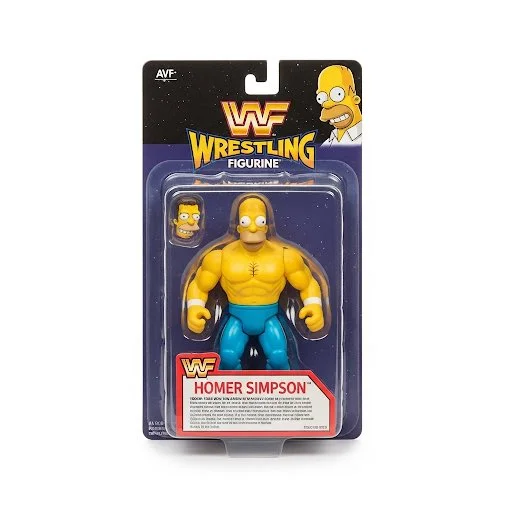
Product photography, a 1990's style WWF Wrestling Figurine package with the figurine wrestler in the package being [your character]. The figure features bright colors, a detailed character design, white background with professional studio lighting.
Product photography, a 1990's style WWF Wrestling Figurine package with the figurine wrestler in the package being [your character]. The figure features bright colors, a detailed character design, white background with professional studio lighting.
Prompt verificado
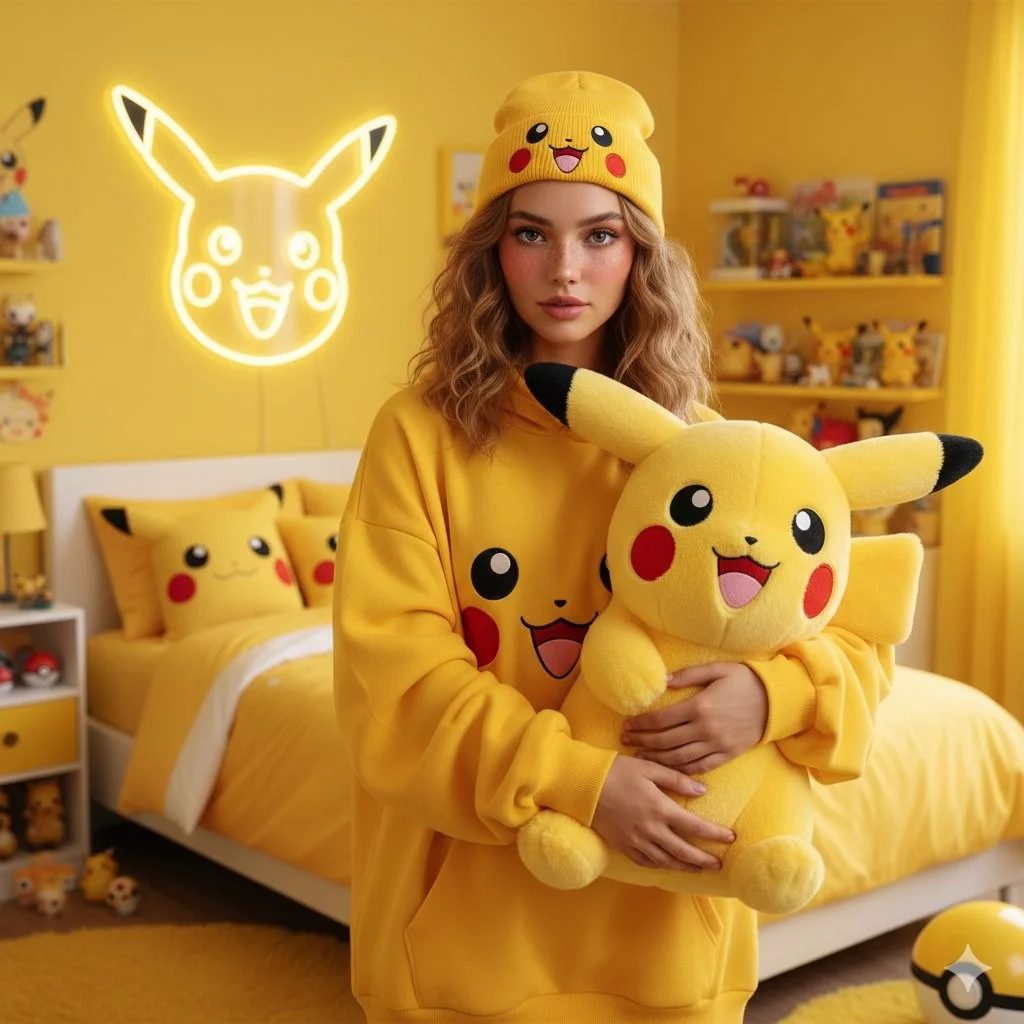
A photorealistic portrait of a young woman with shoulder-length, textured wavy light brown hair and soft, natural makeup with rosy cheeks. She is standing in a vibrant, bright yellow-themed bedroom. She is wearing an oversized yellow hoodie featuring a graphic of Pikachu's face and a matching yellow beanie with a Pikachu face on it. She is holding a large, fluffy Pikachu plush toy with big round eyes, red cheeks, and a happy expression. Behind her, a neon outline of Pikachu's face glows on a yellow wall. The background features a bed with yellow bedding, pillows with Pikachu designs, and various Pokémon-themed accessories on a table. The atmosphere is bright, cheerful, and cozy. High resolution, 4k.
A photorealistic portrait of a young woman with shoulder-length, textured wavy light brown hair and soft, natural makeup with rosy cheeks. She is standing in a vibrant, bright yellow-themed bedroom. She is wearing an oversized yellow hoodie featuring a graphic of Pikachu's face and a matching yellow beanie with a Pikachu face on it. She is holding a large, fluffy Pikachu plush toy with big round eyes, red cheeks, and a happy expression. Behind her, a neon outline of Pikachu's face glows on a yellow wall. The background features a bed with yellow bedding, pillows with Pikachu designs, and various Pokémon-themed accessories on a table. The atmosphere is bright, cheerful, and cozy. High resolution, 4k.
Prompt verificado
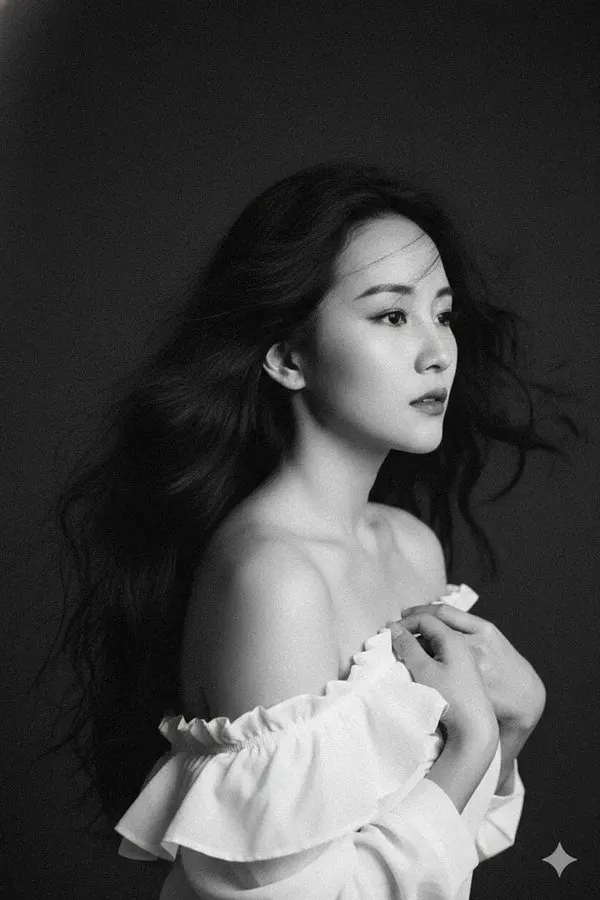
te and don't change her face. A highly artistic 90s vintage black and white (monochrome) portrait. It features a beautiful woman with classic facial features and long, voluminous, wavy, wind-blown black hair. She gazes off to the side with a pensive, poetic look. The woman holds a piece of ruffled white fabric or clothing against her chest, her shoulders wide open (off-shoulder). The plain, dark background provides a sharp contrast to her skin and white clothing. The image texture has a very pronounced film grain, a 35mm film aesthetic, and soft lighting that accentuates the cheekbones and hair texture. Masterpiece quality, 8k, emotional, and cinematic.
te and don't change her face. A highly artistic 90s vintage black and white (monochrome) portrait. It features a beautiful woman with classic facial features and long, voluminous, wavy, wind-blown black hair. She gazes off to the side with a pensive, poetic look. The woman holds a piece of ruffled white fabric or clothing against her chest, her shoulders wide open (off-shoulder). The plain, dark background provides a sharp contrast to her skin and white clothing. The image texture has a very pronounced film grain, a 35mm film aesthetic, and soft lighting that accentuates the cheekbones and hair texture. Masterpiece quality, 8k, emotional, and cinematic.
Explora flujos de trabajo de imágenes FLUX
Crea un visual a partir de texto, perfecciona una referencia de imagen compatible o estudia imágenes publicadas en la Vitrina de Prompts.
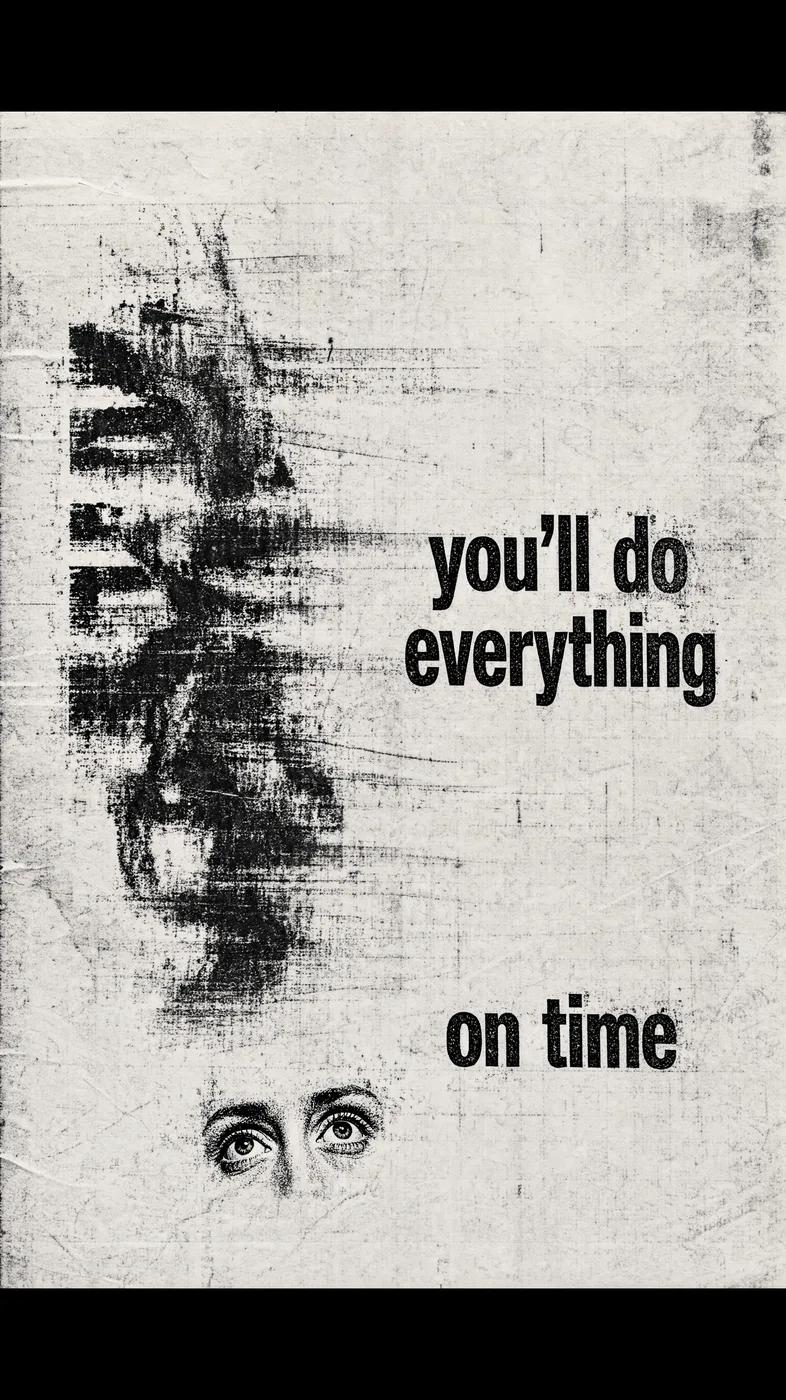
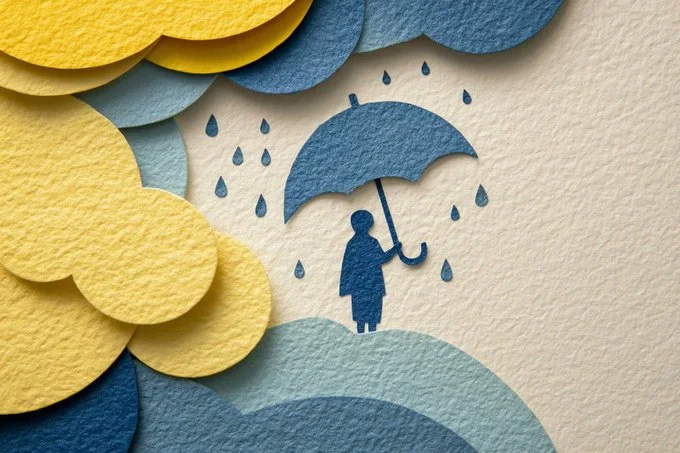
Generador de imágenes con IA FLUX para tu próximo fotograma inicial de video
Crea una imagen fija con una dirección visual clara
Usa modelos de imagen FLUX en flux3 video para explorar un sujeto, una escena de producto o un fotograma de storyboard. Comienza con un prompt de texto o una referencia de imagen compatible, revisa la configuración y el costo en créditos, e inspecciona el resultado antes de usarlo en un video.
Crea tu primera imagenConstruye una imagen fija antes de planear su movimiento
El Generador de imágenes con IA FLUX te ayuda a desarrollar una dirección visual para un video. Estos son modelos de imagen: crea o perfecciona tu imagen fija aquí, luego usa el generador de video independiente para animar un fotograma inicial adecuado.
Describe tu sujeto y composición
Nombra el sujeto, su posición, el entorno, la iluminación y el estilo deseado. Agrega los colores o materiales que importen, luego elige los controles de salida disponibles para tu modelo de imagen seleccionado.
Desarrolla un estilo visual consistente
Describe la paleta, el estilo de renderizado y el ambiente que deseas para un storyboard o una campaña. Compara las imágenes con el mismo brief y perfecciona detalles específicos en lugar de asumir que cada resultado coincidirá.
Perfecciona referencias de imagen compatibles
Cuando tu modelo FLUX seleccionado admita edición de imágenes, sube una referencia que tengas permiso de usar. Explica un cambio y los detalles que deben conservarse. Las entradas de referencia disponibles dependen del modelo.
Prepara un fotograma inicial para imagen a video
Crea una imagen fija con espacio para la acción prevista y el movimiento de cámara. Descarga un resultado que quieras usar, abre el generador de video y súbelo en modo imagen a video. El video se genera en ese flujo de trabajo independiente.
Revisa los detalles antes de compartir
Inspecciona rostros, formas de productos, texto y cualquier objeto no deseado. Revisa los términos aplicables del modelo y de la plataforma, y verifica tus derechos sobre las referencias antes de publicar o usar una imagen en un proyecto.
Mantén tu brief creativo en un solo espacio de trabajo
Escribe un prompt, elige un modelo de imagen FLUX, revisa su costo en créditos y encuentra el trabajo completado en Historial. Conserva la versión que quieras usar como punto de partida para tu video.
Cinco formas de dar forma a un brief de imagen FLUX
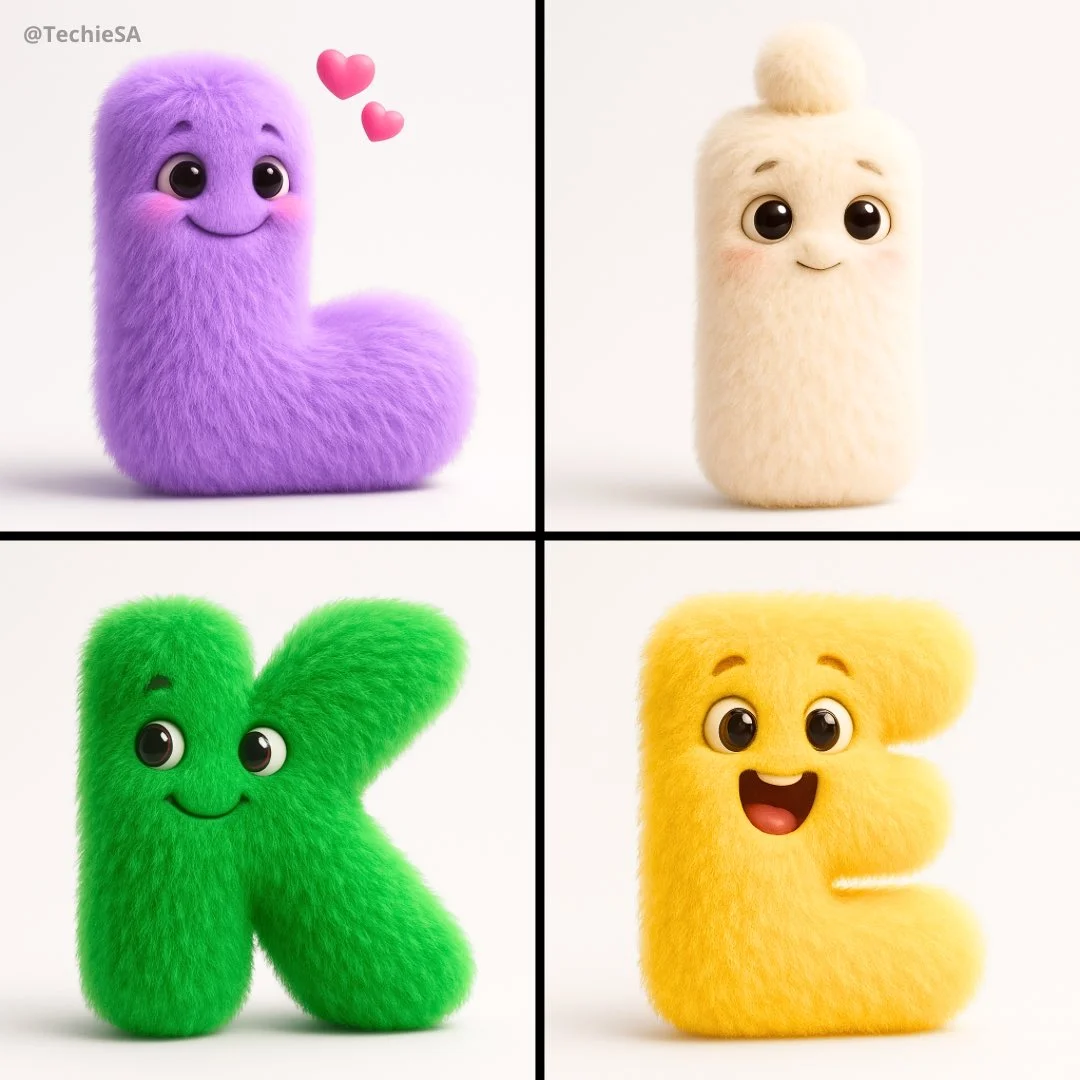
Dale a la imagen una dirección de estilo específica
Elige palabras para el tratamiento visual, como fotográfico, ilustrado o animado. Describe la luz, los colores y los materiales que apoyan esa dirección.
Mantén claro el sujeto principal antes de agregar detalles decorativos.
Ideas de fotogramas iniciales para creadores de video
Explora estudios de composición e iluminación para una escena, historia de producto, clip social o concepto ilustrado. Las referencias de imágenes publicadas ilustran direcciones visuales, no transformaciones garantizadas.
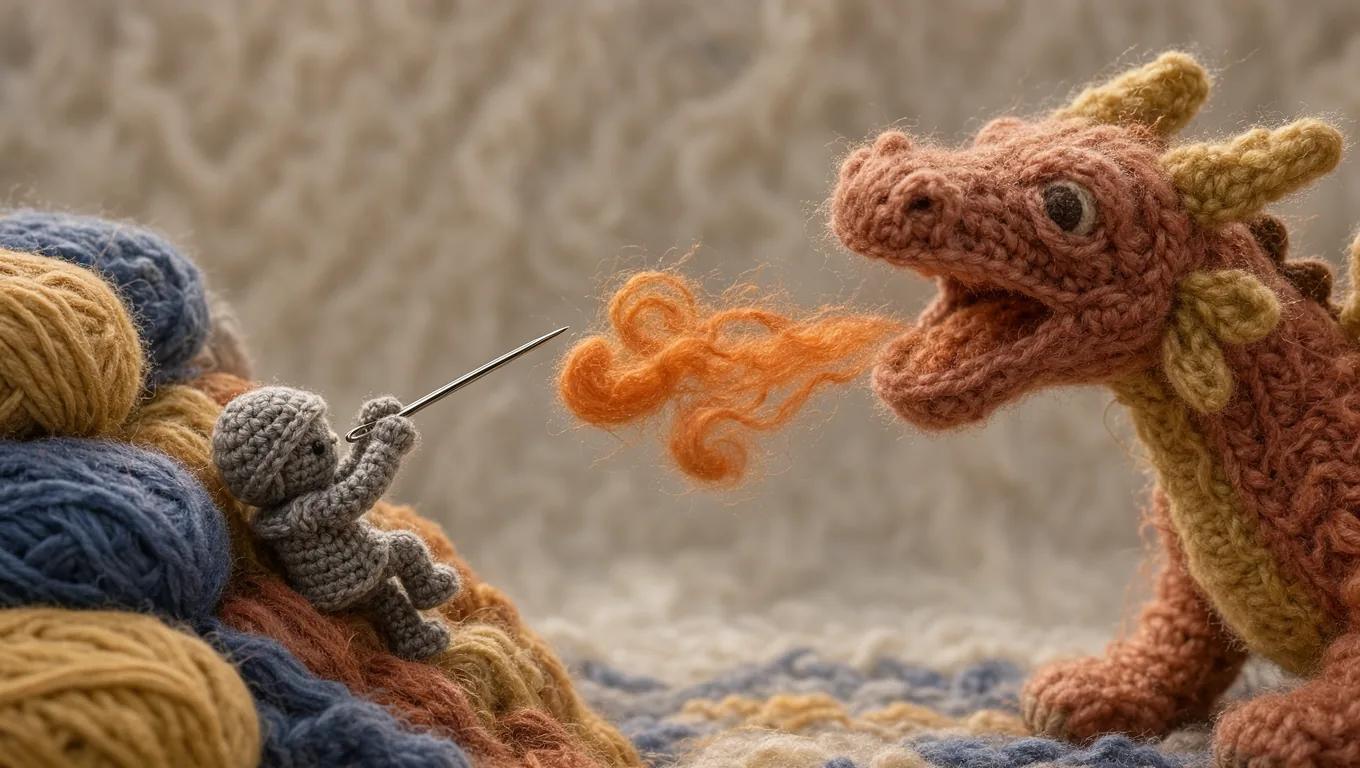
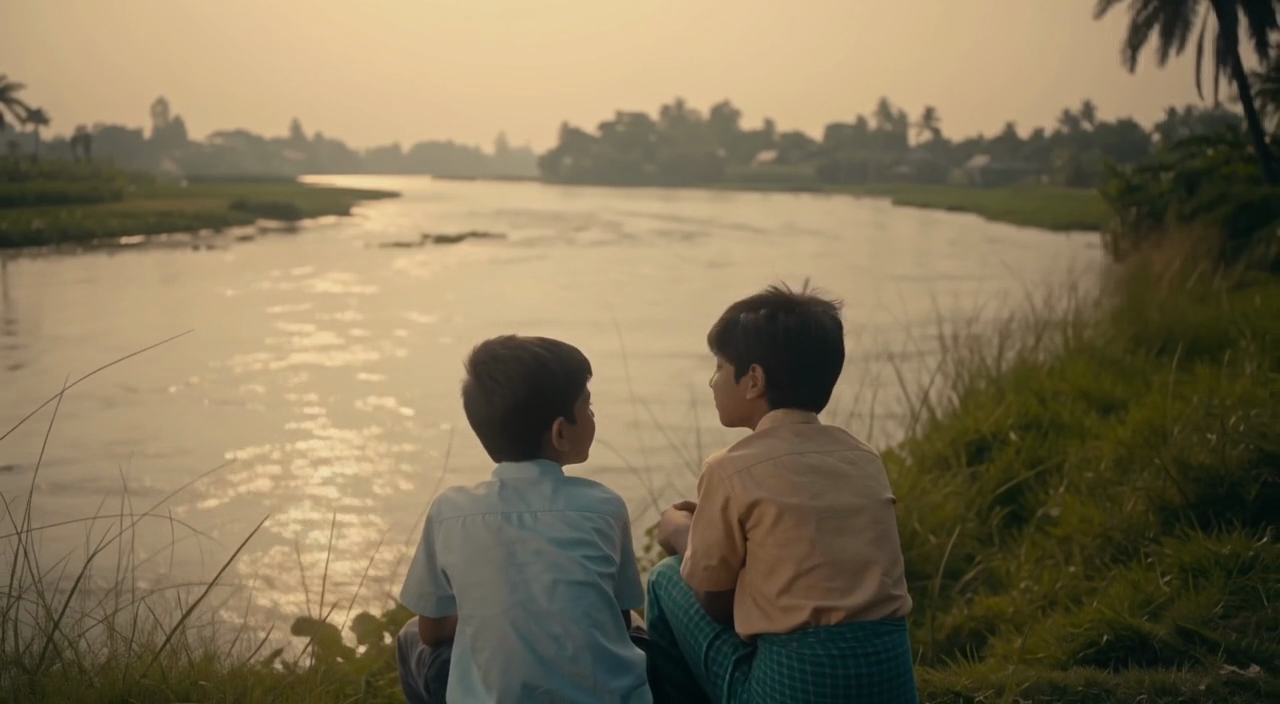
Escenas y fotogramas de storyboard
Describe el entorno, la posición del sujeto, el tamaño de plano y la luz. Usa la imagen para discutir una dirección de escena y planear el movimiento que deseas en un video posterior.
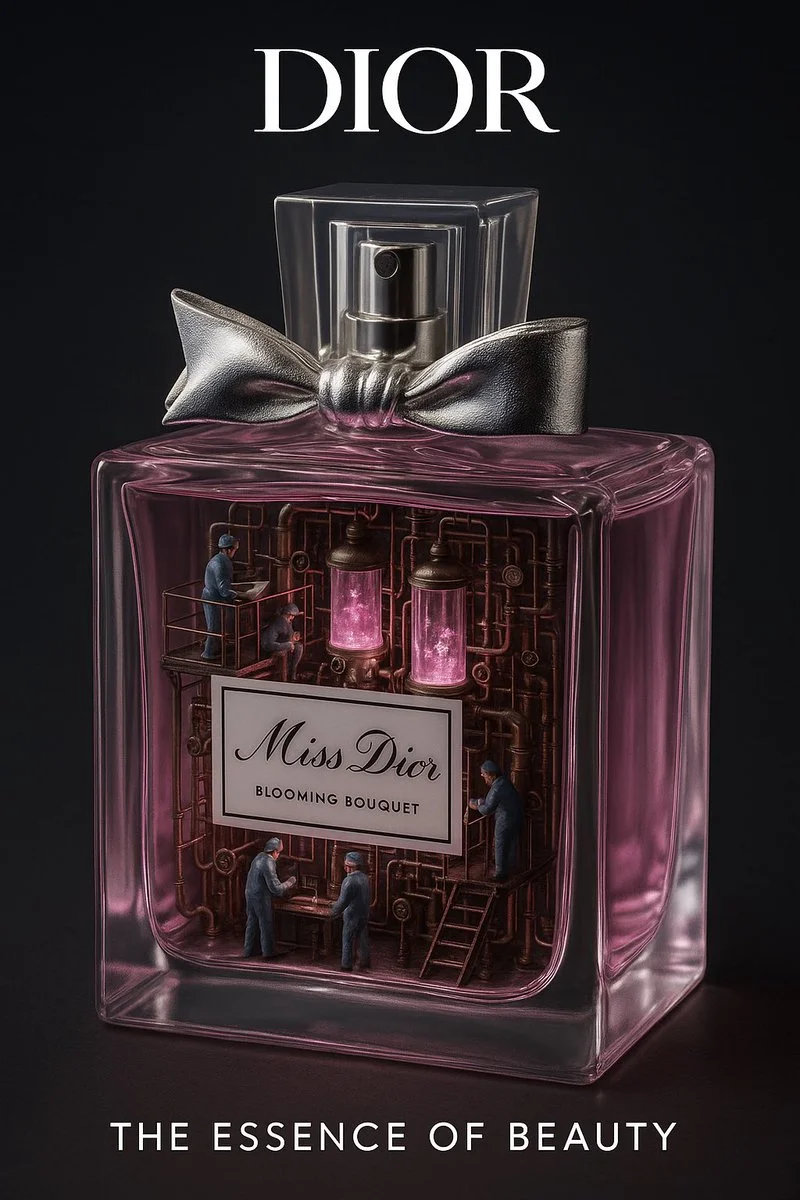
Historias de producto
Construye un entorno alrededor de un producto y una idea visual clara. Verifica la forma, el color, los materiales y cualquier marca contra el producto real antes de usar el resultado en un anuncio.
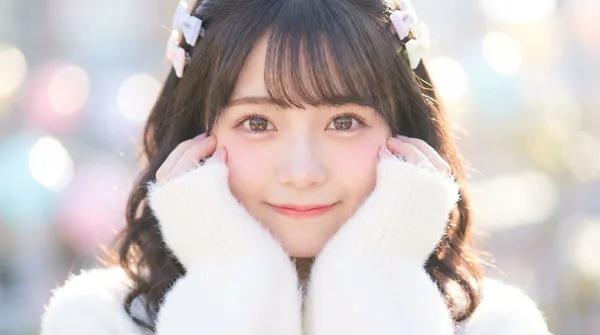
Contenido para redes sociales
Crea una imagen fija para una publicación o una apertura de video corto. Elige una composición compatible con un sujeto legible, y agrega la tipografía final en tu flujo de edición preferido.
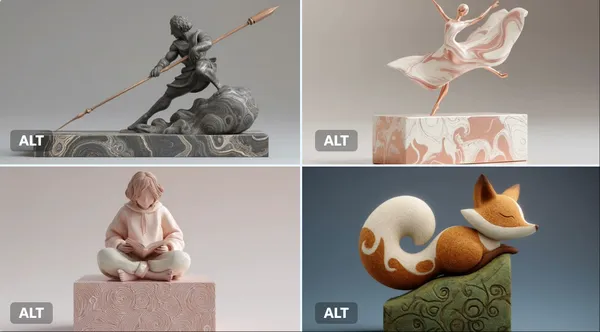
Conceptos animados
Explora un personaje, un entorno y una paleta de colores para una escena animada. Especifica los detalles que deseas conservar y revisa cada resultado antes de desarrollar una secuencia.
Crea un fotograma inicial de video en cuatro pasos
Escribe tu brief o agrega una referencia
Describe el sujeto, la composición, la iluminación y el estilo visual. Si el modelo seleccionado admite edición, sube una referencia que tengas permiso de usar y explica el cambio que necesitas.
Elige un modelo de imagen FLUX y su configuración
Selecciona un modelo del catálogo de imágenes disponible y usa sus controles compatibles de tamaño, calidad y referencia. Revisa los créditos requeridos antes de enviar.
Genera y revisa la imagen fija
Selecciona Generar imagen y sigue la solicitud en Historial. Inspecciona el resultado, luego revisa el prompt o una configuración compatible si necesitas otra versión.
Descárgala y úsala en imagen a video
Descarga tu imagen fija elegida, abre el generador de video y súbela como referencia de fotograma inicial. Describe el movimiento por separado; la creación de imágenes y la creación de videos usan sus propios modelos y cotizaciones de créditos.
Ideas visuales para tu próximo proyecto
Usa una imagen fija para establecer el sujeto, el estilo y la composición antes de planear un clip social, una historia de producto, un explicativo o una escena animada.
Estudios de personajes y estilo
Desarrolla el personaje, la pose, la iluminación y el fondo de una escena. Revisa rostros, manos, ropa y detalles antes de planear el movimiento del personaje.
Productos y conceptos de campaña
Explora un entorno de producto o el ambiente de una campaña a partir de un brief enfocado. Verifica el resultado contra los detalles reales del producto y deja espacio para el texto o la marca finales.
Explicativos y presentaciones
Prepara un visual simple para un punto de enseñanza o presentación. Revisa los hechos y detalles, y agrega tú mismo cualquier etiqueta final cuando la precisión sea importante.
Entornos y mundos narrativos
Construye un concepto de entorno con una paleta clara, iluminación y sensación de escala. Úsalo para planear la dirección de la escena antes de generar tomas de video separadas.
Notas creativas para tu fotograma inicial
Nombra el sujeto y el entorno antes de agregar palabras de estilo. Mantén la idea visual principal fácil de reconocer.

Generador de imágenes con IA FLUX: preguntas y respuestas
Crea imágenes fijas a partir de prompts de texto o referencias de imagen compatibles usando modelos de imagen FLUX. En flux3 video, úsalo para desarrollar visuales y fotogramas iniciales. La generación de video se realiza por separado en el generador de video.
Describe el sujeto, el entorno, la composición, la iluminación y el estilo deseado. Incluye colores o materiales cuando importen. Para un fotograma inicial de video, considera también el espacio que el sujeto necesita para su próxima acción.
El menú de modelos de imagen muestra los modelos FLUX disponibles actualmente en este sitio. Cada modelo tiene sus propios requisitos de entrada, configuración y costos en créditos. Usa ese menú para revisar tus opciones antes de generar.
Usa el modo imagen a imagen o edición cuando el modelo seleccionado lo ofrezca. Sube una referencia compatible que tengas permiso de usar, describe un cambio y nombra los detalles que deben conservarse. Los recuentos de entrada y los controles de edición dependen del modelo seleccionado.
Sí. Descarga tu imagen elegida y súbela en modo imagen a video en el generador de video independiente. Describe allí la acción prevista y el movimiento de cámara. Un modelo de imagen FLUX produce la imagen fija; un modelo de video produce el clip.
Revisa los términos aplicables de la plataforma y del modelo, y tus derechos sobre las referencias subidas, personas identificables, logotipos y otro material de origen. Inspecciona la imagen en busca de detalles no deseados antes de usarla en un proyecto comercial.
La generación usa créditos. Consulta tu saldo, selecciona un modelo de imagen FLUX y su configuración, y revisa el costo cotizado antes de enviar. Visita Precios para ver los planes y paquetes de créditos disponibles.
Las imágenes completadas están disponibles en Historial. Abre el resultado para inspeccionarlo y descarga la versión que quieras conservar para tu proyecto o el flujo de trabajo de imagen a video.
Puedes solicitar un reembolso dentro de los 10 días posteriores a la compra si tienes créditos sin usar de esa compra y proporcionas un motivo claro, sujeto a nuestra Política de Reembolsos. Si cumples los requisitos, una compra sin usar puede reembolsarse íntegramente; una compra parcialmente usada se reembolsa en proporción a sus créditos restantes sin usar. Las compras totalmente usadas y los créditos gratuitos o promocionales no son reembolsables.
La validez de los créditos depende del paquete, la suscripción o la promoción que los emitió. Revisa los términos de compra y las fechas de caducidad en Configuración > Créditos. Una renovación o una nueva compra no amplía los créditos anteriores. Usa los créditos antes de su fecha de caducidad indicada; no asumas que los créditos de suscripción sin usar se acumulan indefinidamente.
Los créditos cobrados por una tarea que se confirma como fallida debido a un error del sistema se devuelven automáticamente. Una tarea que aún se está procesando todavía no se ha confirmado como fallida. Comprueba su estado y tu historial de créditos antes de volver a enviarla. Si una falla confirmada sigue mostrando un cobro sin resolver, escribe a support@flux3video.dev con el ID de la tarea.
Los resultados de IA pueden variar, por lo que un resultado completado que difiere de tus expectativas no se trata automáticamente como un fallo técnico. Las tareas de imagen completadas que cumplan los requisitos se pueden enviar para revisión de reembolso de créditos mediante la opción de reembolso cuando esté disponible; se requiere aprobación. Para un vídeo u otro problema, contacta con support@flux3video.dev con el ID de la tarea y los detalles. Un reembolso de créditos devuelve créditos, no dinero a tu método de pago.
Escribe a support@flux3video.dev. Para facturación, incluye el correo de tu cuenta y el ID de pedido; para generación, incluye el ID de la tarea, la descripción del problema y las capturas de pantalla relevantes. Si compraste como invitado, conserva los datos del navegador original y el recibo de pago para que podamos ayudarte a localizar la compra.
Crea tu próximo fotograma inicial de video con FLUX
Comienza con texto o una referencia de imagen compatible, elige un modelo de imagen FLUX y revisa su configuración y costo en créditos. Descarga un resultado completado, luego llévalo al flujo de trabajo independiente de imagen a video.
flux3video.dev · Actualizado
Ver el historial de actualizaciones
- — Se añadieron ejemplos de prompts editables, borradores separados para los modos de texto y referencia y una opción para restaurar el ejemplo.
- — Textos y contenido de la página actualizados.
- — Contenido de la página publicado.