
Prompt verificato
Storyboard – Faceless Product Demo (9:16 Vertical, 10 Seconds, 8 Scenes) Create a clean, premium 8-scene faceless storyboard for a modern kitchen cookware product demo. The layout should resemble a professional production storyboard with a white background, clear scene boxes, production notes, and camera details. Display the product name at the top with a hero image, feature highlights, duration, aspect ratio (9:16), and total scenes. Scene 1 – Product Overview The cookware is placed on a wooden board in a bright modern kitchen with its packaging behind it. Clean product reveal, minimal styling. Action: Introduce the product. Camera: 45° close-up. Lighting: Natural window light. Audio: Voice-over + soft background music. Scene 2 – Premium Coating Extreme macro shot showing the premium granite/ceramic non-stick interior texture with soft reflections. Action: Highlight the premium coating. Camera: Macro close-up. Lighting: Soft natural light. Audio: Voice-over. Scene 3 – Non-Stick Demonstration A fried egg slides effortlessly across the pan using a silicone spatula, emphasizing the non-stick surface. Action: Demonstrate non-stick performance. Camera: Close-up. Lighting: Bright kitchen lighting. Audio: Voice-over + subtle cooking SFX. Scene 4 – Wooden Handle Feature Close-up of a hand holding the ergonomic wooden handle, showing texture, grip, and premium finish. Action: Showcase the handle. Camera: Close-up. Lighting: Natural light. Audio: Voice-over. Scene 5 – Cooking Demonstration The pan is used on an induction stove while cooking colorful vegetables or soup. Steam rises naturally. Action: Everyday cooking demonstration. Camera: Over-the-shoulder. Lighting: Warm kitchen light. Audio: Natural cooking sounds + voice-over. Scene 6 – Easy to Clean Water flows over the pan in a sink, rinsing away food residue effortlessly. Action: Show easy cleaning. Camera: Top-down shot. Lighting: Bright natural light. Audio: Running water + voice-over. Scene 7 – Compatible with All Stoves The underside of the cookware is shown above different stove icons (induction, gas, electric, ceramic), emphasizing compatibility. Action: Display universal compatibility. Camera: Detailed close-up. Lighting: Studio soft light. Audio: Voice-over. Scene 8 – Lifestyle Ending Final beauty shot of the cookware beside its packaging on a wooden countertop with a clean modern kitchen background. Action: Premium product hero ending. Camera: Wide 45° angle. Lighting: Warm natural light. Audio: Soft music + closing voice-over. Style: Ultra-realistic product photography, premium commercial quality, clean composition, modern kitchen aesthetic, luxury cookware branding, minimalist layout, high-end advertising storyboard, sharp details, realistic lighting, 9:16 vertical.
Storyboard – Faceless Product Demo (9:16 Vertical, 10 Seconds, 8 Scenes) Create a clean, premium 8-scene faceless storyboard for a modern kitchen cookware product demo. The layout should resemble a professional production storyboard with a white background, clear scene boxes, production notes, and camera details. Display the product name at the top with a hero image, feature highlights, duration, aspect ratio (9:16), and total scenes. Scene 1 – Product Overview The cookware is placed on a wooden board in a bright modern kitchen with its packaging behind it. Clean product reveal, minimal styling. Action: Introduce the product. Camera: 45° close-up. Lighting: Natural window light. Audio: Voice-over + soft background music. Scene 2 – Premium Coating Extreme macro shot showing the premium granite/ceramic non-stick interior texture with soft reflections. Action: Highlight the premium coating. Camera: Macro close-up. Lighting: Soft natural light. Audio: Voice-over. Scene 3 – Non-Stick Demonstration A fried egg slides effortlessly across the pan using a silicone spatula, emphasizing the non-stick surface. Action: Demonstrate non-stick performance. Camera: Close-up. Lighting: Bright kitchen lighting. Audio: Voice-over + subtle cooking SFX. Scene 4 – Wooden Handle Feature Close-up of a hand holding the ergonomic wooden handle, showing texture, grip, and premium finish. Action: Showcase the handle. Camera: Close-up. Lighting: Natural light. Audio: Voice-over. Scene 5 – Cooking Demonstration The pan is used on an induction stove while cooking colorful vegetables or soup. Steam rises naturally. Action: Everyday cooking demonstration. Camera: Over-the-shoulder. Lighting: Warm kitchen light. Audio: Natural cooking sounds + voice-over. Scene 6 – Easy to Clean Water flows over the pan in a sink, rinsing away food residue effortlessly. Action: Show easy cleaning. Camera: Top-down shot. Lighting: Bright natural light. Audio: Running water + voice-over. Scene 7 – Compatible with All Stoves The underside of the cookware is shown above different stove icons (induction, gas, electric, ceramic), emphasizing compatibility. Action: Display universal compatibility. Camera: Detailed close-up. Lighting: Studio soft light. Audio: Voice-over. Scene 8 – Lifestyle Ending Final beauty shot of the cookware beside its packaging on a wooden countertop with a clean modern kitchen background. Action: Premium product hero ending. Camera: Wide 45° angle. Lighting: Warm natural light. Audio: Soft music + closing voice-over. Style: Ultra-realistic product photography, premium commercial quality, clean composition, modern kitchen aesthetic, luxury cookware branding, minimalist layout, high-end advertising storyboard, sharp details, realistic lighting, 9:16 vertical.
Prompt verificato
Characters from <<<image_1>>> replace The characters from <<<video_1>>>, maintaining The same exact sincronized dmovements from <<<video_1>>>
Characters from <<<image_1>>> replace The characters from <<<video_1>>>, maintaining The same exact sincronized dmovements from <<<video_1>>>
Prompt verificato
A brutal anime boxer with spiky white hair, glowing red eyes, ripped athletic body covered in sweat and bruises, fists wrapped in torn tape radiating energy Enters a savage final-round fight, dodging punches in ultra slow motion before unleashing a devastating combo that creates shockwaves with every hit and cracks the ring floor beneath him Underground championship arena packed with screaming fans, bright overhead lights, smoke and debris floating through the air Begins with intense close-up on trembling fists and sweat drops, rapid handheld tracking around fighters, whip pans following impossible punches, crash zoom during impact frames, dynamic Anime-inspired smears and exaggerated camera shake during combos, sweat and blood particles suspended mid-air, ending with the final punch launching the opponent across the ring as the entire arena erupts while the boxer stands breathing heavily beneath the spotlight, camera slowly orbiting his victori
A brutal anime boxer with spiky white hair, glowing red eyes, ripped athletic body covered in sweat and bruises, fists wrapped in torn tape radiating energy Enters a savage final-round fight, dodging punches in ultra slow motion before unleashing a devastating combo that creates shockwaves with every hit and cracks the ring floor beneath him Underground championship arena packed with screaming fans, bright overhead lights, smoke and debris floating through the air Begins with intense close-up on trembling fists and sweat drops, rapid handheld tracking around fighters, whip pans following impossible punches, crash zoom during impact frames, dynamic Anime-inspired smears and exaggerated camera shake during combos, sweat and blood particles suspended mid-air, ending with the final punch launching the opponent across the ring as the entire arena erupts while the boxer stands breathing heavily beneath the spotlight, camera slowly orbiting his victori
Prompt verificato
TITLE:THE MAN WHO REMEMBERS TOMORROW Style: Ultra-realistic cinematic movie trailer, psychological thriller, dark neo-noir, Hollywood quality, IMAX, anamorphic lens flares, volumetric lighting, dramatic shadows, shallow depth of field, realistic facial expressions, handheld and cinematic dolly shots, intense orchestral score with deep bass hits, suspenseful sound design, 4K photorealistic. 0:00–0:03 Fade in from black. A deserted underground subway station at 3:00 AM. Flickering fluorescent lights. The camera slowly pushes toward a lone man lying on a cold concrete floor. He suddenly opens his eyes, breathing heavily. SFX: Low cinematic boom. Electrical buzzing. Text on screen:"Some futures refuse to stay hidden." --- 0:03–0:06 Close-up of the man's wristwatch. The second hand jerks violently before stopping completely. Extreme close-up of his eyes reflecting the flickering lights. Voice-over (calm, haunted): I don't dream about tomorrow..." The soundtrack begins building with slow strings. --- 0:06–0:09 Rapid cinematic montage. • A red balloon slips from a child's hand and floats into a gray sky. • A speeding black sedan races toward a busy intersection. • A terrified woman turns suddenly as if someone called her name. • A cracked digital clock flashes 00:00 Each shot lasts less than one second with dramatic trailer transitions. --- 0:09–0:12 The man stands in the middle of a rain-soaked city street. Everything around him moves in slow motion except him. He stares directly into the camera. Voice-over: I remember it. The music cuts abruptly to silence. 0:12–0:16 Rain pours across empty streets. The man runs through crowds while everyone else appears frozen in time. The camera circles him in a fast cinematic orbit. He suddenly stops. At the far end of the street, a mysterious stranger is staring directly at him. The stranger slowly smiles. A deep bass impact shakes the soundtrack. --- 0:16–0:20 Quick trailer montage. • Glass explodes in slow motion. • Police lights flash through thick fog. • Long, dark hallways stretch endlessly. • A shadow moves just beyond the edge of the frame. • The man sprints through an abandoned building. Voice-over: "Every time I change the future..." The music rises rapidly. --- 0:20–0:24 Silence. Extreme close-up of the stranger's face. He calmly whispers: "You're already too late." The camera slowly pushes in as his smile widens unnaturally. --- 0:24–0:27 Hard cut to black. One loud heartbeat echoes. A faint ticking clock begins. Title appears in metallic cinematic typography: THE MAN WHO REMEMBERS TOMORROW Tagline: "The future is watching." The music ends with a powerful cinematic impact.
TITLE:THE MAN WHO REMEMBERS TOMORROW Style: Ultra-realistic cinematic movie trailer, psychological thriller, dark neo-noir, Hollywood quality, IMAX, anamorphic lens flares, volumetric lighting, dramatic shadows, shallow depth of field, realistic facial expressions, handheld and cinematic dolly shots, intense orchestral score with deep bass hits, suspenseful sound design, 4K photorealistic. 0:00–0:03 Fade in from black. A deserted underground subway station at 3:00 AM. Flickering fluorescent lights. The camera slowly pushes toward a lone man lying on a cold concrete floor. He suddenly opens his eyes, breathing heavily. SFX: Low cinematic boom. Electrical buzzing. Text on screen:"Some futures refuse to stay hidden." --- 0:03–0:06 Close-up of the man's wristwatch. The second hand jerks violently before stopping completely. Extreme close-up of his eyes reflecting the flickering lights. Voice-over (calm, haunted): I don't dream about tomorrow..." The soundtrack begins building with slow strings. --- 0:06–0:09 Rapid cinematic montage. • A red balloon slips from a child's hand and floats into a gray sky. • A speeding black sedan races toward a busy intersection. • A terrified woman turns suddenly as if someone called her name. • A cracked digital clock flashes 00:00 Each shot lasts less than one second with dramatic trailer transitions. --- 0:09–0:12 The man stands in the middle of a rain-soaked city street. Everything around him moves in slow motion except him. He stares directly into the camera. Voice-over: I remember it. The music cuts abruptly to silence. 0:12–0:16 Rain pours across empty streets. The man runs through crowds while everyone else appears frozen in time. The camera circles him in a fast cinematic orbit. He suddenly stops. At the far end of the street, a mysterious stranger is staring directly at him. The stranger slowly smiles. A deep bass impact shakes the soundtrack. --- 0:16–0:20 Quick trailer montage. • Glass explodes in slow motion. • Police lights flash through thick fog. • Long, dark hallways stretch endlessly. • A shadow moves just beyond the edge of the frame. • The man sprints through an abandoned building. Voice-over: "Every time I change the future..." The music rises rapidly. --- 0:20–0:24 Silence. Extreme close-up of the stranger's face. He calmly whispers: "You're already too late." The camera slowly pushes in as his smile widens unnaturally. --- 0:24–0:27 Hard cut to black. One loud heartbeat echoes. A faint ticking clock begins. Title appears in metallic cinematic typography: THE MAN WHO REMEMBERS TOMORROW Tagline: "The future is watching." The music ends with a powerful cinematic impact.
Prompt verificato
Create a landscape clean monochrome 2D storyboard line-sketch sheet of a mechanoid ronin cutting endless ranks screen-right; do not render bracketed labels. [HEADER] Header with one thin rule; show only: "Blade Through Legions" "Ronin cuts through endless mechanical ranks" [BOARD] Balanced contact sheet with 9 near-equal 16:9 landscape panels, clear gutters, natural P## order, and a centered incomplete last row when needed. Headers are `P## / CAMERA ANGLE / SHORT BEAT`; one frozen beat per panel, with count and order outranking packing. [STYLE] Clean monochrome 2D storyboard line sketch on white paper: sparse single-pass graphite-gray contours, simplified featureless pose figures, minimal construction marks, and only essential set geometry. No fills, wash, hatching, shading, shadows, ambient occlusion, color, texture, 3D/clay volume, finished illustration, dense/repeated lines, or facial/anatomy/clothing/surface detail. [REFERENCES] Image A controls the ronin signature: broad conical hat, short hair mass, long layered robe, single katana. [CONTINUITY] Ronin advances right on one bridge axis, single katana fixed; Blade Runners are lean split-helmet forms, Aerial Hunters narrow wing-shouldered fliers, Bulwarks broad square forms. Use 5-10 near units and sparse ranks implying hundreds; power is absent through P07, descends from the sky into the katana in P08, and carries out as one wave in P09. [RULES] Only header lines and panel headers are visible; no panel text, arrows, icons, insets, extra panels, duplicates, ghost poses, or object-like effect marks. [BEATS] Draw one storyboard panel per BEAT: BEATS: P01 / Profile WS / First Split: Chest-height level profile, low horizon, bridge top visible; ronin left sprints right as one Blade Runner separates at her blade and eight block the corridor. P02 / Low Profile FS / Triple Contact: Knee-height profile pitched up over a low horizon; ronin center-left holds a horizontal cut touching three Blade Runners with one attached edge arc. P03 / High Rear WS / Gap Dash: Raised rear three-quarter view pitched down with bridge top exposed; five Blade Runners recoil to both sides as ronin compresses into the open center lane. P04 / Low 3-4 FS / Rising Cleave: Ground front three-quarter view pitched up with undersides visible; ronin drives through the cleared center into two descending Aerial Hunters. P05 / High Side WS / Air Crosscut: High side view pitched down with platform top visible; ronin forms one airborne silhouette, her katana touching four Aerial Hunters along one arc. P06 / Ground Rear WS / Shield Stop: Ground rear three-quarter view with floor convergence and low horizon; ronin lands hard on one braced forward foot as her low katana meets one Bulwark shield-arm and four more broad forms seal the rightward lane. P07 / Profile MS / Shield Recoil: Waist-height level profile with compressed corridor; ronin twists her single katana free as five Bulwarks stagger right and her body recoils into open left space. P08 / Low 3-4 FS / Storm Draw: Knee-height front three-quarter FS pitched up with low horizon and undersides; ronin plants wide and raises her single katana two-handed overhead as three jagged unfilled sky bolts meet its tip before mixed ranks. P09 / Top-down EWS / Void Shear: Overhead EWS with no horizon, bridge edges and top planes visible; ronin at left anchors one broad unfilled crescent to her katana, dividing mixed ranks as its front exits right.
Create a landscape clean monochrome 2D storyboard line-sketch sheet of a mechanoid ronin cutting endless ranks screen-right; do not render bracketed labels. [HEADER] Header with one thin rule; show only: "Blade Through Legions" "Ronin cuts through endless mechanical ranks" [BOARD] Balanced contact sheet with 9 near-equal 16:9 landscape panels, clear gutters, natural P## order, and a centered incomplete last row when needed. Headers are `P## / CAMERA ANGLE / SHORT BEAT`; one frozen beat per panel, with count and order outranking packing. [STYLE] Clean monochrome 2D storyboard line sketch on white paper: sparse single-pass graphite-gray contours, simplified featureless pose figures, minimal construction marks, and only essential set geometry. No fills, wash, hatching, shading, shadows, ambient occlusion, color, texture, 3D/clay volume, finished illustration, dense/repeated lines, or facial/anatomy/clothing/surface detail. [REFERENCES] Image A controls the ronin signature: broad conical hat, short hair mass, long layered robe, single katana. [CONTINUITY] Ronin advances right on one bridge axis, single katana fixed; Blade Runners are lean split-helmet forms, Aerial Hunters narrow wing-shouldered fliers, Bulwarks broad square forms. Use 5-10 near units and sparse ranks implying hundreds; power is absent through P07, descends from the sky into the katana in P08, and carries out as one wave in P09. [RULES] Only header lines and panel headers are visible; no panel text, arrows, icons, insets, extra panels, duplicates, ghost poses, or object-like effect marks. [BEATS] Draw one storyboard panel per BEAT: BEATS: P01 / Profile WS / First Split: Chest-height level profile, low horizon, bridge top visible; ronin left sprints right as one Blade Runner separates at her blade and eight block the corridor. P02 / Low Profile FS / Triple Contact: Knee-height profile pitched up over a low horizon; ronin center-left holds a horizontal cut touching three Blade Runners with one attached edge arc. P03 / High Rear WS / Gap Dash: Raised rear three-quarter view pitched down with bridge top exposed; five Blade Runners recoil to both sides as ronin compresses into the open center lane. P04 / Low 3-4 FS / Rising Cleave: Ground front three-quarter view pitched up with undersides visible; ronin drives through the cleared center into two descending Aerial Hunters. P05 / High Side WS / Air Crosscut: High side view pitched down with platform top visible; ronin forms one airborne silhouette, her katana touching four Aerial Hunters along one arc. P06 / Ground Rear WS / Shield Stop: Ground rear three-quarter view with floor convergence and low horizon; ronin lands hard on one braced forward foot as her low katana meets one Bulwark shield-arm and four more broad forms seal the rightward lane. P07 / Profile MS / Shield Recoil: Waist-height level profile with compressed corridor; ronin twists her single katana free as five Bulwarks stagger right and her body recoils into open left space. P08 / Low 3-4 FS / Storm Draw: Knee-height front three-quarter FS pitched up with low horizon and undersides; ronin plants wide and raises her single katana two-handed overhead as three jagged unfilled sky bolts meet its tip before mixed ranks. P09 / Top-down EWS / Void Shear: Overhead EWS with no horizon, bridge edges and top planes visible; ronin at left anchors one broad unfilled crescent to her katana, dividing mixed ranks as its front exits right.
Prompt verificato
A professional film storyboard sheet, clean infographic layout on off-white paper. Bold title top-left: "THE 3AM RAMEN CHEF". Top-right header: "TOTAL VIDEO TIME: 60 SECONDS · 4 CLIPS · 8 SHOTS · SACRED · UNHINGED · DELICIOUS". A thin icon legend row below the title with four small icons labeled: ACTION, HEAT, TIME HINT, INGREDIENT. A 4×2 grid of 8 numbered storyboard panels (1–8), each a 3D Pixar-style rendered frame with a small caption label, tiny action icons, and a time stamp. Panels are grouped into 4 clips (2 panels each): CLIP 1 — THE SUMMONS: 1. THE RELIC — a sleepy young man in a hoodie in a dark kitchen lit only by open microwave and fridge glow, holding a single instant ramen packet up like a holy relic, dramatic low angle, reverent. 2. THE FLAME — extreme close-up of a blue stove flame whooshing to life under a pot, water pouring in, steam rising, filmed like a Michelin cooking sequence. CLIP 2 — THE CRAFT: 3. THE SACRED PACKET — macro shot of fingers tearing the seasoning packet in slow motion, powder cascading like gold dust into the pot. 4. THE BLOOM — the dry noodle brick lowered into boiling water with surgeon-like focus, intense squint, steam reflecting on his face. CLIP 3 — THE MASTERPIECE: 5. THE EGG — a raw egg cracked one-handed over the pot with theatrical flair, yolk suspended mid-air, dramatic hero lighting. 6. THE PLATING — he lifts noodles high with chopsticks in an artful swirl, garnish sprinkled with a chef's-kiss flourish, restaurant-quality presentation. CLIP 4 — THE TRUTH: 7. THE ANTICLIMAX — reality snaps back: he stands at the dark counter in socks, eating straight out of the pot, hunched, no bowl, no plate. 8. THE PEACE — extreme close-up of his face, cheeks full of noodles, eyes closed in blissful contentment, a tiny happy tear. Bottom section with three labeled note blocks: VIDEO FLOW: 4 clips × 15s · sacred ritual → fine-dining fantasy → eating from the pot in the dark. LIGHT & STYLE: moody dark kitchen, warm microwave and stove glow as key light, steam and dust in the beams, shallow depth of field, bright vivid Pixar colors. DIRECTOR NOTES: one man, one packet of instant noodles, 3AM. Treat instant ramen like a Michelin tasting menu, then hard-cut to reality. Shots 2–6 are pure fine dining; shot 7 is the punchline — sell the mismatch. Consistent character across all panels, warm cinematic Pixar-Disney 3D animation style, high detail.
A professional film storyboard sheet, clean infographic layout on off-white paper. Bold title top-left: "THE 3AM RAMEN CHEF". Top-right header: "TOTAL VIDEO TIME: 60 SECONDS · 4 CLIPS · 8 SHOTS · SACRED · UNHINGED · DELICIOUS". A thin icon legend row below the title with four small icons labeled: ACTION, HEAT, TIME HINT, INGREDIENT. A 4×2 grid of 8 numbered storyboard panels (1–8), each a 3D Pixar-style rendered frame with a small caption label, tiny action icons, and a time stamp. Panels are grouped into 4 clips (2 panels each): CLIP 1 — THE SUMMONS: 1. THE RELIC — a sleepy young man in a hoodie in a dark kitchen lit only by open microwave and fridge glow, holding a single instant ramen packet up like a holy relic, dramatic low angle, reverent. 2. THE FLAME — extreme close-up of a blue stove flame whooshing to life under a pot, water pouring in, steam rising, filmed like a Michelin cooking sequence. CLIP 2 — THE CRAFT: 3. THE SACRED PACKET — macro shot of fingers tearing the seasoning packet in slow motion, powder cascading like gold dust into the pot. 4. THE BLOOM — the dry noodle brick lowered into boiling water with surgeon-like focus, intense squint, steam reflecting on his face. CLIP 3 — THE MASTERPIECE: 5. THE EGG — a raw egg cracked one-handed over the pot with theatrical flair, yolk suspended mid-air, dramatic hero lighting. 6. THE PLATING — he lifts noodles high with chopsticks in an artful swirl, garnish sprinkled with a chef's-kiss flourish, restaurant-quality presentation. CLIP 4 — THE TRUTH: 7. THE ANTICLIMAX — reality snaps back: he stands at the dark counter in socks, eating straight out of the pot, hunched, no bowl, no plate. 8. THE PEACE — extreme close-up of his face, cheeks full of noodles, eyes closed in blissful contentment, a tiny happy tear. Bottom section with three labeled note blocks: VIDEO FLOW: 4 clips × 15s · sacred ritual → fine-dining fantasy → eating from the pot in the dark. LIGHT & STYLE: moody dark kitchen, warm microwave and stove glow as key light, steam and dust in the beams, shallow depth of field, bright vivid Pixar colors. DIRECTOR NOTES: one man, one packet of instant noodles, 3AM. Treat instant ramen like a Michelin tasting menu, then hard-cut to reality. Shots 2–6 are pure fine dining; shot 7 is the punchline — sell the mismatch. Consistent character across all panels, warm cinematic Pixar-Disney 3D animation style, high detail.
Prompt verificato
First-person camera perspective only, no drone, no aircraft, no propellers, no visible vehicle. The camera launches through a volcanic cave, skimming above lava rivers, weaving between magma geysers, then diving into a gravity vortex at the crater’s core. Final reveal: the volcano opens into outer space, with molten rocks becoming newborn planets around a burning star. Continuous one-take, aggressive POV motion, Hollywood VFX, volumetric smoke, glowing particles, epic cinematic scale.
First-person camera perspective only, no drone, no aircraft, no propellers, no visible vehicle. The camera launches through a volcanic cave, skimming above lava rivers, weaving between magma geysers, then diving into a gravity vortex at the crater’s core. Final reveal: the volcano opens into outer space, with molten rocks becoming newborn planets around a burning star. Continuous one-take, aggressive POV motion, Hollywood VFX, volumetric smoke, glowing particles, epic cinematic scale.
Prompt verificato
10-second cinematic sci-fi action sequence, 16:9, ultra-realistic, realistic physics, immense scale, vibrant stellar colors, no visible face. A spacecraft travels inside a giant stellar energy extraction system orbiting a star. Gigantic magnetic arms channel streams of solar plasma. A containment failure occurs. One plasma stream breaks free. The stream begins whipping through the structure like a giant energy tornado. Support towers vaporize instantly. The pilot races through the machinery. The plasma stream changes direction. Now it is chasing him. Entire sections melt away behind him. The stream closes the distance. The pilot dives through a maintenance aperture barely larger than the ship. The plasma fills the frame. Cut.
10-second cinematic sci-fi action sequence, 16:9, ultra-realistic, realistic physics, immense scale, vibrant stellar colors, no visible face. A spacecraft travels inside a giant stellar energy extraction system orbiting a star. Gigantic magnetic arms channel streams of solar plasma. A containment failure occurs. One plasma stream breaks free. The stream begins whipping through the structure like a giant energy tornado. Support towers vaporize instantly. The pilot races through the machinery. The plasma stream changes direction. Now it is chasing him. Entire sections melt away behind him. The stream closes the distance. The pilot dives through a maintenance aperture barely larger than the ship. The plasma fills the frame. Cut.
Prompt verificato
Prompt verificato
Cinematic commercial wide shot, a determined young woman with vibrant red hair surfing on a powerful, perfectly barrel-shaped blue wave. She is riding a classic vintage-style longboard with bold orange and blue racing stripes. Photorealistic, 8k, professional color grading, GoPro-style dynamic tracking, crisp water spray, intense focus on the surfer's expression, highly detailed skin texture and hair motion, bright natural sunlit ocean background.
Cinematic commercial wide shot, a determined young woman with vibrant red hair surfing on a powerful, perfectly barrel-shaped blue wave. She is riding a classic vintage-style longboard with bold orange and blue racing stripes. Photorealistic, 8k, professional color grading, GoPro-style dynamic tracking, crisp water spray, intense focus on the surfer's expression, highly detailed skin texture and hair motion, bright natural sunlit ocean background.
Prompt verificato
Ultra-macro cinematic ASMR video, 10 seconds. A transparent crystal honeycomb slowly drips iridescent honey onto a glass plate. Tiny rainbow reflections dance across the surface. Extreme close-up, shallow depth of field, 4K realism. ASMR sounds: thick honey stretching, delicate droplets landing, subtle glass resonance, soft ambient silence. Smooth slow-motion camera movement, mesmerizing and relaxing.
Ultra-macro cinematic ASMR video, 10 seconds. A transparent crystal honeycomb slowly drips iridescent honey onto a glass plate. Tiny rainbow reflections dance across the surface. Extreme close-up, shallow depth of field, 4K realism. ASMR sounds: thick honey stretching, delicate droplets landing, subtle glass resonance, soft ambient silence. Smooth slow-motion camera movement, mesmerizing and relaxing.
Prompt verificato
PART 1 – THE REALITY (15s) 15s • 16:9 • Ultra-photorealistic • Broadcast football cinematography • World Cup stadium at night Shot 1 (0–3s) – The Pressure Extreme close-up of WOLTEMADE's face under intense pressure. Stadium lights reflect in his eyes as the crowd falls silent. Shot 2 (3–7s) – The Penalty Wide broadcast angle. WOLTEMADE takes his run-up and strikes the ball. The goalkeeper dives as the shot bends toward the corner. Shot 3 (7–11s) – The Miss The ball smashes against the post instead of going in. The stadium freezes. The goalkeeper looks back in relief. Shot 4 (11–15s) – Heartbreak WOLTEMADE stands frozen in disbelief. Teammates collapse, fans react with shock and tears. End on a tight close-up of his face as a subtle broadcast glitch flickers across the screen. PART 2 – THE ALTERNATIVE REALITY (15s) 15s • 16:9 • Ultra-photorealistic • Broadcast football cinematography • Same stadium, same player, same framing Shot 1 (15–18s) – The Glitch The broadcast glitches and resets. The same close-up returns, but WOLTEMADE looks calmer. Reality has changed. Shot 2 (18–22s) – The Perfect Strike Same run-up, same camera angle. He connects perfectly, sending the ball low toward the bottom-left corner. Shot 3 (22–27s) – The Goal The ball slams into the net. Realistic net physics. The goalkeeper misses by inches as the stadium erupts and fans explode with celebration. Shot 4 (27–30s) – The Chosen Reality WOLTEMADE celebrates, then suddenly stops and looks directly into the camera. Hard cut to black with the text: "The ball went in." "Somewhere, it always did." Silence.
PART 1 – THE REALITY (15s) 15s • 16:9 • Ultra-photorealistic • Broadcast football cinematography • World Cup stadium at night Shot 1 (0–3s) – The Pressure Extreme close-up of WOLTEMADE's face under intense pressure. Stadium lights reflect in his eyes as the crowd falls silent. Shot 2 (3–7s) – The Penalty Wide broadcast angle. WOLTEMADE takes his run-up and strikes the ball. The goalkeeper dives as the shot bends toward the corner. Shot 3 (7–11s) – The Miss The ball smashes against the post instead of going in. The stadium freezes. The goalkeeper looks back in relief. Shot 4 (11–15s) – Heartbreak WOLTEMADE stands frozen in disbelief. Teammates collapse, fans react with shock and tears. End on a tight close-up of his face as a subtle broadcast glitch flickers across the screen. PART 2 – THE ALTERNATIVE REALITY (15s) 15s • 16:9 • Ultra-photorealistic • Broadcast football cinematography • Same stadium, same player, same framing Shot 1 (15–18s) – The Glitch The broadcast glitches and resets. The same close-up returns, but WOLTEMADE looks calmer. Reality has changed. Shot 2 (18–22s) – The Perfect Strike Same run-up, same camera angle. He connects perfectly, sending the ball low toward the bottom-left corner. Shot 3 (22–27s) – The Goal The ball slams into the net. Realistic net physics. The goalkeeper misses by inches as the stadium erupts and fans explode with celebration. Shot 4 (27–30s) – The Chosen Reality WOLTEMADE celebrates, then suddenly stops and looks directly into the camera. Hard cut to black with the text: "The ball went in." "Somewhere, it always did." Silence.
Esplora i flussi di lavoro video di FLUX 3
Inizia con una scena scritta, dai vita a un'immagine di riferimento o esplora la Vetrina dei prompt per una direzione creativa.
Crea un video da testo o da un'immagine
Usa i modelli video FLUX per creare una breve scena per un post social, una storia di prodotto o uno storyboard. Scegli la modalità di input e i controlli mostrati nel generatore.
Descrivi il soggetto e il suo movimento, scegli le impostazioni supportate e rivedi il costo in crediti. Lo stato della tua richiesta e i risultati completati sono disponibili in Cronologia.
Crea il tuo primo videoCrea un brief video FLUX mirato
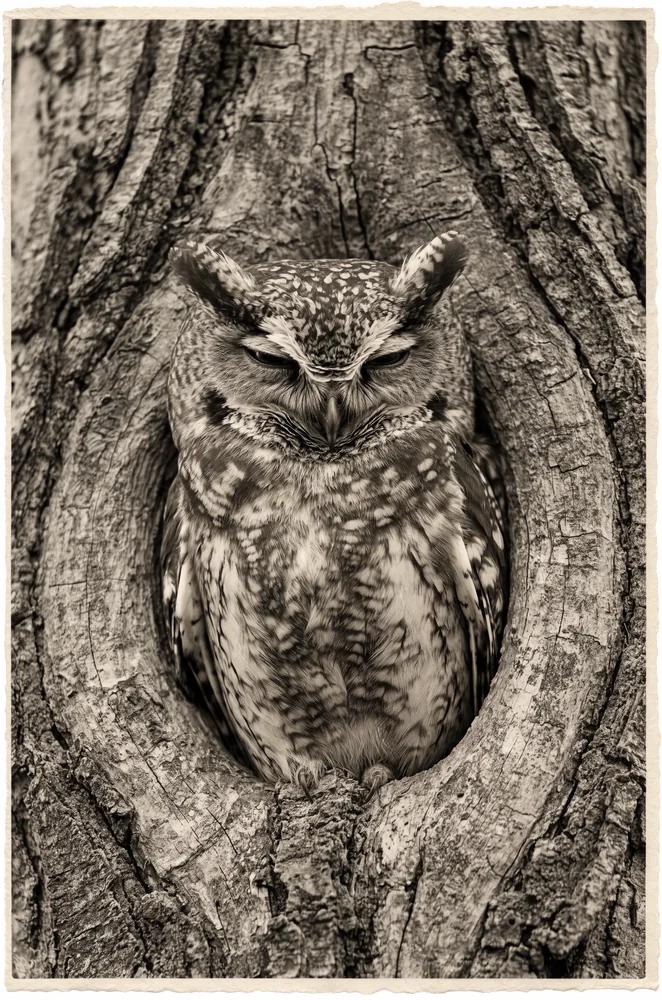
Scrivi una scena con una sola azione chiara
Descrivi il soggetto, l'ambientazione, la dimensione dell'inquadratura, il movimento della camera e l'illuminazione. Usa l'assistente ai prompt quando vuoi aiuto per sviluppare un'idea approssimativa, poi modifica la direzione che preferisci.
Esplora idee video e guide creative
Usa la Vetrina dei prompt per studiare i risultati pubblicati e il loro modello effettivo. Leggi il blog per modi pratici di plasmare un brief video ed esaminare il tuo output.
Uno spazio di lavoro per brevi storie visive
Parti da testo o da un'immagine, dai alla tua scena una direzione sonora dove supportato, e scegli le impostazioni di output mostrate per il modello selezionato.
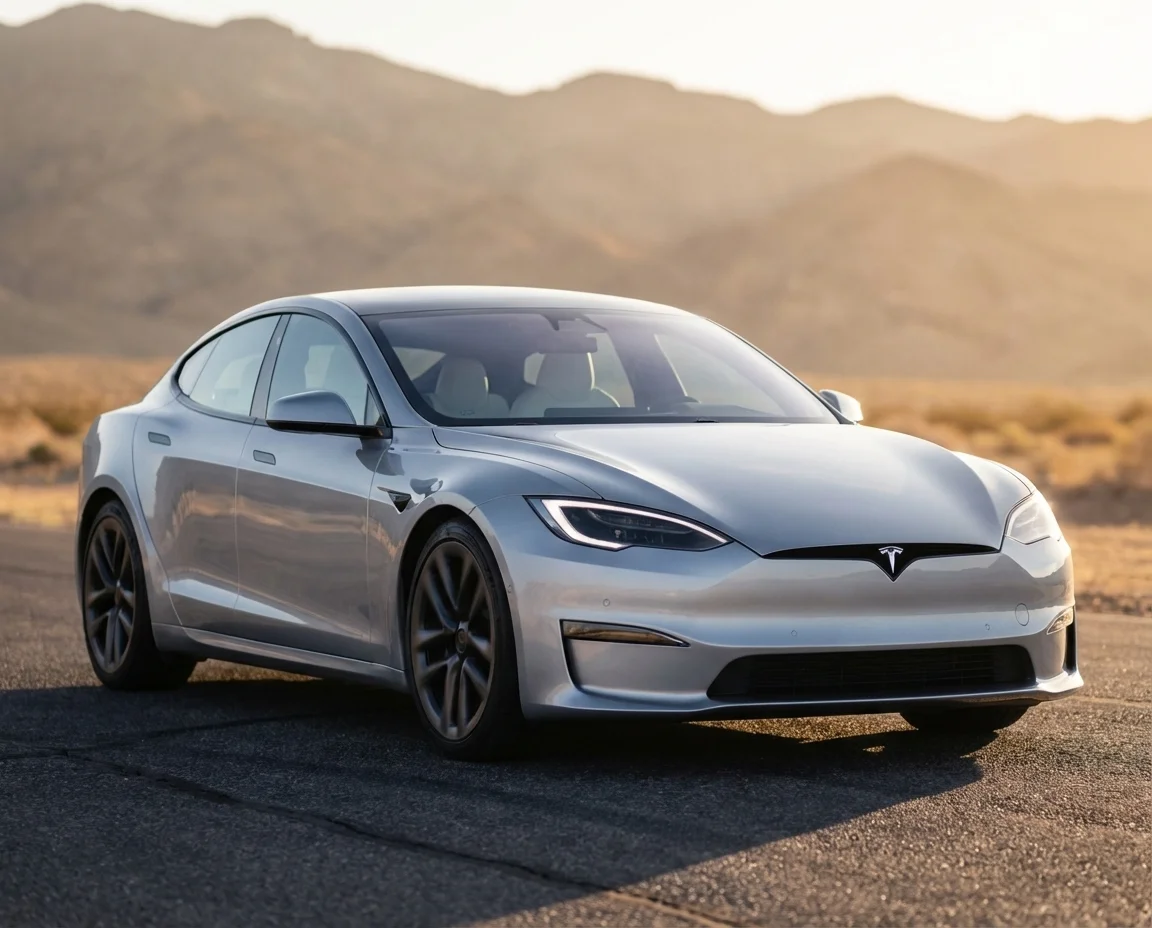
Modelli video FLUX in un unico spazio di lavoro
Il menu dei modelli mostra i modelli video FLUX disponibili su flux3 video. Ogni modello ha i propri input, impostazioni e costi in crediti. Rivedi la selezione prima di generare.
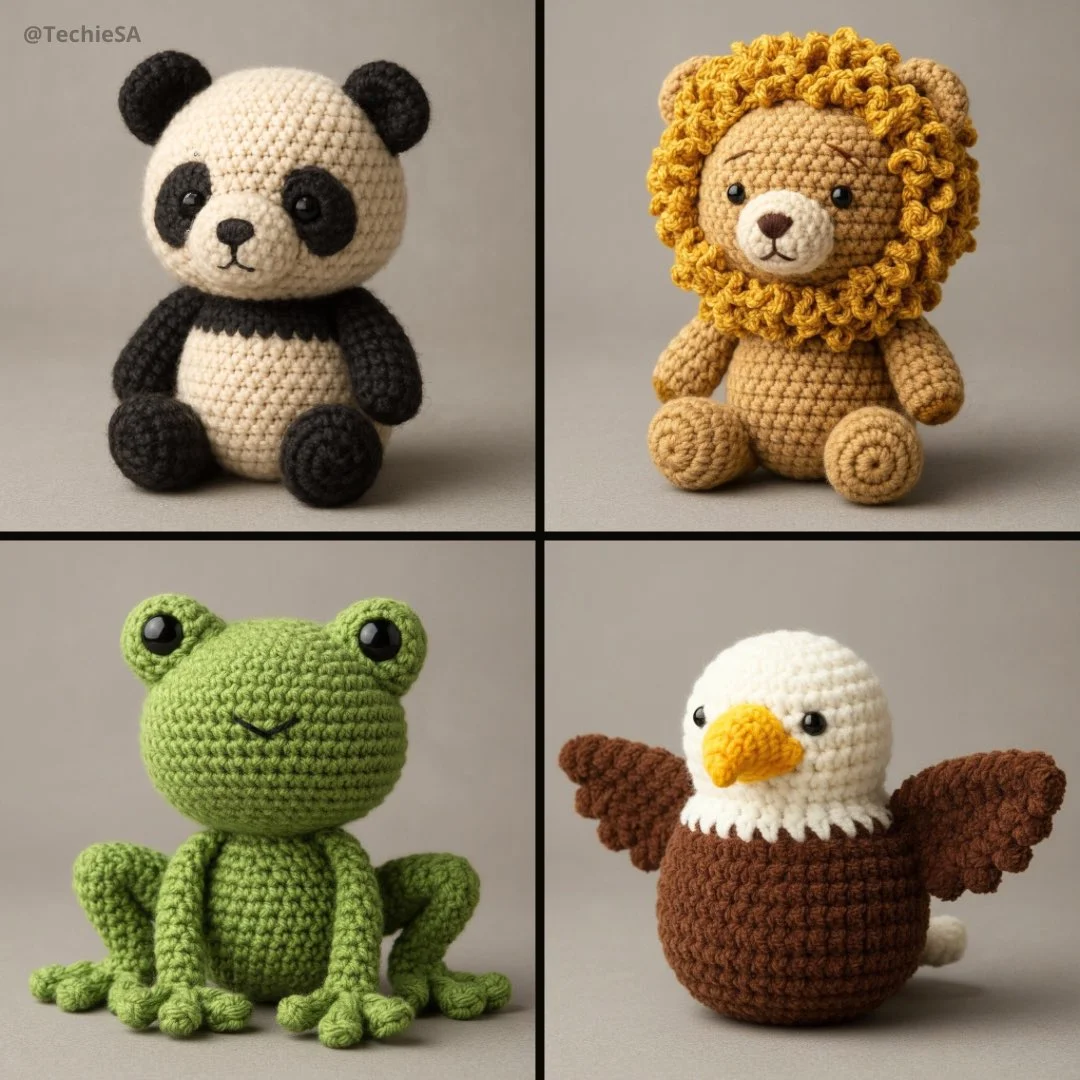
Direzioni sonore per la tua scena
Quando l'audio è supportato, descrivi dialoghi, suoni ambientali e musica separatamente dalle istruzioni visive. Riproduci la clip completata e controlla suono e tempistica prima di pubblicare.
Da testo a video e da immagine a video
Usa una scena scritta per il text-to-video o un'immagine di riferimento per l'image-to-video. Descrivi una sola azione e il movimento della camera. I controlli di riferimento aggiuntivi dipendono dal modello selezionato.
Crea un video FLUX in quattro passaggi
Scrivi la scena, scegli le impostazioni supportate, rivedi il costo in crediti e genera. Esamina la clip completata in Cronologia prima di scaricarla o condividerla.
1. Scrivi un prompt o carica un'immagine
Inizia con un'azione, come un prodotto che ruota in una luce soffusa o un personaggio che attraversa una strada. Aggiungi inquadratura, illuminazione e movimento della camera. Per l'immagine a video, usa un riferimento che hai il permesso di caricare.
2. Scegli le impostazioni e genera
Seleziona un modello video FLUX e usa i controlli offerti per quel modello. Controlla durata, risoluzione, opzioni audio e i crediti richiesti prima di inviare la tua richiesta.
3. Rivedi e scarica
Apri il risultato completato nella Cronologia, riproduci la clip e controlla movimento, dettagli e suono. Scarica la versione che vuoi conservare per il tuo flusso di montaggio o pubblicazione.
4. Perfeziona la tua prossima versione
Modifica una parte del prompt o un'impostazione supportata, poi confronta il risultato. Mantieni le modifiche che riesci a vedere e assembla le singole clip nel tuo editor video preferito.
Idee video per il tuo prossimo progetto
Trasforma un brief creativo mirato in materiale visivo breve per contenuti social, storie di prodotto e storyboard. Scegli il formato offerto dal tuo modello ed esamina ogni risultato per l'uso previsto.
Storie di prodotto e pubblicità
Mostra un prodotto in un contesto specifico con un'azione visibile. Usa immagini di riferimento dove supportato, lascia spazio per la tipografia finale e controlla i dettagli del prodotto prima di pubblicare una pubblicità.
Clip social e reel
Costruisci una clip breve attorno a un singolo messaggio per Shorts, Reels o TikTok. Scegli un formato verticale o widescreen supportato e mantieni il soggetto leggibile su uno schermo piccolo.
Spiegazioni e lezioni visive
Illustra un'idea alla volta con una scena breve. Verifica fatti e dettagli visivi e aggiungi didascalie o diagrammi finali nel tuo flusso di montaggio quando l'accuratezza è importante.
Presentazioni creative
Usa un breve concetto visivo per comunicare un'idea in un pitch o in una presentazione. Descrivi cosa dovrebbe accadere sullo schermo, poi confronta le versioni con il tuo team.
Concetti cinematografici e storyboard
Testa una direzione di scena prima di pianificare una produzione più ampia. Assegna a ogni inquadratura un soggetto, un'azione e una direzione della camera, poi verifica la continuità quando assembli una sequenza.
Anime e storie personali
Esplora un personaggio, un'atmosfera o un ricordo come una breve scena animata. Usa indicazioni precise su illuminazione e stile, poi rivedi il personaggio e i dettagli in ogni risultato.
Note creative per il tuo prossimo video
Assegna alla scena una sola azione principale. Un soggetto specifico e un movimento visibile rendono un brief video più facile da valutare.

Creazione video FLUX: domande e risposte
Crea brevi clip per contenuti social, storie di prodotto e storyboard creativi da un prompt testuale o da un'immagine. Rivedi gli input e le impostazioni supportati nel generatore prima di inviare una richiesta.
La generazione usa crediti. Controlla il tuo saldo, scegli un modello e le sue impostazioni, ed esamina i crediti richiesti prima di inviare. Visita Prezzi per le opzioni disponibili mensili, annuali e pacchetti di crediti.
Il menu dei modelli mostra i modelli video FLUX disponibili per la generazione su questo sito. Ogni modello ha i propri input, impostazioni e costi in crediti; usa quel menu per rivedere le opzioni attuali.
Usa flux3 video in un browser desktop o mobile. Puoi scrivere prompt, caricare immagini supportate, controllare la Cronologia e scaricare le clip completate senza installare un'app.
Riproduci il video e controlla movimento, volti, dettagli del prodotto, testo e audio. Rivedi i termini applicabili e gli eventuali elementi indesiderati prima di usare il risultato in un progetto.
Il tempo di elaborazione dipende dal modello selezionato, dalle impostazioni, dalla richiesta e dal carico del servizio. Segui lo stato della richiesta nella Cronologia e torna al risultato quando viene completata.
Sì. Seleziona image-to-video e carica un'immagine di riferimento supportata che hai il permesso di usare. Il generatore mostra gli input accettati e gli eventuali limiti di caricamento. Descrivi il movimento che desideri dal fotogramma iniziale.
Rivedi i termini applicabili della piattaforma e del modello prima dell'uso commerciale. Sei responsabile dei diritti sulle immagini di riferimento, sulle persone identificabili, sui loghi e su altro materiale di origine, e della verifica del risultato finale prima della pubblicazione.
Il modello selezionato determina durata, risoluzione, proporzioni e controlli audio mostrati nel generatore. Scegli tra quei controlli ed esamina il video completato invece di presumere che ogni modello FLUX supporti le stesse opzioni.
I prompt, i riferimenti caricati e i risultati generati possono essere conservati per elaborare le richieste e fornire la tua Cronologia. I casi pubblicati e i link ai media pubblici possono essere visualizzati e condivisi da altre persone. Leggi l'Informativa sulla privacy prima di caricare materiale sensibile.
Puoi richiedere un rimborso entro 10 giorni dall'acquisto se hai crediti non utilizzati da quell'acquisto e fornisci un motivo chiaro, in base alla nostra Politica di rimborso. Se idoneo, un acquisto non utilizzato può essere rimborsato integralmente; un acquisto parzialmente utilizzato viene rimborsato in proporzione ai crediti non utilizzati rimanenti. Gli acquisti completamente utilizzati e i crediti gratuiti o promozionali non sono rimborsabili.
La validità dei crediti dipende dal pacchetto, dall'abbonamento o dalla promozione che li ha emessi. Consulta i termini di acquisto e le date di scadenza in Impostazioni > Crediti. Un rinnovo o un nuovo acquisto non prolunga i crediti più vecchi. Usa i crediti prima della scadenza indicata; non dare per scontato che i crediti dell'abbonamento non utilizzati si riportino indefinitamente.
I crediti addebitati per un'attività confermata come non riuscita a causa di un errore di sistema vengono restituiti automaticamente. Un'attività ancora in elaborazione non è stata ancora confermata come non riuscita. Controlla il suo stato e la cronologia dei crediti prima di inviare di nuovo. Se un'attività confermata come non riuscita mostra ancora un addebito irrisolto, scrivi a support@flux3video.dev indicando l'ID dell'attività.
I risultati dell'IA possono variare, quindi un risultato completato che differisce dalle tue aspettative non viene automaticamente trattato come un errore tecnico. Le attività di immagini completate idonee possono essere inviate per la revisione del rimborso in crediti utilizzando l'opzione di rimborso, ove disponibile; è richiesta l'approvazione. Per un video o un altro problema, contatta support@flux3video.dev indicando l'ID dell'attività e i dettagli. Un rimborso in crediti restituisce crediti, non denaro sul tuo metodo di pagamento.
Scrivi a support@flux3video.dev. Per la fatturazione, includi l'email del tuo account e l'ID dell'ordine; per la generazione, includi l'ID dell'attività, la descrizione del problema e le schermate pertinenti. Se hai acquistato come ospite, conserva i dati del browser originale e la ricevuta di pagamento, così possiamo aiutarti a individuare l'acquisto.
Crea il tuo prossimo video con flux3 video
Parti da testo o da un'immagine, scegli un modello video FLUX e le impostazioni supportate, e rivedi il costo in crediti. Esamina e scarica i risultati completati dalla Cronologia.
flux3video.dev · Aggiornato
Consulta la cronologia degli aggiornamenti
- — Aggiunti prompt di esempio modificabili, bozze separate per le modalità testo e riferimento e un comando per ripristinare l’esempio.
- — Testi e contenuto della pagina aggiornati.
- — Contenuto della pagina pubblicato.