
Verified prompt
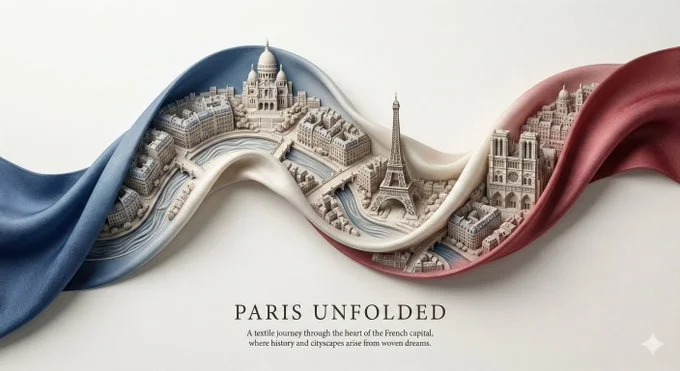
A silk ribbon unfurls diagonally across the canvas, twisting gently in mid-air. Within the folds of the ribbon exists a miniature sculpted city of [CITY], carved as a 3D bas-relief emerging from woven fabric textures. Inside the ribbon: Landmarks, streets, and skyline rhythms of [CITY], flowing naturally with the ribbon's curvature, layered in subtle depth. Style: Fabric realism fused with sculptural relief. Soft highlights, tactile folds, elegant poster design. Color palette: Derived from the national flag of [COUNTRY], woven seamlessly into the fabric tones. View & background: Top-down minimalist layout, off-white museum paper texture, strong negative space. Typography: Title: "[CITY] UNFOLDED" Refined serif subtitle with poetic geographic language. Composition rules: All architectural detail remains strictly inside the ribbon shape. Ultra-detailed, HDR, gallery-grade, 8K poster aesthetic.
A silk ribbon unfurls diagonally across the canvas, twisting gently in mid-air. Within the folds of the ribbon exists a miniature sculpted city of [CITY], carved as a 3D bas-relief emerging from woven fabric textures. Inside the ribbon: Landmarks, streets, and skyline rhythms of [CITY], flowing naturally with the ribbon's curvature, layered in subtle depth. Style: Fabric realism fused with sculptural relief. Soft highlights, tactile folds, elegant poster design. Color palette: Derived from the national flag of [COUNTRY], woven seamlessly into the fabric tones. View & background: Top-down minimalist layout, off-white museum paper texture, strong negative space. Typography: Title: "[CITY] UNFOLDED" Refined serif subtitle with poetic geographic language. Composition rules: All architectural detail remains strictly inside the ribbon shape. Ultra-detailed, HDR, gallery-grade, 8K poster aesthetic.
Verified prompt
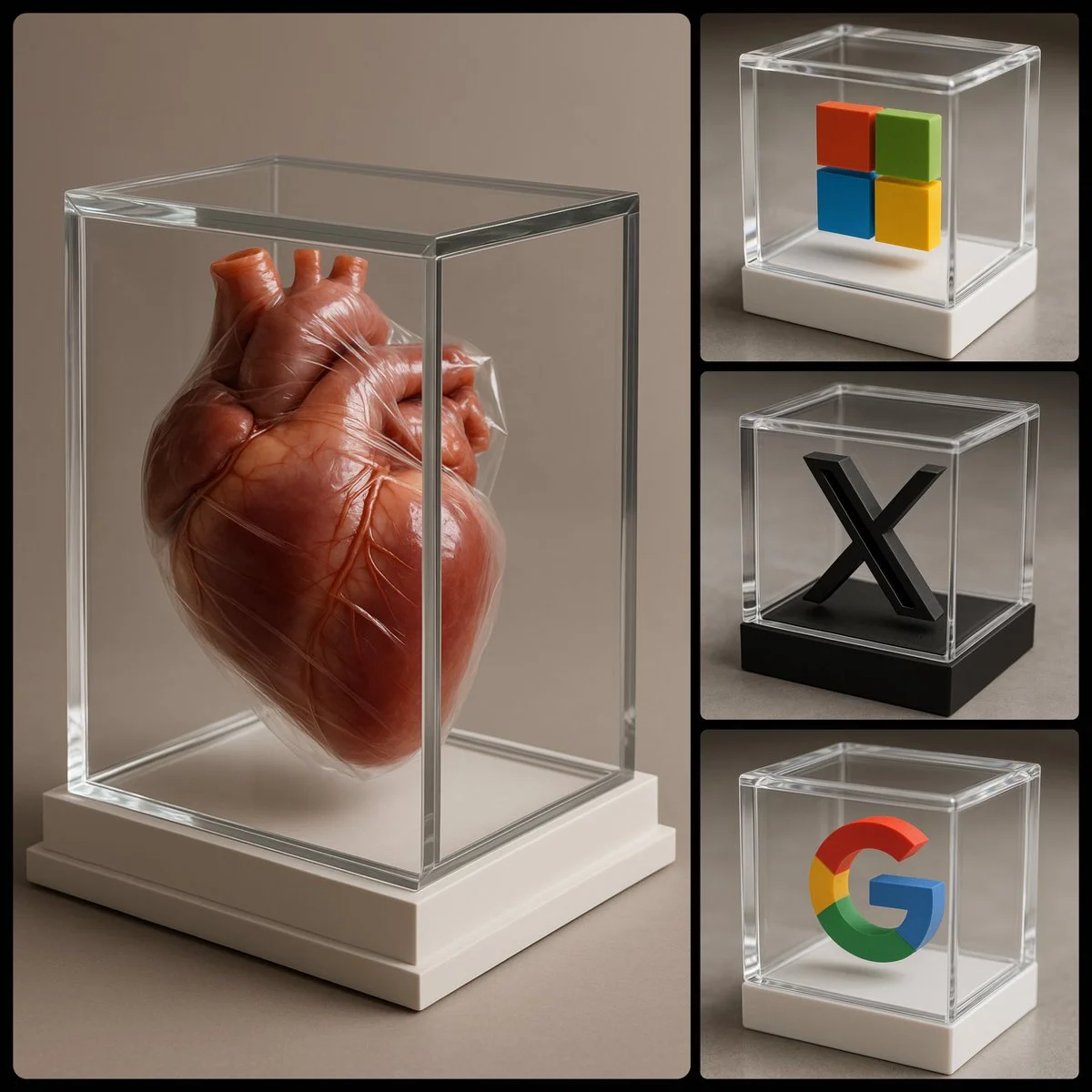
photorealistic image of a [COLOR] 3D [SUBJECT] encased in a luxurious transparent box, viewed from an enhanced side angle to better reveal the 3D shape of the [SUBJECT]. The box should be white, exquisitely designed, featuring crystal-clear glass with refined, sharp edges
photorealistic image of a [COLOR] 3D [SUBJECT] encased in a luxurious transparent box, viewed from an enhanced side angle to better reveal the 3D shape of the [SUBJECT]. The box should be white, exquisitely designed, featuring crystal-clear glass with refined, sharp edges
Verified prompt
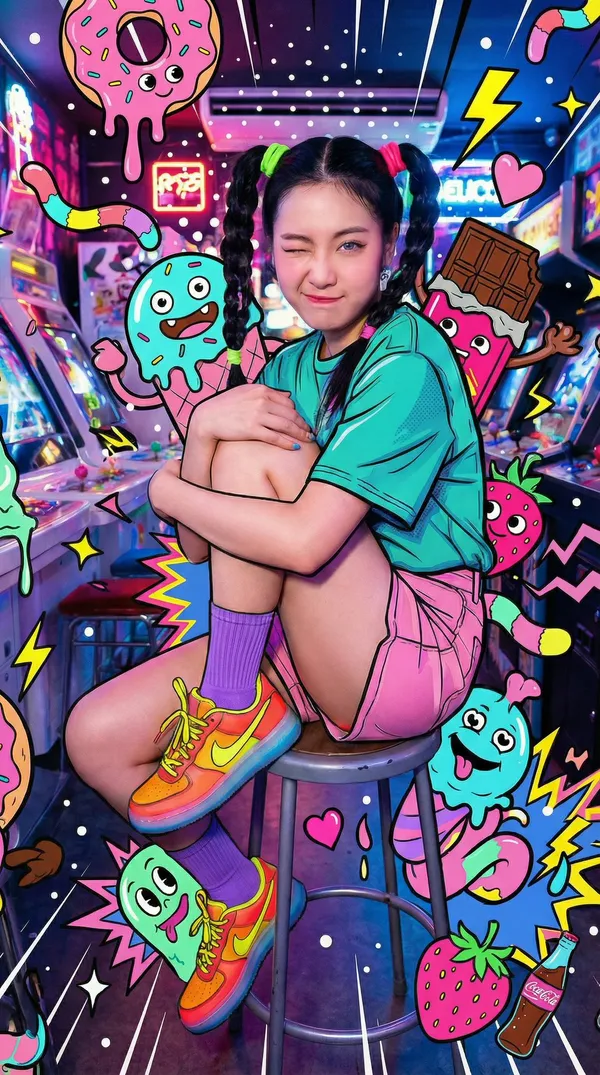
ing sideways on an arcade stool, one knee up, hugging legs loosely, winking with exaggerated cuteness. playful and lively. teal t-shirt with comic-outline shading. pink shorts. purple crew socks. bright neon sneakers with translucent soles. black. braided pigtails with neon hair ties. retro arcade interior. glowing cabinets, colorful reflections, cluttered neon lights. electric, colorful, kinetic. low-medium angle. wide lens, subtle distortion for dynamic feel. tight arcade framing. overloaded sweets-monster pop-art. a hyper-busy explosion of candy-inspired monsters and neon shapes surrounding the subject while keeping skin photorealistic. goofy cute-ugly creatures made of donuts, chocolate chunks, banana ghosts, candy worms, gummy bears, soda bottles, strawberries, melting ice cream blobs. drips, splashes, stars, hearts, zigzags, spirals, speed lines, sparkles, comic bursts without text. flat graphic shapes with thick black outlines and bright neon hues. extreme density filling almost all negative space. background jam-packed with overlapping layers of monsters. creatures peeking behind shoulders, popping near head, sitting near feet. monsters overlapping shirt and shorts with subtle shading interaction. front and back illustration layers creating chaotic dimensionality. white spark dots, glowing rims, dynamic speed lines around the figure. arcade portrait consumed by maximalist sweets-monster chaos. energetic, loud, neon-pop, surreal
ing sideways on an arcade stool, one knee up, hugging legs loosely, winking with exaggerated cuteness. playful and lively. teal t-shirt with comic-outline shading. pink shorts. purple crew socks. bright neon sneakers with translucent soles. black. braided pigtails with neon hair ties. retro arcade interior. glowing cabinets, colorful reflections, cluttered neon lights. electric, colorful, kinetic. low-medium angle. wide lens, subtle distortion for dynamic feel. tight arcade framing. overloaded sweets-monster pop-art. a hyper-busy explosion of candy-inspired monsters and neon shapes surrounding the subject while keeping skin photorealistic. goofy cute-ugly creatures made of donuts, chocolate chunks, banana ghosts, candy worms, gummy bears, soda bottles, strawberries, melting ice cream blobs. drips, splashes, stars, hearts, zigzags, spirals, speed lines, sparkles, comic bursts without text. flat graphic shapes with thick black outlines and bright neon hues. extreme density filling almost all negative space. background jam-packed with overlapping layers of monsters. creatures peeking behind shoulders, popping near head, sitting near feet. monsters overlapping shirt and shorts with subtle shading interaction. front and back illustration layers creating chaotic dimensionality. white spark dots, glowing rims, dynamic speed lines around the figure. arcade portrait consumed by maximalist sweets-monster chaos. energetic, loud, neon-pop, surreal
Verified prompt
Verified prompt
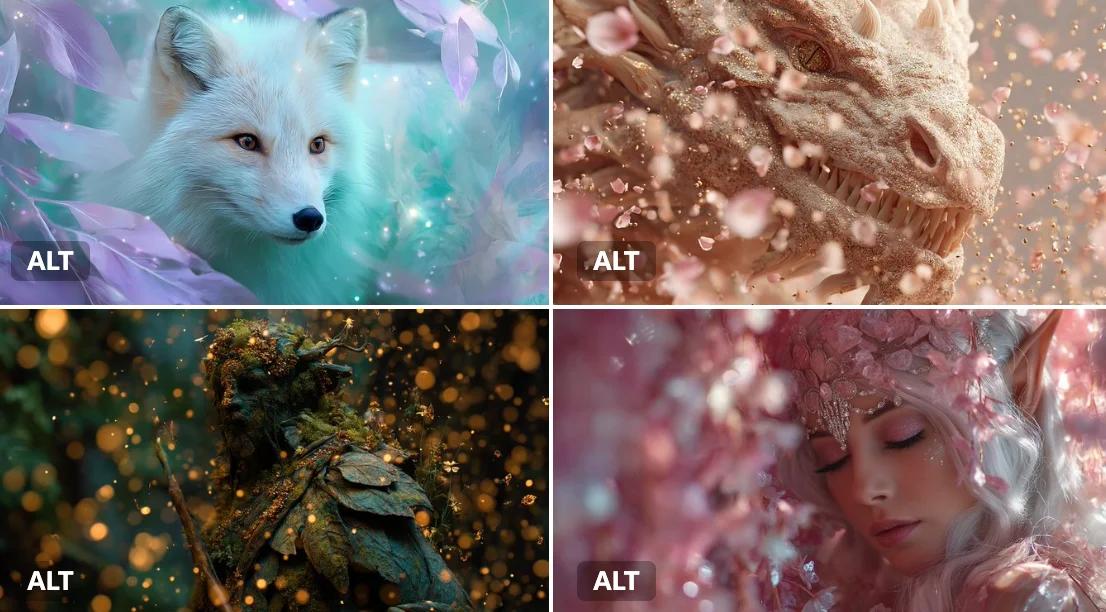
[SUBJECT] surrounded by an Enchanted Particle Bloom, with particles resembling magical flower petals or leaves. Employ soft, enchanting hues of [COLOR1] and [COLOR2] to create a sense of natural magic.
[SUBJECT] surrounded by an Enchanted Particle Bloom, with particles resembling magical flower petals or leaves. Employ soft, enchanting hues of [COLOR1] and [COLOR2] to create a sense of natural magic.
Verified prompt
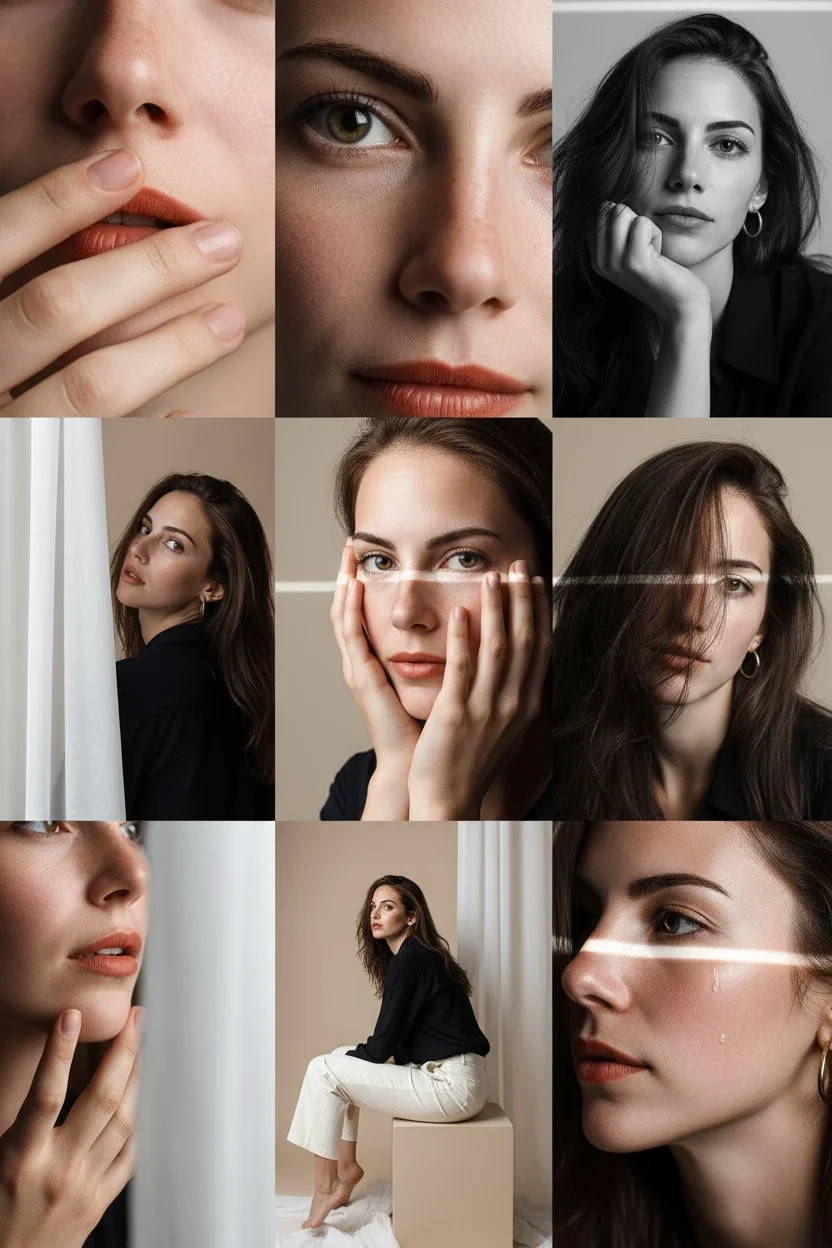
Editorial 3x3 photo grid in a clean soft beige studio. Character (matches reference 100%) wearing lightweight dark navy shirt, ivory trousers, barefoot for raw simplicity. Lighting: large diffused key light directly front-right, silver reflector left, subtle rim from top. Shots to include: 1. extreme close-up of lips + cheekbone with blurred hand partially covering (85mm, f/1.8, razor-thin DOF); 2. tight crop on eyes looking into lens with reflection of light strip visible (85mm, f/2.0); 3. black & white close portrait resting chin on fist, face filling frame (50mm, f/2.2); 4. over-shoulder shot, blurred foreground fabric curtain framing half face (85mm, f/2.0); 5. very close frontal with hands overlapping face, light streak across eyes (50mm, f/2.5); 6. tight angled portrait showing hair falling into eyes, soft-focus background (85mm, f/2.2); 7. crop of hands touching jawline, eyes cropped out (50mm, f/3.2, detail-focused); 8. half-body seated sideways on low cube, head turned sharply away, blurred foreground (35mm, f/ 4.5); 9. intense close-up of profile with single tear-like water droplet, cinematic light slice across (85mm, f/ 1.9). Angles: mostly tight headshots with slight high/low tilts, maintaining variation. Capture RAW, professional muted grade, smooth tonal contrast, subtle cinematic grain. Mood: intimate, introspective, character-led editorial minimalism with delicate use of fabric as prop.
Editorial 3x3 photo grid in a clean soft beige studio. Character (matches reference 100%) wearing lightweight dark navy shirt, ivory trousers, barefoot for raw simplicity. Lighting: large diffused key light directly front-right, silver reflector left, subtle rim from top. Shots to include: 1. extreme close-up of lips + cheekbone with blurred hand partially covering (85mm, f/1.8, razor-thin DOF); 2. tight crop on eyes looking into lens with reflection of light strip visible (85mm, f/2.0); 3. black & white close portrait resting chin on fist, face filling frame (50mm, f/2.2); 4. over-shoulder shot, blurred foreground fabric curtain framing half face (85mm, f/2.0); 5. very close frontal with hands overlapping face, light streak across eyes (50mm, f/2.5); 6. tight angled portrait showing hair falling into eyes, soft-focus background (85mm, f/2.2); 7. crop of hands touching jawline, eyes cropped out (50mm, f/3.2, detail-focused); 8. half-body seated sideways on low cube, head turned sharply away, blurred foreground (35mm, f/ 4.5); 9. intense close-up of profile with single tear-like water droplet, cinematic light slice across (85mm, f/ 1.9). Angles: mostly tight headshots with slight high/low tilts, maintaining variation. Capture RAW, professional muted grade, smooth tonal contrast, subtle cinematic grain. Mood: intimate, introspective, character-led editorial minimalism with delicate use of fabric as prop.
Verified prompt
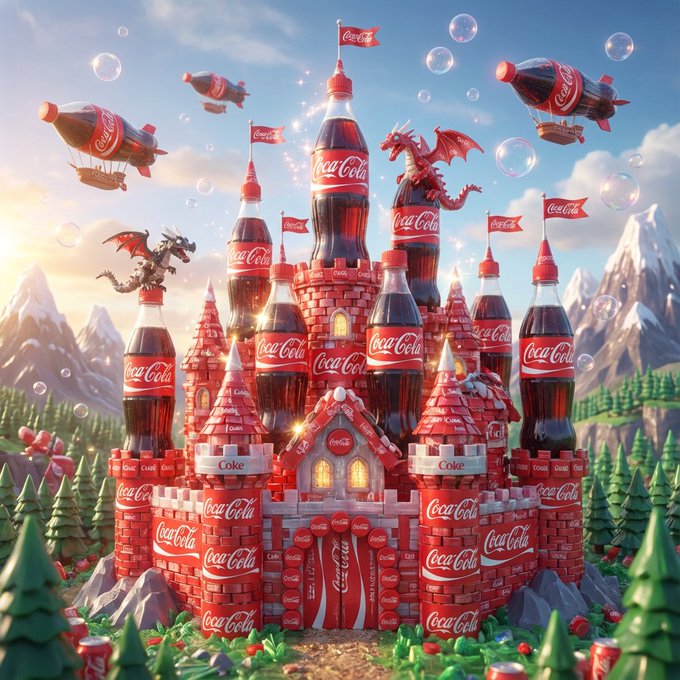
is a whimsical【 orange-and-green】 fantasy castle crafted from 【Fanta 】bottle labels. The scene includes playful dragons and soda-themed airships — humorous yet surprisingly detailed, radiating an unexpected sense of magic.1080×1080
is a whimsical【 orange-and-green】 fantasy castle crafted from 【Fanta 】bottle labels. The scene includes playful dragons and soda-themed airships — humorous yet surprisingly detailed, radiating an unexpected sense of magic.1080×1080

Verified prompt
te a minimalist image of a [SUBJECT] using three geometric shapes, using a different color in each shape
te a minimalist image of a [SUBJECT] using three geometric shapes, using a different color in each shape
Verified prompt
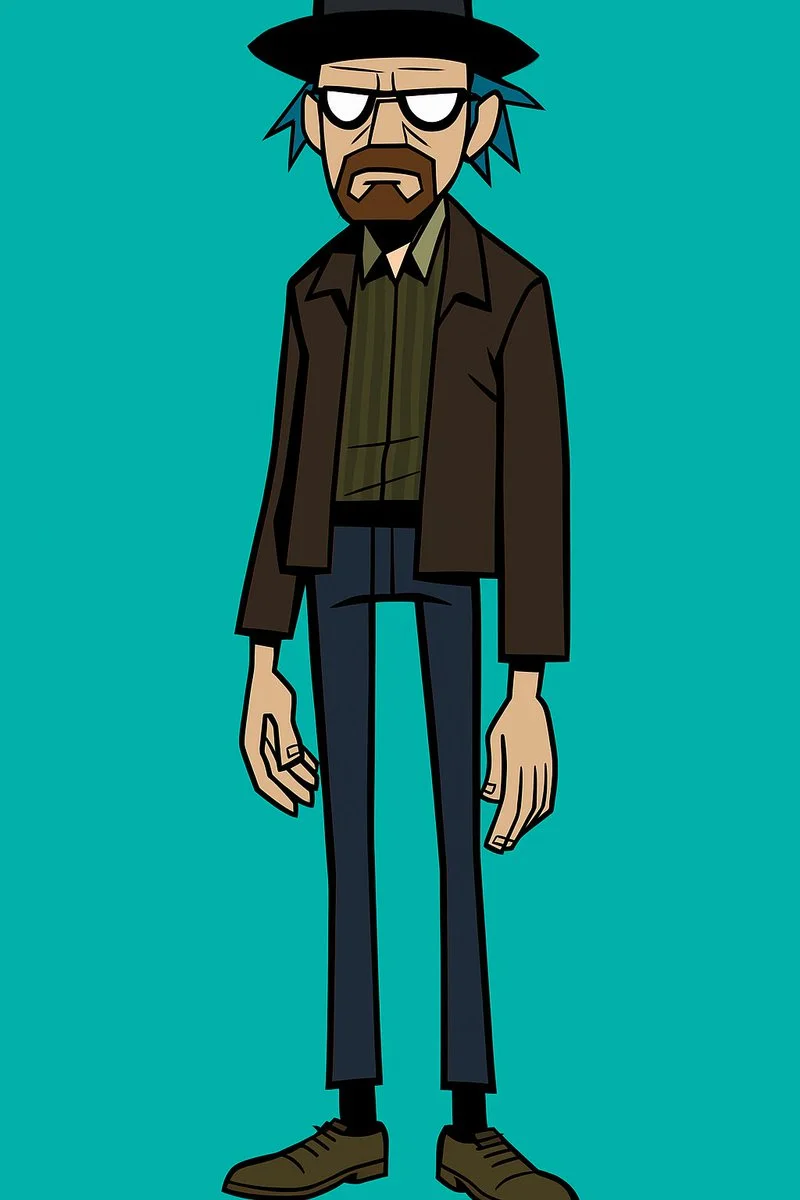
Create a stylized full-body portrait of [your subject] in the Gorillaz character aesthetic. Give the character an exaggeratedly lanky build with long, skinny legs and narrow arms. Use simplified, angular features and thick, bold outlines. Style the hair to be spiky, tousled, or exaggerated, in a non-natural color like [blue or green]. The eyes must be blank white with no pupils. Use flat, solid colors only. No gradients, shadows, or textures. Background should be a single flat color. Design must be vector friendly and print ready.
Create a stylized full-body portrait of [your subject] in the Gorillaz character aesthetic. Give the character an exaggeratedly lanky build with long, skinny legs and narrow arms. Use simplified, angular features and thick, bold outlines. Style the hair to be spiky, tousled, or exaggerated, in a non-natural color like [blue or green]. The eyes must be blank white with no pupils. Use flat, solid colors only. No gradients, shadows, or textures. Background should be a single flat color. Design must be vector friendly and print ready.
Verified prompt
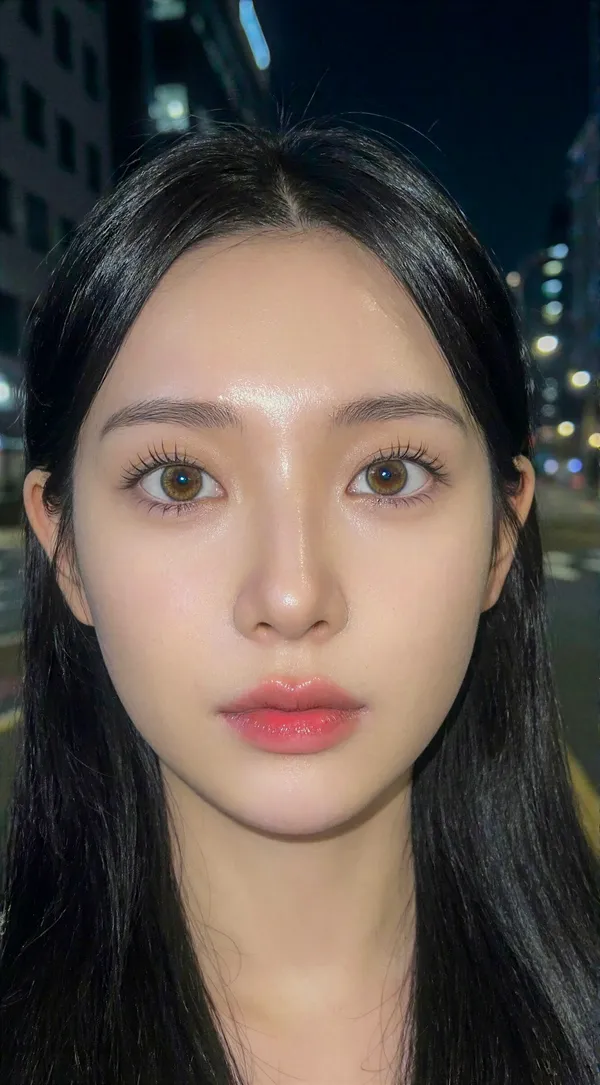
ent] Generate a hyper-idealized, 'Douyin-aesthetic' portrait of a young woman at night, utilizing direct flash photography to create a high-contrast, ethereal look with clear weather conditions.. [Frame] Aspect Ratio: 9:16. Composition: Extreme close-up selfie framing (tighter than standard portrait), cutting off the top of the forehead to focus intensely on the eyes and lips. The subject is centered with a direct, confronting gaze.. Style Mode: Flash photography, digital influencer aesthetic, soft-focus realism.. [Subject] Identity: A young Asian woman, approximately 20 years old, with hyper-symmetrical, doll-like features characterized by the 'bunny tongue' and 'puppy eye' aesthetic.. Skin: Pale, cool-toned porcelain complexion with zero texture. The skin reflects the flash, creating a 'mochi' or 'glass skin' effect that appears soft and translucent. High-key brightness on the T-zone.. Eyes: Large, round eyes with a slight downward tint at the outer corners (puppy dog eyes). Prominent 'aegyosal' (under-eye fat bands) are highlighted to enhance youthfulness. The irises are soft brown with a large diameter. Eyelashes are styled in the 'manhwa' or 'idol' style: distinct, vertical clumps of mascara-coated lashes separated by space, rather than a dense fan.. Nose: Petite, low-bridge nose with a small, rounded tip. The lighting minimizes the nostril definition, making the nose appear delicate and unobtrusive.. Mouth: Heart-shaped lips featuring a 'gradient lip' technique. The center of the lips is a saturated, glossy strawberry pink, fading outward to a blurred, pale nude at the vermilion border. The texture is soft and hydrated.. Hair: Long, silky jet-black hair with a straight texture. Without the snow, the hair is dry, sleek, and tucked slightly behind the ears or framing the face smoothly, catching the flash with a white sheen.. Wardrobe: Minimal visibility, suggesting a stylish but casual top appropriate for a pleasant evening.. [Environment] Location: Urban night setting.. Weather: Clear, calm, and beautiful night weather. The atmosphere is clean and free of precipitation or fog.. Background: A backdrop of deep black shadows punctuated by creamy, circular bokeh from distant city lights (streetlamps, neon signs). The background is significantly darker than the subject, ensuring the face is the sole focus.. [Lighting] Type: Direct, frontal camera flash or high-intensity screen light.. Quality: Hard but flattering light that flattens facial topography, eliminating shadows under the eyes and nose. This creates a 2D, illustrative quality common in high-end social media selfies.. Contrast: High contrast between the brightly illuminated face and the pitch-black environment.. Catchlight: Sharp, tiny pinpoint reflection in the center of the pupils from the flash.. [Camera] Sensor Format: Smartphone main sensor simulation.. Lens: 24mm wide-angle lens. This focal length slightly exaggerates the size of the eyes and diminishes the size of the nose and face width, contributing to the 'baby face' proportion.. Aperture Depth Of Field: f/1.8 to f/2.2, keeping the eyes and lips razor sharp while instantly blurring the ears and background.. Focus: Critical focus on the eyelashes and iris texture.. [Negative] Content: No snow, no rain, no wet hair, no masculine jawline, no skin texture, no pores, no heavy contouring, no western makeup style, no sunglasses, no hand near face.. Style: No cinematic dramatic shadows (must be flat lit), no warm vintage tones, no painting, no illustration..
ent] Generate a hyper-idealized, 'Douyin-aesthetic' portrait of a young woman at night, utilizing direct flash photography to create a high-contrast, ethereal look with clear weather conditions.. [Frame] Aspect Ratio: 9:16. Composition: Extreme close-up selfie framing (tighter than standard portrait), cutting off the top of the forehead to focus intensely on the eyes and lips. The subject is centered with a direct, confronting gaze.. Style Mode: Flash photography, digital influencer aesthetic, soft-focus realism.. [Subject] Identity: A young Asian woman, approximately 20 years old, with hyper-symmetrical, doll-like features characterized by the 'bunny tongue' and 'puppy eye' aesthetic.. Skin: Pale, cool-toned porcelain complexion with zero texture. The skin reflects the flash, creating a 'mochi' or 'glass skin' effect that appears soft and translucent. High-key brightness on the T-zone.. Eyes: Large, round eyes with a slight downward tint at the outer corners (puppy dog eyes). Prominent 'aegyosal' (under-eye fat bands) are highlighted to enhance youthfulness. The irises are soft brown with a large diameter. Eyelashes are styled in the 'manhwa' or 'idol' style: distinct, vertical clumps of mascara-coated lashes separated by space, rather than a dense fan.. Nose: Petite, low-bridge nose with a small, rounded tip. The lighting minimizes the nostril definition, making the nose appear delicate and unobtrusive.. Mouth: Heart-shaped lips featuring a 'gradient lip' technique. The center of the lips is a saturated, glossy strawberry pink, fading outward to a blurred, pale nude at the vermilion border. The texture is soft and hydrated.. Hair: Long, silky jet-black hair with a straight texture. Without the snow, the hair is dry, sleek, and tucked slightly behind the ears or framing the face smoothly, catching the flash with a white sheen.. Wardrobe: Minimal visibility, suggesting a stylish but casual top appropriate for a pleasant evening.. [Environment] Location: Urban night setting.. Weather: Clear, calm, and beautiful night weather. The atmosphere is clean and free of precipitation or fog.. Background: A backdrop of deep black shadows punctuated by creamy, circular bokeh from distant city lights (streetlamps, neon signs). The background is significantly darker than the subject, ensuring the face is the sole focus.. [Lighting] Type: Direct, frontal camera flash or high-intensity screen light.. Quality: Hard but flattering light that flattens facial topography, eliminating shadows under the eyes and nose. This creates a 2D, illustrative quality common in high-end social media selfies.. Contrast: High contrast between the brightly illuminated face and the pitch-black environment.. Catchlight: Sharp, tiny pinpoint reflection in the center of the pupils from the flash.. [Camera] Sensor Format: Smartphone main sensor simulation.. Lens: 24mm wide-angle lens. This focal length slightly exaggerates the size of the eyes and diminishes the size of the nose and face width, contributing to the 'baby face' proportion.. Aperture Depth Of Field: f/1.8 to f/2.2, keeping the eyes and lips razor sharp while instantly blurring the ears and background.. Focus: Critical focus on the eyelashes and iris texture.. [Negative] Content: No snow, no rain, no wet hair, no masculine jawline, no skin texture, no pores, no heavy contouring, no western makeup style, no sunglasses, no hand near face.. Style: No cinematic dramatic shadows (must be flat lit), no warm vintage tones, no painting, no illustration..
Verified prompt
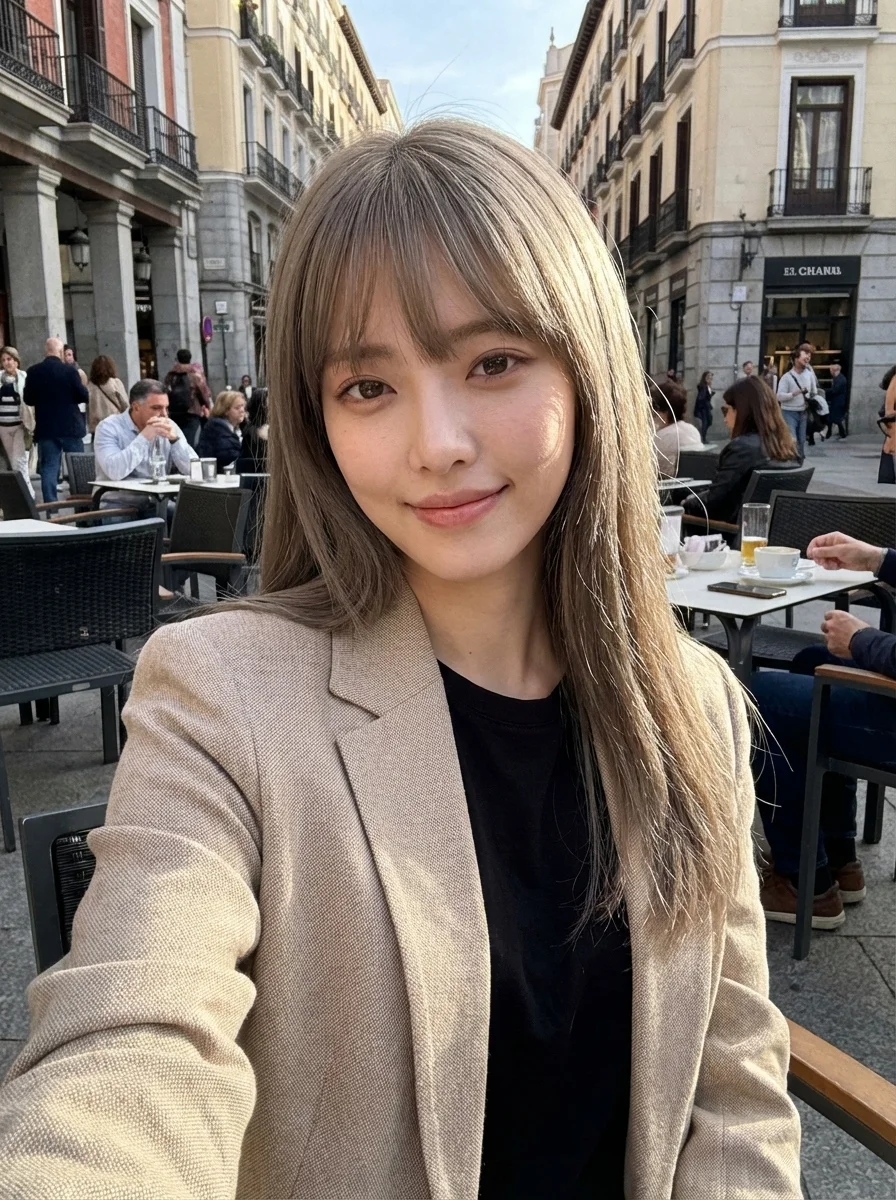
ndid, raw smartphone selfie photo. The subject is the uploaded woman, sitting at an outdoor cafe in the center of Madrid, captured using a front-facing smartphone camera. Sunlight hits her face from the side, creating natural highlights and soft shadows, authentic daytime lighting with no artificial setup. She has sun-kissed hair with a relaxed, natural texture. She wears a textured beige Zara-style blazer over a black top, effortless, everyday outfit styling. Natural daytime makeup, visible skin texture, no beauty retouching. A genuine, slight smile while looking directly at the phone camera. The image has a subtle grainy texture, reflecting a real smartphone photo aesthetic, as if shot on an iPhone 17 Pro Max. Overall mood: casual, warm, authentic, unposed. Feels like a spontaneous travel moment, not styled, not editorial, not influencer-like.
ndid, raw smartphone selfie photo. The subject is the uploaded woman, sitting at an outdoor cafe in the center of Madrid, captured using a front-facing smartphone camera. Sunlight hits her face from the side, creating natural highlights and soft shadows, authentic daytime lighting with no artificial setup. She has sun-kissed hair with a relaxed, natural texture. She wears a textured beige Zara-style blazer over a black top, effortless, everyday outfit styling. Natural daytime makeup, visible skin texture, no beauty retouching. A genuine, slight smile while looking directly at the phone camera. The image has a subtle grainy texture, reflecting a real smartphone photo aesthetic, as if shot on an iPhone 17 Pro Max. Overall mood: casual, warm, authentic, unposed. Feels like a spontaneous travel moment, not styled, not editorial, not influencer-like.
Verified prompt
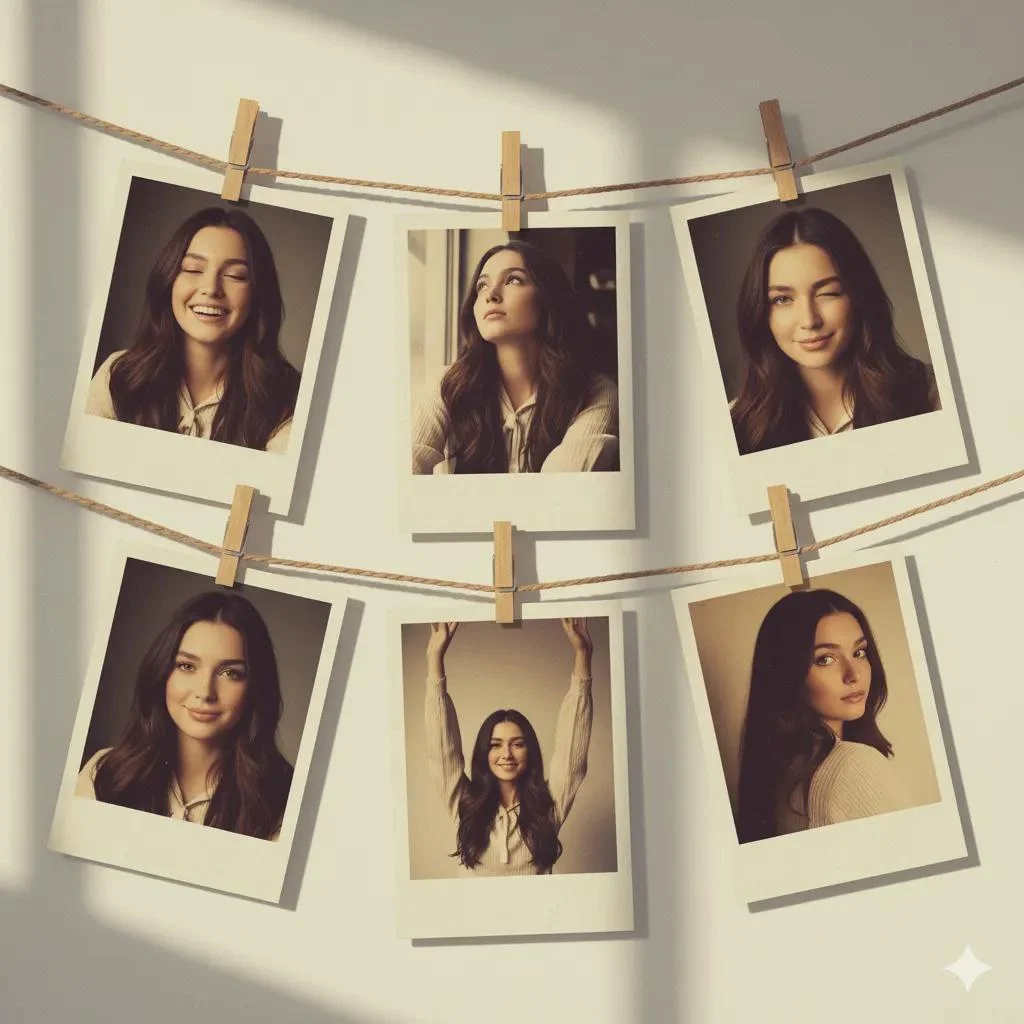
Create an artistic collage of 6 vintage Polaroid photos, attached with a decorative rope and mini clothespins, like a home photo gallery. Each Polaroid frame has a slight fading and an old paper effect. The background is a soft pastel wall with light shadows, creating a cozy and creatively chaotic atmosphere. Emotions and poses: * Light laughter — eyes closed, natural joy. * Dreamy gaze upwards, relaxed pose. * Playful wink. * Calm smile with a head tilted to the side.Dynamic gesture hands raised high, full of energy. * Romantic half-glance over the shoulder. The atmosphere is an art-retro style with elements of a '70s fashion magazine, soft diffused lighting, and muted warm and golden tones. Each photograph looks like a unique behind-the-scenes shot, with a touch of nostalgia and a sense of personal history.
Create an artistic collage of 6 vintage Polaroid photos, attached with a decorative rope and mini clothespins, like a home photo gallery. Each Polaroid frame has a slight fading and an old paper effect. The background is a soft pastel wall with light shadows, creating a cozy and creatively chaotic atmosphere. Emotions and poses: * Light laughter — eyes closed, natural joy. * Dreamy gaze upwards, relaxed pose. * Playful wink. * Calm smile with a head tilted to the side.Dynamic gesture hands raised high, full of energy. * Romantic half-glance over the shoulder. The atmosphere is an art-retro style with elements of a '70s fashion magazine, soft diffused lighting, and muted warm and golden tones. Each photograph looks like a unique behind-the-scenes shot, with a touch of nostalgia and a sense of personal history.
Explore FLUX Image Workflows
Create a visual from text, refine a supported image reference, or study published images in the Prompt Showcase.
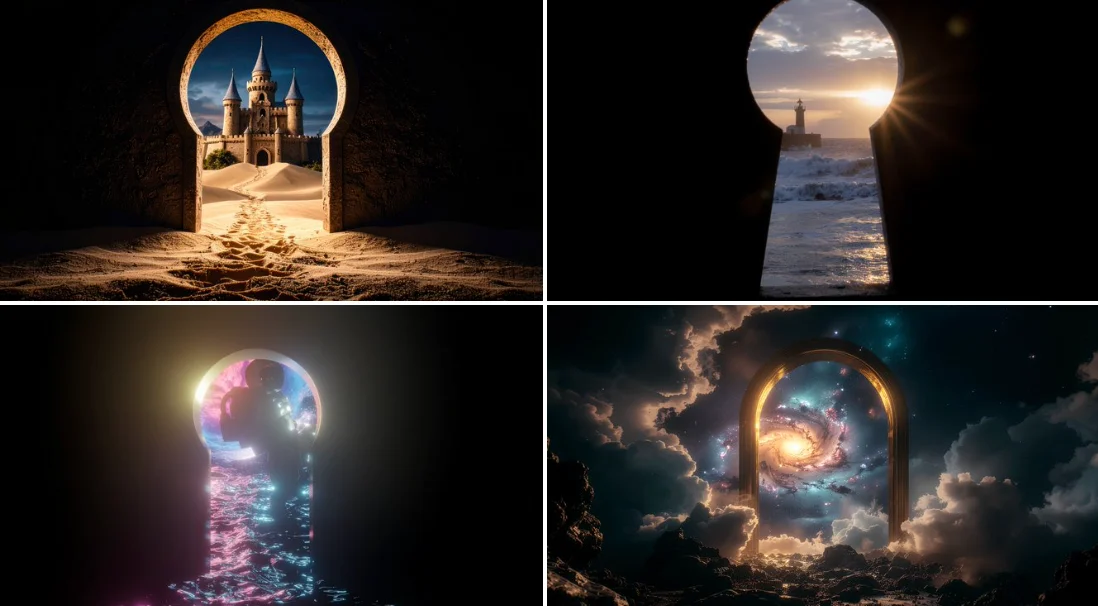
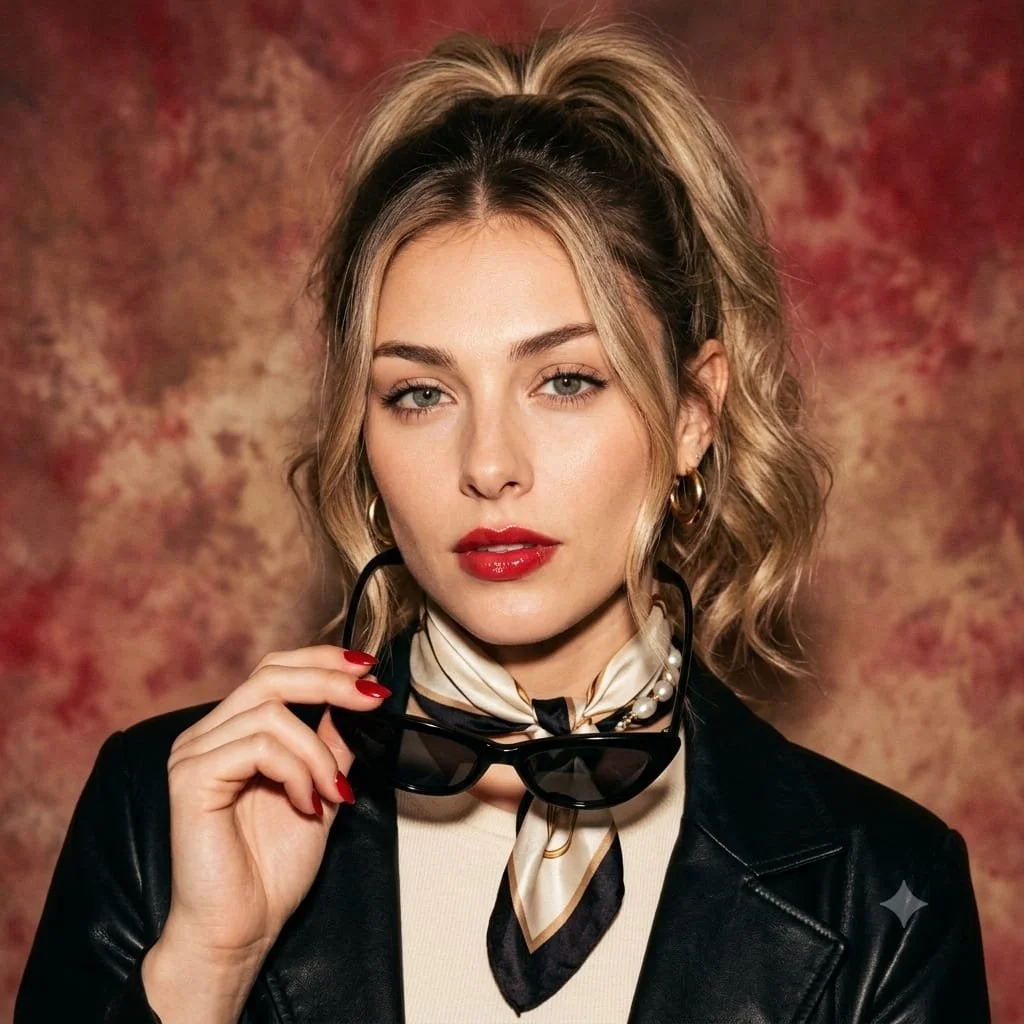
FLUX AI Image Generator for Your Next Video Starting Frame
Create a Still Image with a Clear Visual Direction
Use FLUX image models on flux3 video to explore a subject, product scene, or storyboard frame. Start with a text prompt or a supported image reference, review the settings and credit cost, and inspect the result before using it in a video.
Create Your First ImageBuild a Still Image Before You Plan Its Motion
The FLUX AI Image Generator helps you develop a visual direction for a video. These are image models: create or refine your still image here, then use the separate video generator to animate a suitable starting frame.
Describe Your Subject and Composition
Name the subject, its position, setting, lighting, and intended style. Add the colors or materials that matter, then choose the output controls available for your selected image model.
Develop a Consistent Visual Style
Describe the palette, rendering style, and mood you want for a storyboard or campaign. Compare the images against the same brief and refine specific details rather than assuming every result will match.
Refine Supported Image References
When your selected FLUX model supports image editing, upload a reference you have permission to use. Explain one change and the details to preserve. Available reference inputs depend on the model.
Prepare a Starting Frame for Image to Video
Create a still image with room for the intended action and camera movement. Download a result you want to use, open the video generator, and upload it in image-to-video mode. The video is generated in that separate workflow.
Review Details Before Sharing
Inspect faces, product shapes, text, and any unintended objects. Review the applicable model and platform terms, and check your rights to references before publishing or using an image in a project.
Keep Your Creative Brief in One Workspace
Write a prompt, choose a FLUX image model, review its credit cost, and find completed work in History. Keep the version you want to use as a starting point for your video.
Five Ways to Shape a FLUX Image Brief
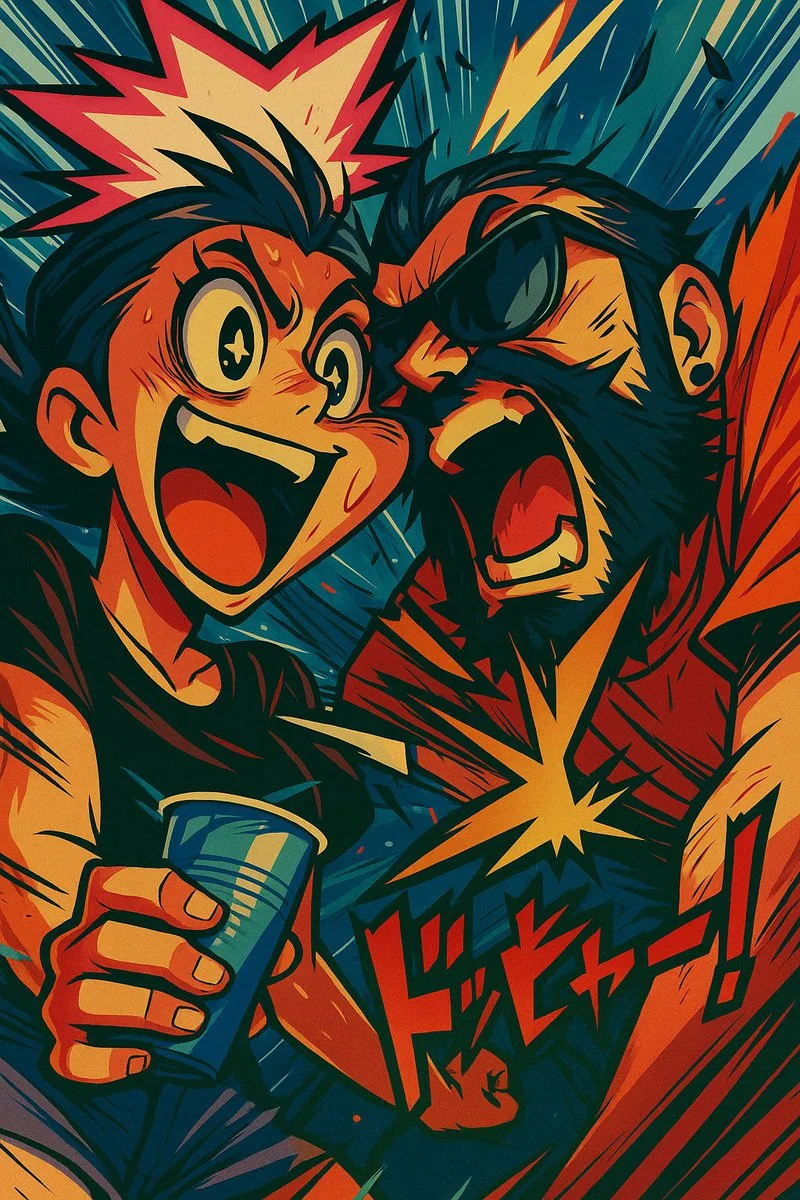
Give the Image a Specific Style Direction
Choose words for the visual treatment, such as photographic, illustrated, or animated. Describe the light, colors, and materials that support that direction.
Keep the main subject clear before adding decorative detail.
Starting-Frame Ideas for Video Creators
Explore composition and lighting studies for a scene, product story, social clip, or illustrated concept. Published image references illustrate visual directions rather than guaranteed transformations.
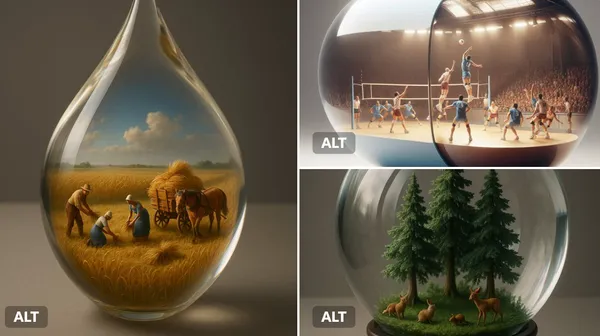
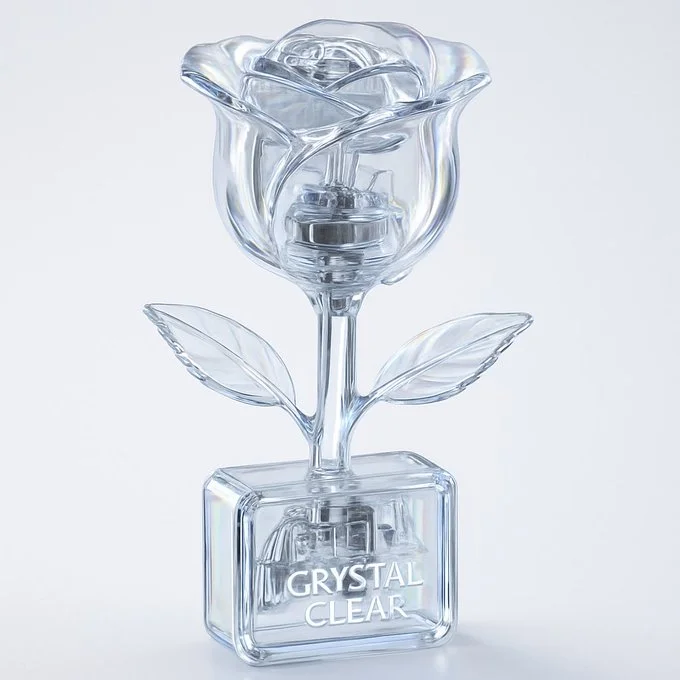
Scenes and Storyboard Frames
Describe the environment, subject position, shot size, and light. Use the image to discuss a scene direction and plan the movement you want in a later video.
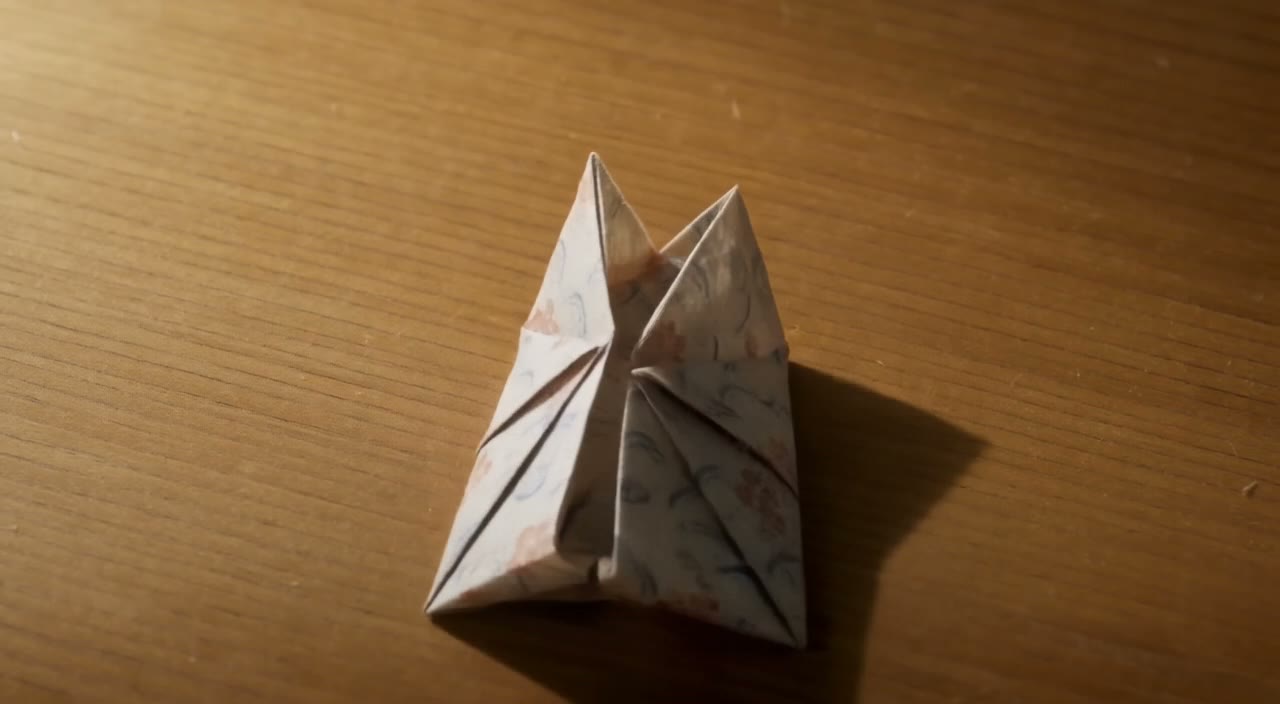
Product Stories
Build a setting around one product and a clear visual idea. Check shape, color, materials, and any branding against the actual product before using the result in an advertisement.
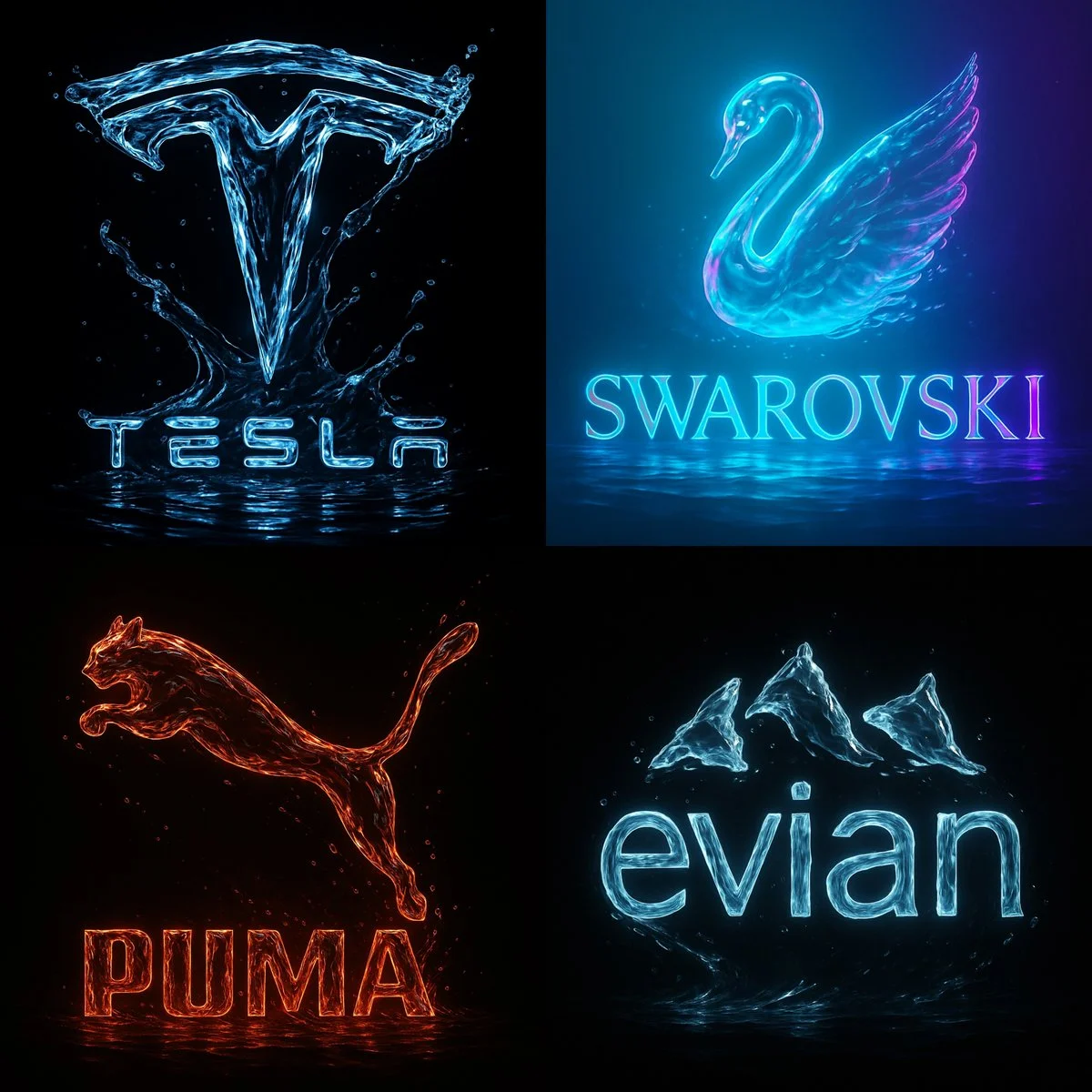
Social Content
Create a still image for a post or a short video opening. Choose a supported composition with a readable subject, and add final typography in your preferred editing workflow.
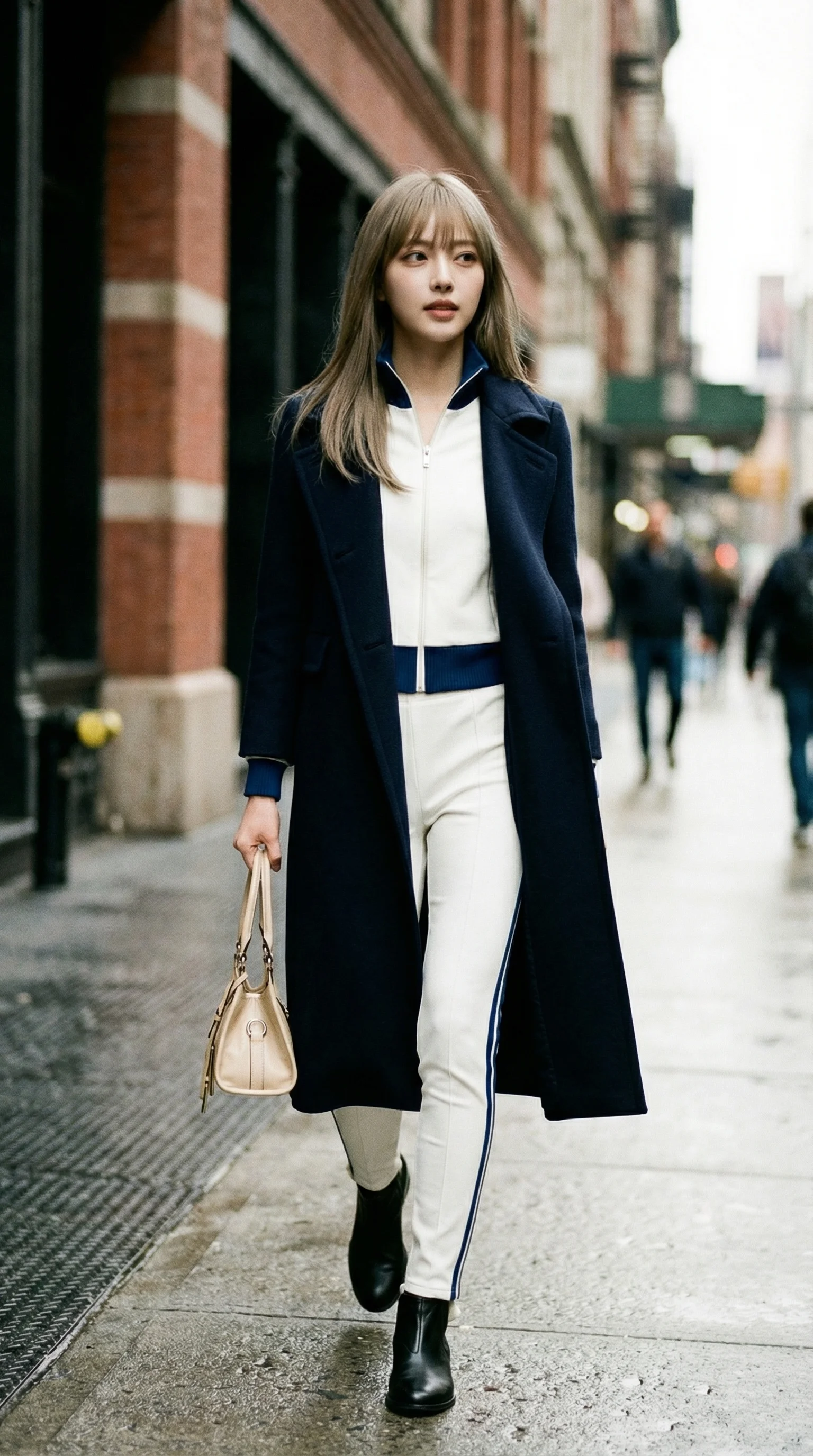
Animated Concepts
Explore a character, setting, and color palette for an animated scene. Specify the details you want to preserve and review each result before developing a sequence.
Create a Video Starting Frame in Four Steps
Write Your Brief or Add a Reference
Describe the subject, composition, lighting, and visual style. If the selected model supports editing, upload a reference you have permission to use and explain the change you need.
Choose a FLUX Image Model and Settings
Select a model from the available image catalog and use its supported size, quality, and reference controls. Review the required credits before submitting.
Generate and Review the Still Image
Select Generate Image and follow the request in History. Inspect the result, then revise the prompt or a supported setting if you need another version.
Download and Use It in Image to Video
Download your chosen still image, open the video generator, and upload it as a starting-frame reference. Describe the motion separately; image creation and video creation use their own models and credit quotes.
Visual Ideas for Your Next Project
Use a still image to establish the subject, style, and composition before planning a social clip, product story, explainer, or animated scene.
Character and Style Studies
Develop the character, pose, lighting, and background of a scene. Review faces, hands, clothing, and details before planning the character movement.
Products and Campaign Concepts
Explore a product setting or campaign mood from a focused brief. Check the result against actual product details and leave space for final text or branding.
Explainers and Presentations
Prepare a simple visual for one teaching or presentation point. Review facts and details, and add any final labels yourself when accuracy matters.
Environments and Story Worlds
Build an environment concept with a clear palette, lighting, and sense of scale. Use it to plan the scene direction before generating separate video shots.
Creative Notes for Your Starting Frame
Name the subject and the setting before adding style words. Keep the main visual idea easy to recognize.

FLUX AI Image Generator: Questions and Answers
It creates still images from text prompts or supported image references using FLUX image models. On flux3 video, use it to develop visuals and starting frames. Video generation takes place separately in the video generator.
Describe the subject, setting, composition, lighting, and intended style. Include colors or materials when they matter. For a video starting frame, also consider the space the subject needs for its next action.
The image model menu shows the FLUX models currently available on this site. Each model has its own input requirements, settings, and credit costs. Use that menu to review your options before generating.
Use image-to-image or editing mode when the selected model offers it. Upload a supported reference you have permission to use, describe one change, and name the details to preserve. Input counts and editing controls depend on the selected model.
Yes. Download your chosen image and upload it in image-to-video mode in the separate video generator. Describe the intended action and camera movement there. A FLUX image model produces the still image; a video model produces the clip.
Review the applicable platform and model terms and your rights to uploaded references, identifiable people, logos, and other source material. Inspect the image for unintended details before using it in a commercial project.
Generation uses credits. Check your balance, select a FLUX image model and settings, and review the quoted cost before submitting. Visit Pricing for available plans and credit packs.
Completed images are available in History. Open the result to inspect it and download the version you want to keep for your project or the image-to-video workflow.
You can request a refund within 10 days of purchase if you have unused credits from that purchase and provide a clear reason, subject to our Refund Policy. If eligible, an unused purchase can be fully refunded; a partly used purchase is refunded in proportion to its remaining unused credits. Fully used purchases and free or promotional credits are not refundable.
Credit validity depends on the pack, subscription or promotion that issued them. Review the purchase terms and expiration dates in Settings > Credits. A renewal or new purchase does not extend older credits. Use credits before their stated expiration; do not assume unused subscription credits roll over indefinitely.
Credits charged for a task that is confirmed as failed due to a system error are returned automatically. A task that is still processing has not yet been confirmed as failed. Check its status and your credit history before submitting again. If a confirmed failure still shows an unresolved charge, email support@flux3video.dev with the task ID.
AI results can vary, so a completed result that differs from your expectations is not automatically treated as a technical failure. Eligible completed image tasks can be submitted for credit refund review using the refund option where available; approval is required. For a video or another issue, contact support@flux3video.dev with the task ID and details. A credit refund returns credits, not money to your payment method.
Email support@flux3video.dev. For billing, include your account email and order ID; for generation, include the task ID, issue description and relevant screenshots. If you purchased as a guest, keep the original browser data and payment receipt so we can help locate the purchase.
Create Your Next Video Starting Frame with FLUX
Start from text or a supported image reference, choose a FLUX image model, and review its settings and credit cost. Download a completed result, then bring it into the separate image-to-video workflow.
flux3video.dev · Updated
See update history
- — Added editable example prompts and separate drafts for text and reference modes, with an action to restore the example.
- — Updated page copy and content.
- — Page content published.