
A social-post concept workshop
Ozil Goal AI Video Generator: One Photo, One Chipped Finish
Direct a chipped-goal scene
History
Loading history…
Your questions, answered
What is Ozil Goal AI Video Generator?
It creates a prompt-guided football video around an imagined dribble and finishing action. A portrait can guide the adult player while the written direction sets the keeper's approach, the chip and the camera view.
How do I start?
Use Image to Video with one adult player photo, or Text to Video to create a fictional player without uploaded media. Describe the approach and finishing touch, choose the available options and check the quote before generating.
Can I try it for free?
Check your current account credits and the selected model’s access conditions. When the available balance covers the quoted job, you can generate without buying more credits.
What do I upload?
For an image-guided scene, choose one clear adult portrait or football photograph with a readable face. Simple clothing and an unobstructed stance help establish the player. Text to Video begins from the description alone.
How much does it cost?
Read the live credit quote for the selected model and settings before submitting your football clip. Preparing inputs or editing a description does not start a generation.
When is the result ready?
Follow the submitted job’s estimate and progress. The model, settings and queue affect waiting; History keeps the completed clip available for review and download.
Direct the moment when a calm finish beats a rushing keeper. The Ozil Goal AI Video Generator on flux3video.dev gives your football idea a clear sequence: approach with the ball, draw the keeper forward and lift the shot toward goal. Begin with one adult portrait or invent a player in text mode. Keep the camera wide enough to follow the relationship between the scorer, ball and net.
Generate the goal video
How the goal concept comes together

Upload the portrait
Choose one adult portrait or football photo with a clear face and simple background. Check that you have the right to use it. Crop distractions and note any detail you want to keep, such as the shirt shape or stance, before you write the prompt.
Write the dribble brief
Describe the imagined run, the keeper coming out and the chipped finish in plain words. Set available model controls to support the motion and framing you want. Keep the wording specific so the model has a clear scene to follow.
Check the quote, generate and review
Read the displayed live credit quote before starting. Sign in to your account, launch the generation job and open History when it finishes. Review the output against your prompt, then adjust wording or settings and try again if the scene needs work.
What the output can show
A prompted dribble, not a copy
In the image-guided mode, your photo establishes the player while the description sets an original football movement. Plan the dribble, keeper approach and lifted finish as a new scene. Use the preview to study how a clear action reads, then direct the setting and timing of your own clip.
Editable creative direction
Rewrite the prompt between jobs to change the approach, the timing of the keeper or the angle of the chip. Available model controls let you explore different looks without leaving the workspace. Each edit gives you a new brief to review before you commit a generation job.
Jobs, quote and History in one place
The generator shows a live credit quote before a job runs. Sign in to your account to start generation and return to History when you want to compare attempts. History keeps your jobs together so you can check what changed between versions and pick the scene worth posting.
Scenarios for one memorable post
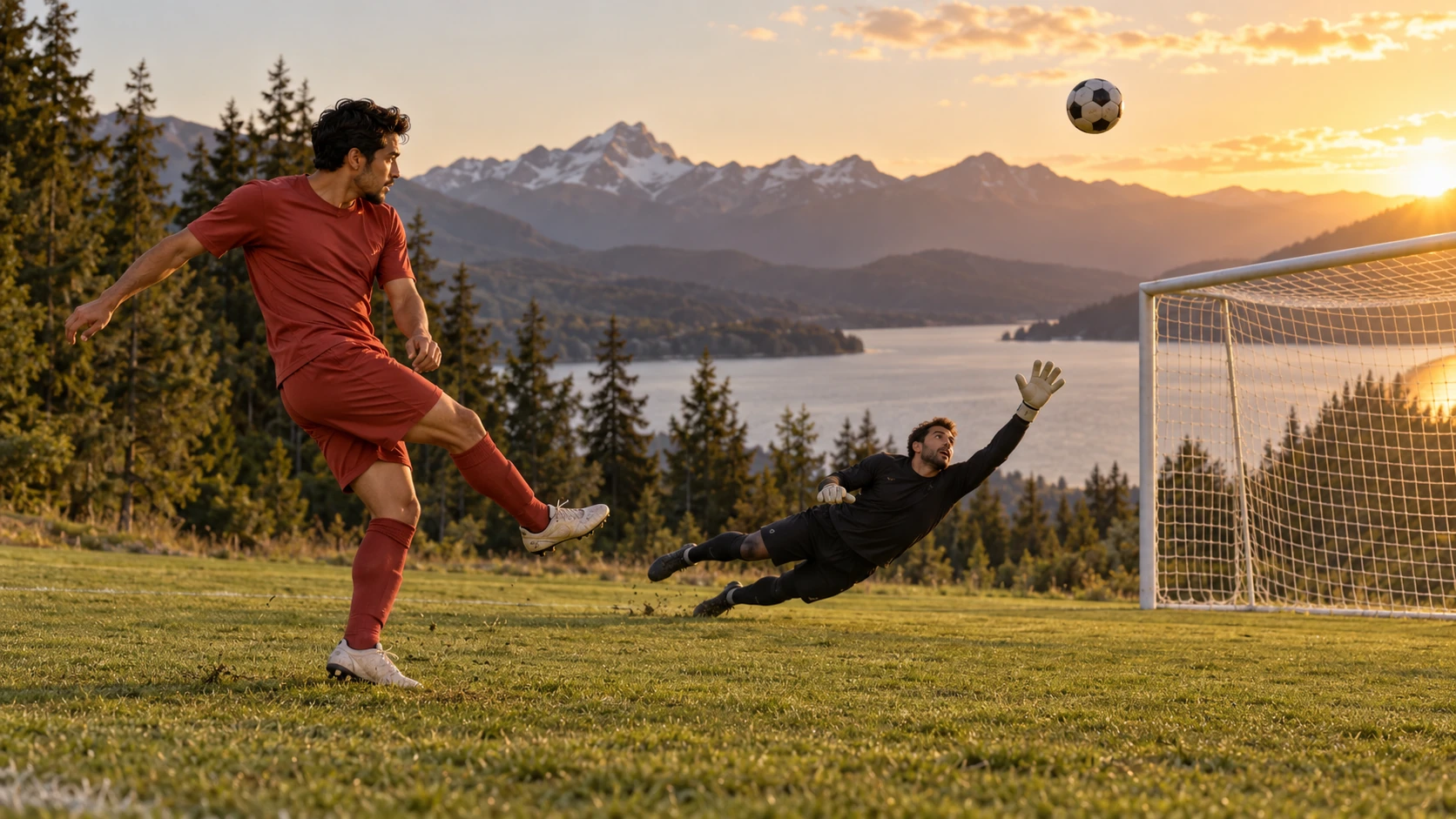
The Sunday-league send-off
Use a photo of a friend in a local kit. Prompt a short dribble, a keeper rushing out and a soft chip that drops just under the bar for a funny birthday post.
The training-ground tease
Upload a teammate's portrait in training gear. Describe a quick feint, a nudged ball past the keeper and a calm clipped finish, then caption it as a friendly challenge to the group chat.
The supporter's fantasy moment
Start with an adult portrait in club colours and prompt a fictional stadium scene. Frame the chip as a daydream, not a real event, and keep any club references generic to avoid implying official ties.
Preparation and review

- Write the prompt in stages: run first, keeper move, then chip, so each beat is easy to check in the output.
- Keep the uploaded face sharp and avoid busy backgrounds that could pull attention away from the imagined motion.
- Compare History versions before posting and choose the clip where the ball and keeper read most clearly.
Make the ball path the clearest part of the sequence
A chipped finish needs a readable relationship between three things: the player's approach, the keeper's position and the space above them. Describe those in order. Keep the opening dribble brief and ask for one controlled lifting touch instead of a long series of tricks. Choose a medium-wide camera that leaves the goal in view so the audience can understand where the ball is going. A simple pitch and plain training clothes can keep attention on the action. Add atmosphere only after the shot has a clear beginning and finishing moment.
Watch the completed clip rather than selecting it from a single impressive frame. Follow the ball through the approach, contact and arc. Check whether the keeper's movement belongs to the same moment and whether the scorer remains recognizable as the body turns. If the sequence loses clarity, shorten the run or steady the camera in the next direction. Keep the same reference when comparing the change. For a personal football post, choose the version whose action reads immediately, then add your caption or edit around it after reviewing the whole result.
Ozil goal scene questions
What type of output does this make?
It creates a video of a football scene from the player and action you describe. The image-guided mode can use one portrait for the adult subject. Your text directs the dribble, keeper approach and chipped goal, and History holds the completed clip for review.
Can I use any portrait photo?
Choose a clear adult portrait or football photo with visible eyes and a distinct face outline. Keep the crop simple and avoid strong blur or heavy filters. Include the stance when it is an important part of the player direction.
Does the prompt control the movement?
The prompt guides the sports scene, but it does not lock in an exact replay or a fixed motion reference. You can rewrite the timing, angle and actions between jobs. Available model controls add further direction, yet some variation between generations is expected.
Do I need to upload match footage?
No match footage is required for this page's photo-led workflow. Prepare one adult portrait or football still and describe a new chipped-goal sequence. Text to Video can begin without an image; the scene preview is there to help you understand the visual idea.
How do credits and accounts work?
You need an account to run generation jobs. A live credit quote appears before you start, so you can see the cost for that job.
Create your chipped-goal clip
Upload one adult portrait, describe the dribble and chip, then check the live credit quote and generate.
Generate the goal videoContinue with a related creative guide


flux3video.dev · Updated
See update history
- — Added editable example prompts and separate drafts for text and reference modes, with an action to restore the example.
- — Page content published. Updated page copy and content. Updated page images or videos. Updated page generator or navigation settings.