
Toy Car To Real Car: A Practical Still-Image Guide
Create or adapt a Toy Car To Real Car still
History
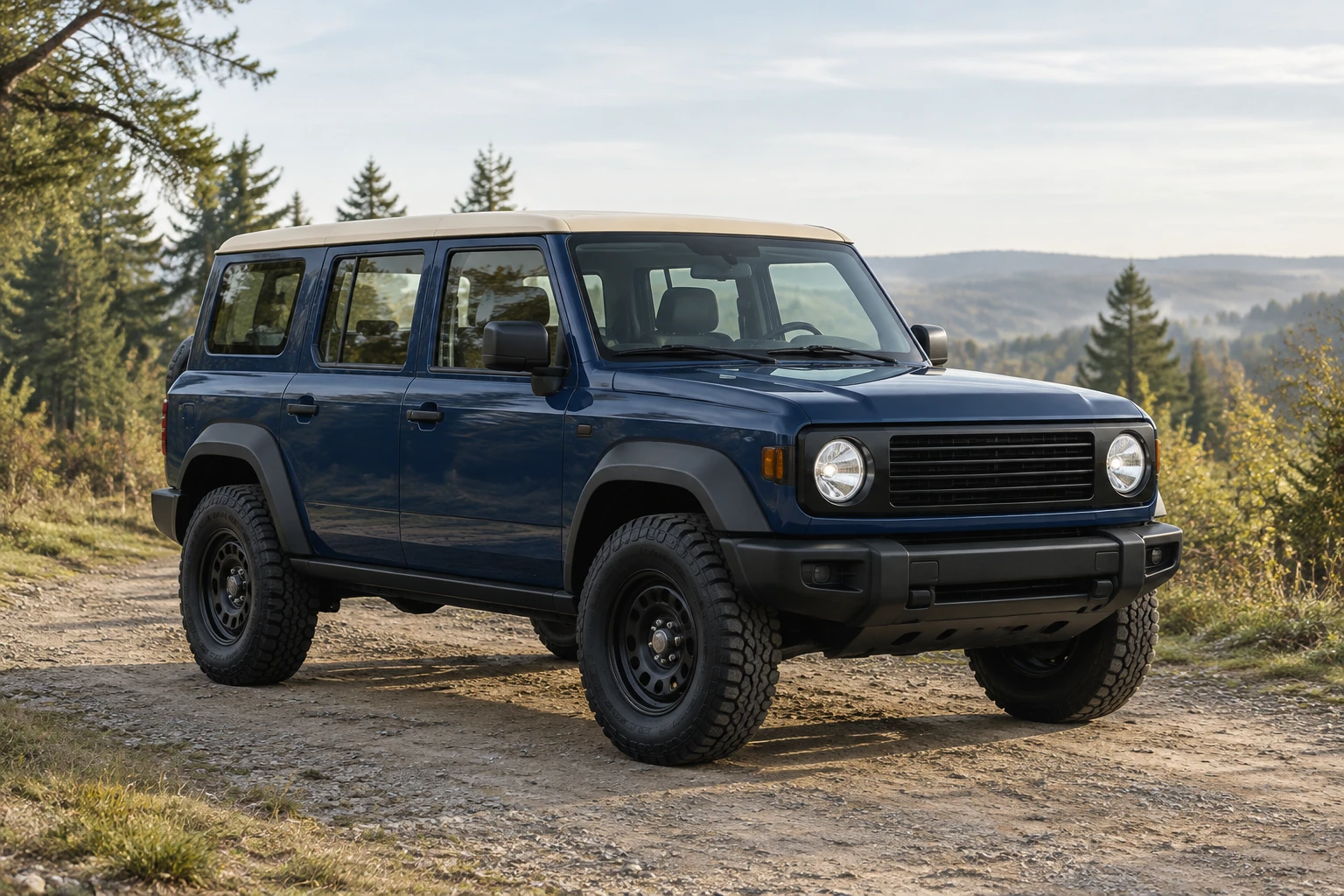
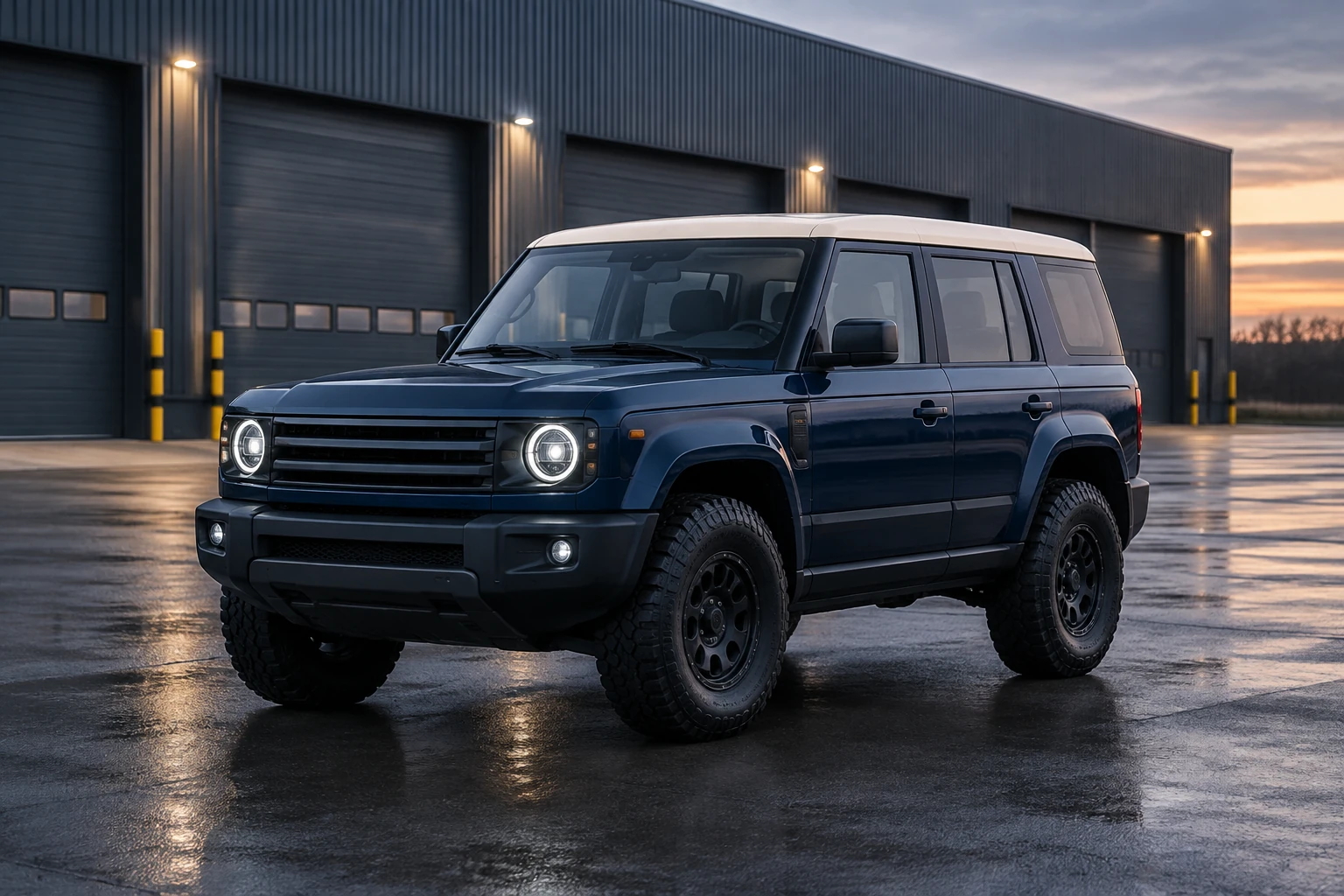
Toy Car To Real Car creates a still full-size vehicle concept. Use Image to Image with one clear toy photograph and an editable prompt, or Text to Image to describe a new vehicle scene without an upload. This guide follows an original deep-navy four-door SUV with a pale-sand roof, an upright cabin, round headlights and chunky tires. The main concept places that boxy design on a woodland access road in soft morning light. A separate warehouse study shows a smoother cabin shape, giving you a practical feature to compare with the miniature before choosing an interpretation.
Create your full-size vehicle concept
Choose a creation mode
For a new scene based on the imaginary SUV example, use Text to Image: it has an editable prompt and requires no upload. To interpret your own toy, choose Image to Image, which accepts one uploaded toy-vehicle photo and an editable prompt. Use the editable themed prompt as your starting point.
Prepare one clear toy photo
For Image to Image, supply one photo that shows the whole toy from a clear three-quarter angle. Use a view where the roofline, paint, body style, window arrangement, and distinctive stripes are visible. Avoid cropping off the wheels or hiding defining features in glare or deep shadow. Text to Image needs no source photo.
Edit the prompt and choose settings
Adapt the prompt to the actual toy: ask for its visible identity cues to remain recognizable while molded plastic and miniature proportions become plausible metal, glass, rubber, and full-size scale. In Seedream 5.5, select from the size and aspect options currently shown. Check the live credit quote beside Generate before starting; the displayed quote is the relevant estimate for the settings you selected.
Generate and review the still
Generate the image and follow its status in History; wait times can vary. Review the still at full size, checking all wheels, window shape, reflections, paint, and perspective. If something needs attention, change one variable at a time—such as lighting or wheel readability—and generate again.
Make the miniature readable before reimagining it
A useful source photo makes the toy’s design easy to interpret. A three-quarter view shows both the front and one side, helping the body style, roofline, short or long overhangs, and wheel placement read together. Keep the full vehicle in frame, with enough light to distinguish paint, windows, and any stripes. A plain background can help separate the toy from its surroundings; the key is that the vehicle itself remains clear. In Text to Image mode, there is no uploaded reference, so describe the intended design in the prompt instead.
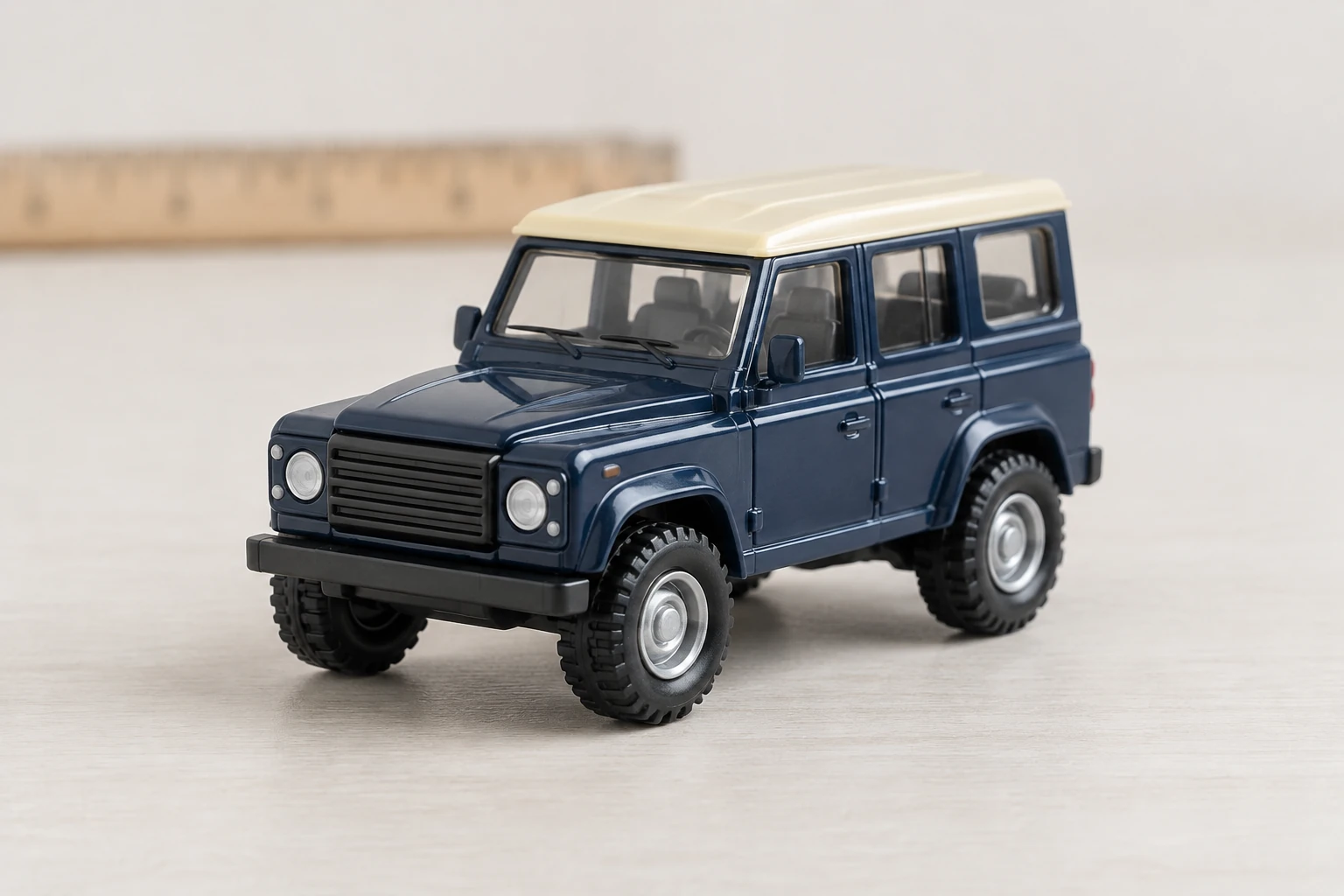
Translate materials and scale, not just texture
A convincing Toy Car To Real Car still should reinterpret how the toy is built. Ask for painted metal bodywork, transparent-looking glass, and rubber tires rather than a larger version of hard plastic. Keep distinctive design cues—such as a particular roofline, window layout, or stripe—while allowing proportions and materials to feel plausible at full size. The prompt should also replace miniature-tabletop cues with outdoor scale: a vehicle-sized setting, perspective that suits a full-size SUV, and grounded shadows beneath the tires.
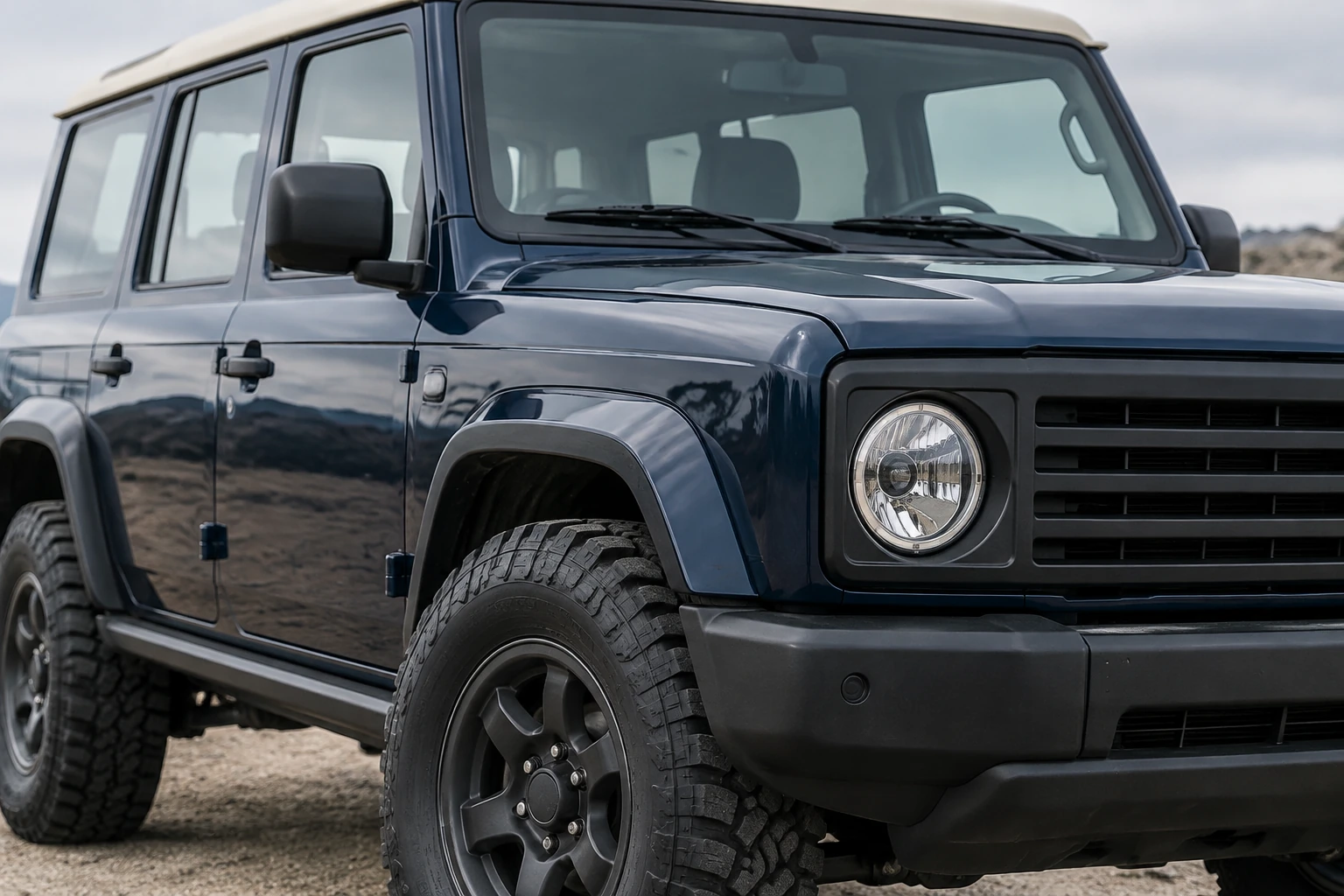
Check the cabin against the miniature
The woodland concept keeps an upright cabin and a pale roof as clear identity cues. The warehouse study has a smoother roofline and a different side-window arrangement. Compare these features with the miniature before choosing an interpretation: matching paint alone does not preserve the vehicle design. If the cabin shape matters, make the next edit specific to its boxy roofline, door count and window placement before changing the lighting. Then check the visible tires, glass and contact shadows together. This gives each revision one clear question to answer.
Keep generation, editing, and review straightforward
Use the themed prompt as a starting point and refine the vehicle details in the same generator. Text to Image uses your editable text without an upload; Image to Image uses one uploaded toy photo and editable text. Seedream 5.5 presents its currently supported size and aspect options, a live credit quote beside Generate, and generation status in History. Check the quote before running, then review the completed still at full size. Results can vary, so treat the image as a concept interpretation and make focused revisions when a cue is unclear.
Toy-car image questions
Can I use the Toy Car To Real Car guide for free?
Eligibility depends on the current account and access conditions shown on flux3video.dev. Check what applies to your account in the interface before generating; this guide does not promise a free allowance or universal free access.
What is the difference between the live credit quote and my account balance?
The live quote beside Generate reflects the selected generation settings. Your account balance is a separate account-level amount. Check both in the interface before starting; a quote is not a statement of your balance or a fixed price.
How long will generation take, and where can I see its status?
Wait time can vary, so this guide cannot give a reliable fixed duration. Check the generation status in History while your still is being processed.
Do I need to upload a toy photo?
No upload is needed in Text to Image mode; edit the prompt to describe a new vehicle scene. Image to Image takes one uploaded toy-vehicle photo and an editable prompt to guide an interpretation of that particular toy.
Will the result keep my toy’s recognizable details?
The edit prompt asks the image model to retain visible cues such as paint, body type, roofline, window arrangement, and distinctive markings, but an image result is not guaranteed to reproduce every detail exactly. Review the full-size still for wheels, windows, reflections, paint, and perspective, then revise one variable at a time.
How can I share a miniature and its full-size concept together?
Place the miniature photo beside the reviewed full-size concept in your usual editor. Label the two still images and keep the cabin, roof color and windows large enough to compare at the final display size.
More ideas to explore
AI Image Generator
Explore the existing image-generation workflow and its available modes.
Banana AI Image Generator
Visit the Banana image-generation page for another image workflow.
Flux AI Image Generator
Explore the Flux image-generation page and its available tools.
AI Video
Explore a separate video-generation workflow for another creative project.
flux3video.dev · Updated
See update history
- — A Toy Car To Real Car still-image guide with an original navy SUV concept, one-photo and text-only prompts, and practical checks for cabin identity, materials and full-size context.