
Kling Image 4.0 Review: Can It Keep Storyboard Stills Consistent?
A documentation-based Kling Image 4.0 review for storyboard creators: what the vendor says about references, text, resolution and image series, plus a practical checklist for checking availability and consistency.
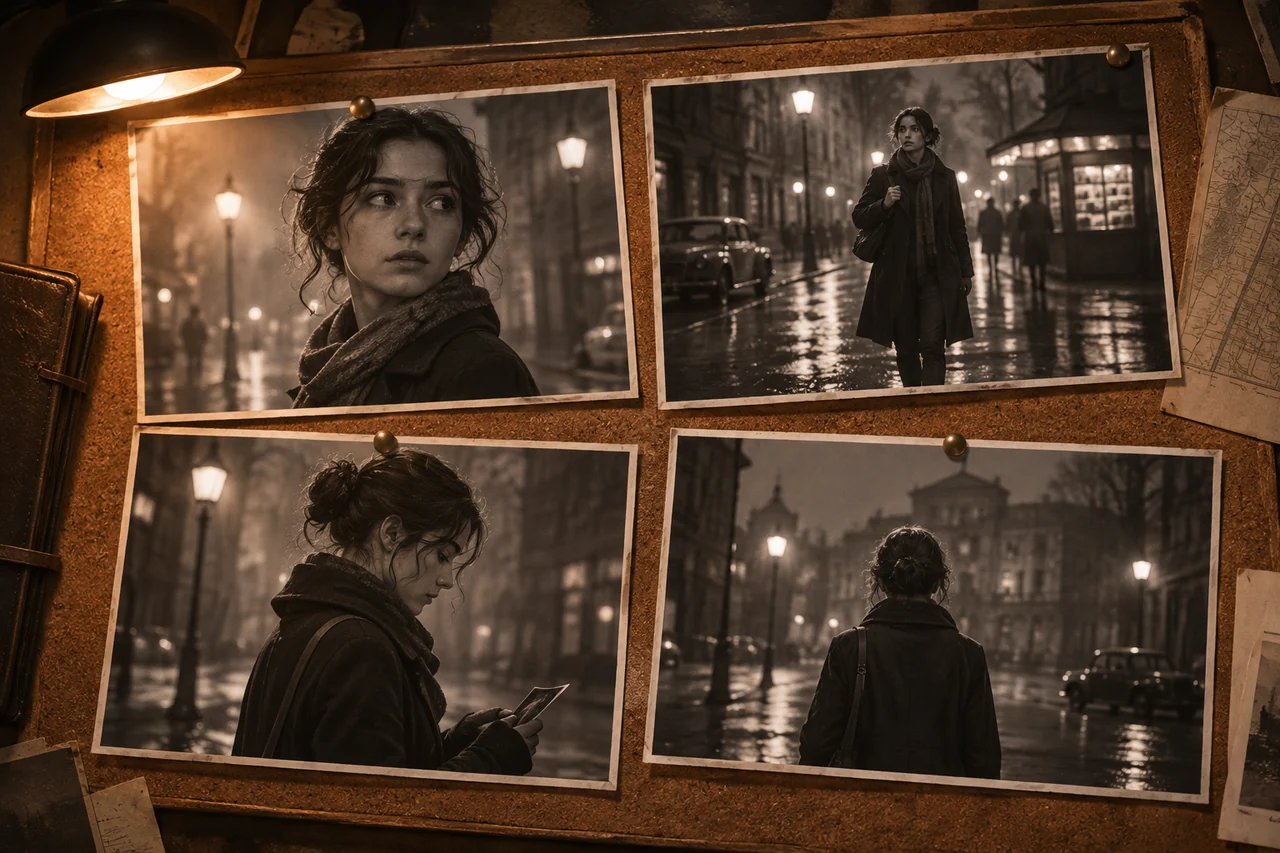
Kling Image 4.0 looks promising on paper for creators who need a run of related storyboard stills. Kling says the model supports up to 10 reference images, text in images, outputs at native 2K, 4K and 8K, and up to 10 images in a series. Those are relevant ingredients for a sequential visual workflow. They do not, by themselves, establish that a character, costume, location, or camera setup will remain consistent across every frame.
This is a documentation-based review, not a hands-on test. The available evidence is Kling’s product announcement and release notes, together with a proposed set of checks a reader can run if they have access. Availability also needs a careful distinction: a feature described by a vendor, a feature exposed through an API, and a feature a particular site actually offers are separate things. Kling Image 4.0 is not listed on flux3video.dev, so readers should not assume they can generate it here.
What Kling says Image 4.0 can do
Kling’s announcement describes native 2K, 4K and 8K image output, support for up to 10 reference images, text rendering, and the ability to create up to 10 images in a series. These are vendor-reported capabilities, not results independently verified in this review. Kling’s Image 4.0 announcement and Kling Image 4 release notes are the primary sources for those claims.
For storyboard work, the series feature is the most directly relevant claim. A creator might want a sequence such as: a courier enters a rainy station, spots a sealed package, and turns toward the exit. If the images can be generated as a series, that could make it easier to plan several connected beats in one workflow. But the stated limit of up to 10 images in a series does not tell us how much visual continuity the system preserves, whether each frame can be revised independently, or what controls are available for ordering and directing the images. Those details should be checked in the product interface or documentation before building a workflow around them.
Reference images could also help establish a visual anchor. For example, a storyboard artist might supply a character design, a jacket reference, and a location image, then describe multiple moments in the same scene. Kling says the model supports up to 10 reference images. That is a count of supported references, not a guarantee that all references will be followed equally or that adding more will improve a result. A reader should test whether the chosen references actually influence the details that matter to their project.
Text support may be useful when a frame needs legible signs, labels, or other short wording. It is worth treating this as a capability to evaluate rather than assuming that every requested word will appear exactly as written. If a sign is essential to the story, inspect it closely and plan a separate graphics step if the text needs to be precise.
Resolution claims also need context. Kling reports native 2K, 4K and 8K output, but the cited materials do not establish which settings are available in every interface, whether all modes are available to every user, or what limits apply to a particular workflow. Higher resolution can matter when a still will be cropped or used in a large layout, but it does not automatically make the composition more consistent or the story clearer.
The practical question: do the stills hold together?
Storyboard consistency is more than repeating a character’s name in several prompts. The same person may need to retain a particular silhouette, hairstyle, jacket, and carried object. A location may need to preserve its layout and lighting across a change of angle. Even when each image looks appealing on its own, a sequence can feel disconnected if these details shift.
Kling’s announced features suggest ways to investigate those needs: use references for recurring visual elements, try a series for connected beats, and check text rendering if signage is part of the frame. The documentation alone does not demonstrate that Image 4.0 will maintain those elements reliably. The right conclusion is that the features are relevant to a storyboard workflow, while consistency remains something the user must judge with their own scenes and requirements.
A reader-run storyboard checklist
If you have access to Kling Image 4.0, keep a small, controlled checklist rather than beginning with a large project. The following is a proposed workflow check, not a report of tests performed for this review.
- Choose one simple scene. Write three beats with the same character and location: entering a room, finding an object, and leaving with it. Keep the action straightforward so you can focus on continuity.
- Record the visual anchors. Note the character’s hair, clothing, key accessory, and any object that must persist. Describe the location’s major features and the time of day. A short reference sheet makes differences easier to spot.
- Check what the interface actually exposes. Confirm whether you can select a series, provide reference images, set the desired output resolution, and control text. Do not infer that an announced capability is available in the tool you are using.
- Try a reference set with a clear purpose. If the interface permits it, use references that show the specific details you need to carry forward. Start with a few useful images rather than assuming that using the maximum number will produce better continuity.
- Inspect each beat against the same list. Compare the character’s clothes and silhouette, the object’s appearance, the location layout, and the lighting. Mark a detail as stable, changed, or unclear. This makes “consistent” more concrete than judging the images only by overall appeal.
- Check the sequence, not just individual frames. Put the stills in story order. Look for changes that break the action: an object switching hands, a character appearing in the wrong place, or a location detail moving between shots.
- Verify any important text. Read signs and labels character by character. If exact wording is needed, note whether the output is usable as-is or needs correction elsewhere.
- Repeat only when you can learn from it. Change one prompt detail or reference choice at a time. Otherwise, it is difficult to tell which change affected the result.
This checklist is useful whether the result is strong or uneven. If the same character remains recognizable but the room layout changes, you have learned that character continuity and environment continuity need separate attention. If the series is coherent but a sign is wrong, treat text as its own review point rather than dismissing the whole sequence.
Availability: keep three questions separate
First, what does the vendor describe? Kling’s announcement and release notes report the features summarized above. Second, what is available through an API? General API availability is a separate question from whether the same controls are present in a consumer-facing interface; the cited evidence does not establish every API parameter, access condition, or account requirement. Third, where can a reader use the model? The target site does not list Kling Image 4.0, so this page should not be read as an offer of access to it.
If you are looking for a tool already represented on flux3video.dev, the site’s /ai-image page is the relevant place to explore image-generation options. It is not evidence that Kling Image 4.0 is included there. The /ai-video page is useful for readers whose storyboard work continues into moving images, but it is a separate destination and does not establish Kling Image 4.0 availability. The site’s /pricing page is relevant for checking the site’s own pricing information; it does not supply a price for Kling Image 4.0.
Verdict
On the documentation reviewed, Kling Image 4.0 presents a set of features that make sense for storyboard creators: a claimed series workflow, up to 10 reference images, text support, and several stated output resolutions. Those claims give readers concrete capabilities to look for when evaluating access to the model. They do not prove reliable continuity from frame to frame, specify every control available to users, or show that the model is offered on flux3video.dev.
The sensible recommendation is conditional. If you can access Image 4.0, use a short, repeatable scene to check the details your storyboard depends on before committing to a longer sequence. If you are deciding where to work, verify the exact model and controls in the provider’s own interface. Based on the available documentation alone, Kling Image 4.0 is worth investigating for storyboard stills, but its fit depends on how well it maintains your visual anchors in the workflow you can actually use.
What's new on this page
- 2026-11-23 — Page published. Added a documentation-based review and a checklist readers can run against their own images.